Ice Scream 3: Horror Neighborhood
Updated
Current Version
1.3.4209
Offered By

With your passion for Ice Scream 3: Horror Neighborhood, you shouldn’t have to limit yourself to the small screen of a phone. Play like a pro and take full control of the game using a keyboard and mouse. MEmu gives you everything you’re looking for. Download and play Ice Scream 3: Horror Neighborhood on PC. Play as long as you want — no more worries about battery life, mobile data, or unexpected calls. The all-new MEmu 9 is the best way to play Ice Scream 3: Horror Neighborhood on PC. With our expertly designed keymapping system, Ice Scream 3: Horror Neighborhood feels just like a real PC game. The MEmu multi-instance manager lets you run two or more accounts on the same device at the same time. Most importantly, our exclusive emulation engine unlocks your PC’s full potential, delivering smooth and seamless performance.
Show more
Download Ice Scream 3: Horror Neighborhood on PC with MEmu Android Emulator. Enjoy playing on big screen. NOW AVAILABLE: KNetwork.

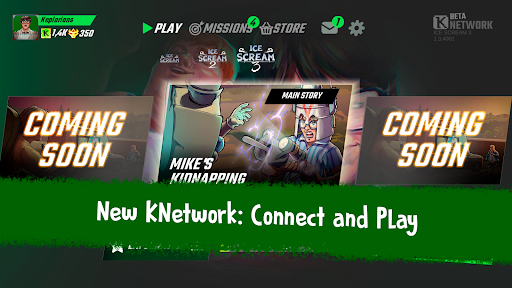

NOW AVAILABLE: KNetwork
The Ice Scream universe is now connected.
The Keplerians Network (KNetwork) arrives in Ice Scream 3 to connect the games of the saga into one shared experience. Create your player profile, sync your progress, and unlock new rewards as you continue the story.
• Shared progress: sync your game and continue your adventure on any device.
• Cross-game rewards: play here and unlock content in other Ice Scream chapters.
• New player Hub: manage your profile, progress, and rewards in one place.
• Enhanced experience: enjoy improved graphics and smoother gameplay.
Update the game and join the KNetwork!
THE ICE CREAM MAN IS BACK
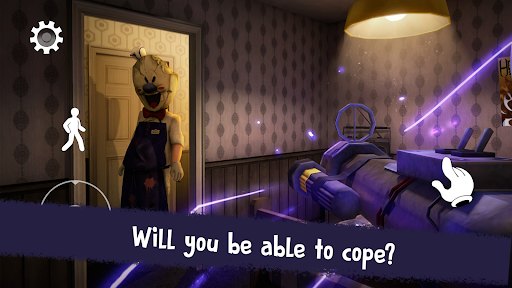
The eerie sound of the ice cream truck is once again echoing through the neighborhood… but this time it brings nothing good.
The sinister ice cream man Rod Sullivan has kidnapped your best friend Mike, freezing him with mysterious powers and taking him away in his creepy ice cream van.
Something dark is happening, and only you can uncover the truth.
To rescue your friend, you must infiltrate Rod’s van, explore different locations, and solve the puzzles behind his evil plans.
Can you stop him before it’s too late?
GAME FEATURES
• Stealth and survival: Rod can hear everything. Hide, use your surroundings, and move carefully to avoid being caught.
• Exploration: travel inside Rod’s van and explore multiple eerie locations full of secrets and clues.
• Challenging puzzles: solve puzzles and riddles to uncover Rod’s plans.
• Exploration mode: enemies are present but cannot see you, allowing you to discover the story at your own pace.
• Multiple difficulty levels: Normal, Hard, or Nightmare. Each mode offers a different challenge.
• Invisibility: turn invisible to avoid Rod and escape dangerous situations unnoticed.
• Guiding system: the Guiding Arrow helps you if you get stuck during the adventure.
• Progress saving: continue your game anytime and keep exploring the mystery.
• Horror adventure for everyone: a thrilling experience designed for all players.
If you enjoy horror games, mystery adventures, and puzzle challenges, Ice Scream 3 offers a suspenseful experience full of exploration and surprises.
Play with headphones for a more immersive experience…
The sound of the ice cream truck may appear at any moment.
We continue improving the game with updates and new content.
Thanks for playing Ice Scream!
Show more

1. Download MEmu installer and finish the setup

2. Start MEmu then open Google Play on the desktop

3. Search Ice Scream 3: Horror Neighborhood in Google Play
Install
4. Download and Install Ice Scream 3: Horror Neighborhood
5. On install completion click the icon to start

6. Enjoy playing Ice Scream 3: Horror Neighborhood on PC with MEmu
MEmu Play is the best Android emulator and 100 million people already enjoy its superb Android gaming experience. The MEmu virtualization technology empowers you to play thousands of Android games smoothly on your PC, even the most graphic-intensive ones.
Bigger screen with better graphics; Long duration, without limitation of battery or mobile data.
Full Keymapping support for precise control of keyboard and mouse or gamepad.
Multiple game accounts or tasks on single PC at one time with Multi-Instance manager.
Play Ice Scream 3: Horror Neighborhood on PC by following steps: