منچ باز
Updated
Current Version
2.41.8
Offered By

With your passion for منچ باز, you shouldn’t have to limit yourself to the small screen of a phone. Play like a pro and take full control of the game using a keyboard and mouse. MEmu gives you everything you’re looking for. Download and play منچ باز on PC. Play as long as you want — no more worries about battery life, mobile data, or unexpected calls. The all-new MEmu 9 is the best way to play منچ باز on PC. With our expertly designed keymapping system, منچ باز feels just like a real PC game. The MEmu multi-instance manager lets you run two or more accounts on the same device at the same time. Most importantly, our exclusive emulation engine unlocks your PC’s full potential, delivering smooth and seamless performance.
Show more
Download منچ باز on PC with MEmu Android Emulator. Enjoy playing on big screen. منچ باز | تجربه نوستالژی منچ، این بار آنلاین و حرفهای!
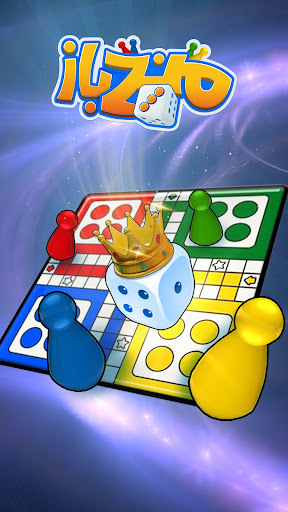
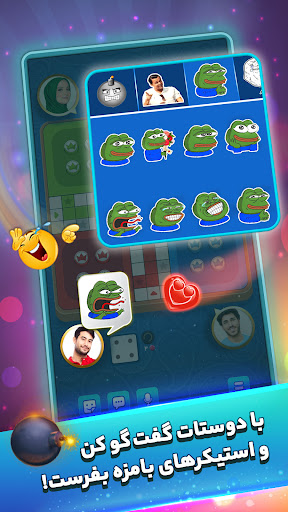
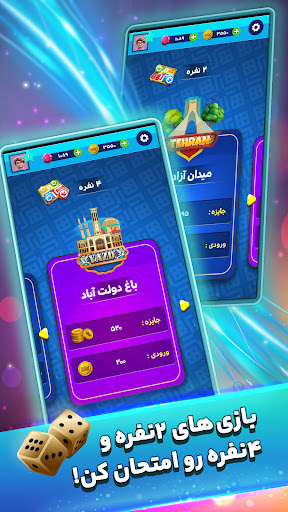
منچ باز | تجربه نوستالژی منچ، این بار آنلاین و حرفهای!
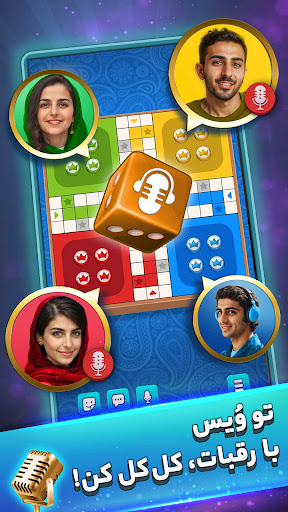
حس ناب منچ قدیمی رو این بار به صورت آنلاین، چندنفره و همراه با چت صوتی زنده تجربه کن!
در منچ کلاب میتونی با بازیکنهای حرفهای از سراسر کشور رقابت کنی، رتبهات رو در جدول ردهبندی بالا ببری و برای کسب جوایز ماهانه بجنگی.
هیجان رقابت واقعی رو همین حالا شروع کن!
⭐ ویژگیهای کلیدی بازی
رقابت آنلاین با بازیکنان حرفهای
با منچبازهای سراسر کشور رقابت کن، امتیاز جمع کن و جایگاهت رو در جدول ردهبندی ارتقا بده.
چت صوتی زنده حین بازی
با دوستان و رقبا صحبت کن، کری بخون و بازی رو هیجانانگیزتر از همیشه تجربه کن!
ایموجیهای انفجاری و تعامل جذاب
با ایموجیهای خاص و هیجانی، فضای بازی رو پرانرژیتر کن و حس رقابت رو چند برابر کن.
بازی گروهی با دوستان
دوستانت رو دعوت کن و از راه دور، به صورت گروهی با هم بازی کنید.
تاس و صفحه اختصاصی
از تاس و صفحه بازی انحصاری خودت استفاده کن و حرفهای بودنت رو به رخ رقبا بکش.
مدلهای متنوع بازی
از بین حالتهای دو نفره، چهار نفره، آفلاین و سایر مدلها، سبک دلخواهت رو انتخاب کن.
جوایز ماهانه و رقابت حرفهای
با بالا بردن رتبهات، وارد رقابت برای جوایز ماهانه شو و به جمع برندگان بپیوند.
فرصت رو از دست نده!
همین حالا منچ کلاب رو نصب کن، بازی کن و جایزه ببر!
Show more

1. Download MEmu installer and finish the setup

2. Start MEmu then open Google Play on the desktop

3. Search منچ باز in Google Play
Install
4. Download and Install منچ باز
5. On install completion click the icon to start

6. Enjoy playing منچ باز on PC with MEmu
MEmu Play is the best Android emulator and 100 million people already enjoy its superb Android gaming experience. The MEmu virtualization technology empowers you to play thousands of Android games smoothly on your PC, even the most graphic-intensive ones.
Bigger screen with better graphics; Long duration, without limitation of battery or mobile data.
Full Keymapping support for precise control of keyboard and mouse or gamepad.
Multiple game accounts or tasks on single PC at one time with Multi-Instance manager.
Play منچ باز on PC by following steps: