天堂2M
Updated
Current Version
2.2.33
Offered By

With your passion for 天堂2M, you shouldn’t have to limit yourself to the small screen of a phone. Play like a pro and take full control of the game using a keyboard and mouse. MEmu gives you everything you’re looking for. Download and play 天堂2M on PC. Play as long as you want — no more worries about battery life, mobile data, or unexpected calls. The all-new MEmu 9 is the best way to play 天堂2M on PC. With our expertly designed keymapping system, 天堂2M feels just like a real PC game. The MEmu multi-instance manager lets you run two or more accounts on the same device at the same time. Most importantly, our exclusive emulation engine unlocks your PC’s full potential, delivering smooth and seamless performance.
Show more
Download 天堂2M on PC with MEmu Android Emulator. Enjoy playing on big screen. ■■■■■Brief Description■■■■■.
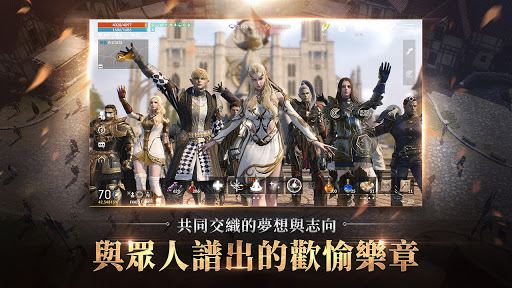
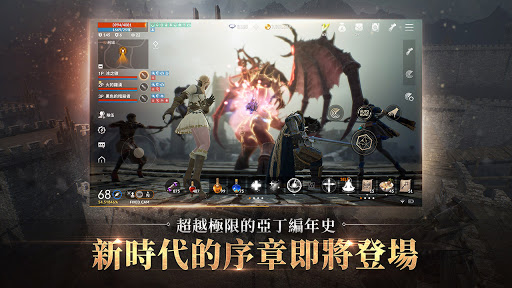
■■■■■Brief Description■■■■■
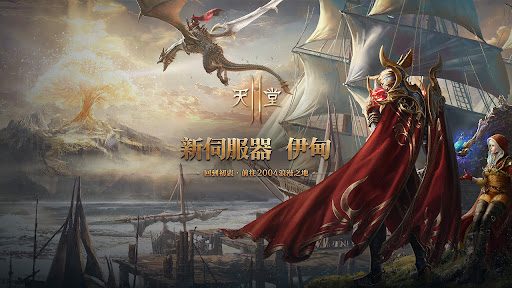
Double Rewards World: New Server "Death Knight"
Three Kingdoms Heroes Special Project
Class Reboot: Gunner
■■■■■Game Features■■■■■
【ALL TIME NO.1 GRAPHIC】
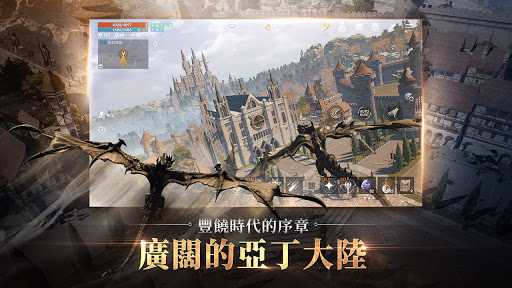
▶ Visuals Beyond Time and Platform Boundaries ◀ High-quality 3D graphics
【One-Channel Seamless Open World】
▶ Vast Seamless Open World ◀ A realistic game world
Showcasing the realism of character clashes and conflicts
【Complete The MMORPG】
▶ Next-Generation Mobile MMORPG ◀
[World] Retains the unique features of each village and hunting ground, while reconstructing a more expansive game world
[Classes] In addition to inheriting the classes from Lineage 2, over 100 new classes have been added
[Combat] While highlighting the strong, newcomers can also engage in battles through guild alliances
■■■■■Official Information■■■■■
※《Lineage 2M》 Official Website: Get the latest Lineage 2M news and events here
https://tw.ncsoft.com/lineage2m/
※ Lineage 2M Facebook Fan Page: Connect with other players and get real-time event information
https://www.facebook.com/Lineage2MOfficial.TW
※ Purple App: A mobile app for communicating with clan members anytime
https://play.google.com/store/apps/details?id=com.ncsoft.nctpurple
※ Purple PC: Provides a 3D gaming environment on your PC
https://tw.ncsoft.com/purple/intro/index
■■■■■ Lineage 2M Purple ■■■■■ When connecting via PC, you can install both Purple and Lineage 2M.
■■■■■ To enhance the gaming experience, the following permissions are required ■■■■■
【Selective Permissions】
[Select] Storage Space (Photos/Media/Files): Permission to save files after taking screenshots and recording videos.
[Select] Nearby Devices: Permission to indicate in-game connection of a Bluetooth keyboard or mouse.
[Select] Microphone: Permission to record sound while recording videos.
[Select] Notifications: Permission to receive in-game informational notifications and advertising push notifications.
※ You can still play the game if you do not agree to grant these permissions.
【How to Disable Permissions】
▶ Settings > Applications > Select Lineage 2M > Select Disable Permissions.
【Product Information and Usage Conditions】
▶ Android: Android 7.0 or above, 3GB RAM
【Warm Reminder】
※ Lineage 2M is classified as Category 15 (Supplementary) according to the Game Software Rating Management Regulations of the Republic of China.
※ The game's plot contains mild sexual innuendo, violence, and horror related to character clothing.
※ Some content or services in this game require additional payment; please avoid excessive spending.
※ Please be mindful of your usage time and avoid becoming addicted to the game, as this may affect your physical and mental health.
Show more

1. Download MEmu installer and finish the setup

2. Start MEmu then open Google Play on the desktop

3. Search 天堂2M in Google Play
Install
4. Download and Install 天堂2M
5. On install completion click the icon to start

6. Enjoy playing 天堂2M on PC with MEmu
MEmu Play is the best Android emulator and 100 million people already enjoy its superb Android gaming experience. The MEmu virtualization technology empowers you to play thousands of Android games smoothly on your PC, even the most graphic-intensive ones.
Bigger screen with better graphics; Long duration, without limitation of battery or mobile data.
Full Keymapping support for precise control of keyboard and mouse or gamepad.
Multiple game accounts or tasks on single PC at one time with Multi-Instance manager.
Play 天堂2M on PC by following steps: