BATTLE CRUSH
Updated
Current Version
0.4.4
Offered By

With your passion for BATTLE CRUSH, you shouldn’t have to limit yourself to the small screen of a phone. Play like a pro and take full control of the game using a keyboard and mouse. MEmu gives you everything you’re looking for. Download and play BATTLE CRUSH on PC. Play as long as you want — no more worries about battery life, mobile data, or unexpected calls. The all-new MEmu 9 is the best way to play BATTLE CRUSH on PC. With our expertly designed keymapping system, BATTLE CRUSH feels just like a real PC game. The MEmu multi-instance manager lets you run two or more accounts on the same device at the same time. Most importantly, our exclusive emulation engine unlocks your PC’s full potential, delivering smooth and seamless performance.
Show more
Download BATTLE CRUSH on PC with MEmu Android Emulator. Enjoy playing on big screen. 30Player Action Brawl BATTLE CRUSH.
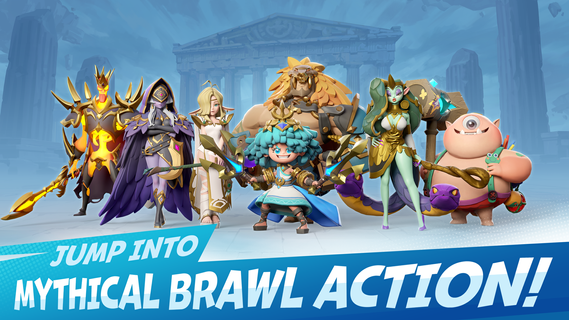
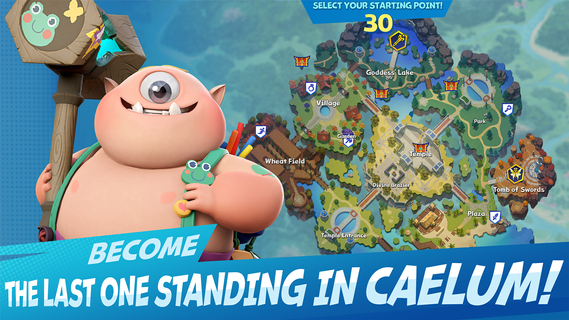
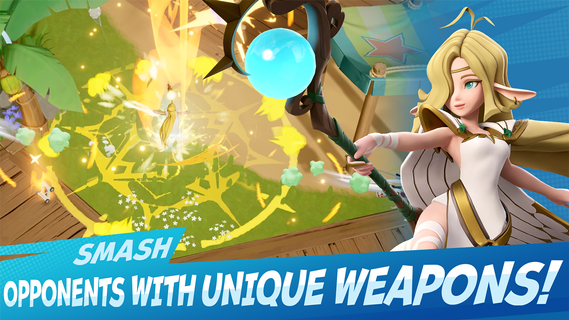
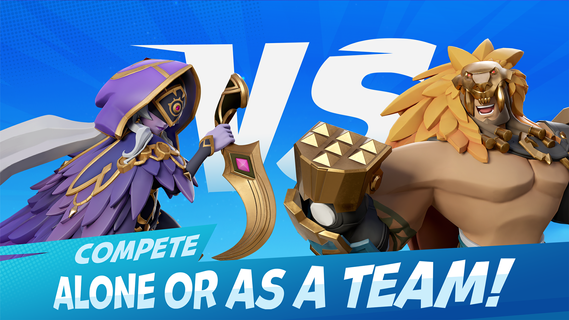
30Player Action Brawl BATTLE CRUSH. Thrilling gameplay set on crumbling terrain!■ A 30-Player Battle On A Crumbling Field!30 players compete against each other to be the last one standing!You only have 8 minutes tops! Join the fray that takes place on a crumbling fieldand quench your thirst for action!■ Skills That Highlight The Action ExperienceNo more boring action skills!Use various skills that deal satisfying blows to your enemies to conquer the battlefield!Deal damage using Light Attacks that consist of quick moves and combosKnock back enemies with big blows using Heavy AttacksStay invincible while charging up your UltimateQuickly dodge incoming moves and ambush enemies with Dodge AttacksPush or throw enemies out of the ring!Hone your skills and become even stronger!■ Treasure Chests And Items To Turn The TablesBecome stronger with treasure chests that appear on the field!The stronger you become, the longer you'll survive!Don't miss these consumable items that could teleport you to enemies far away or bring you luck!■ Calixers - Characters With Unique Action SkillsHaul spheres of water at your enemies as Poseidonor become Medusa and turn your enemies into stone!Each Calixer has their own story and unique action skillsChoose your favorite Calixer and become the hero of this story!■ Game Modes To Suit Your StyleBattle Royale (Solo/Team): A Battle Royale that features up to 30 playersOnly the last player or team that remains on the battlefield winsThe arena collapses as time goes by. Get to safe ground!Brawl (Solo/Team):Choose 3 Calixers to take to battleKeep fighting until you are the final survivor!Aim for opponents who are already locked in battle in this enclosed arena of chaos!Duel:An intense 1 vs 1 game mode where the first to take 3 games out of 5 is the victorSee which Calixers your opponent chose before beginning the game.Prepare for battle!BATTLE CRUSH requires the following permissions for optimal gameplay.You can use the game even if you do not agree to the optional rights, and you can reset or revoke access permission after agreeing to the access rights.[Optional] Microphone: Use voice chat feature[Optional] Notifications: Receive in-game information and marketing notifications[Optional] Nearby Devices: Use voice chat feature[How to Manage Permissions]- Android 6.0 and up: Settings > Application Management > BATTLE CRUSH > Select permission > Agree or withdraw access permission- Under Android 6.0: Due to the nature of the operating system, it is impossible to revoke access depending on permission type unless you delete the app. We recommend that you upgrade your Android version.
Show more

1. Download MEmu installer and finish the setup

2. Start MEmu then open Google Play on the desktop

3. Search BATTLE CRUSH in Google Play
Install
4. Download and Install BATTLE CRUSH
5. On install completion click the icon to start

6. Enjoy playing BATTLE CRUSH on PC with MEmu
MEmu Play is the best Android emulator and 100 million people already enjoy its superb Android gaming experience. The MEmu virtualization technology empowers you to play thousands of Android games smoothly on your PC, even the most graphic-intensive ones.
Bigger screen with better graphics; Long duration, without limitation of battery or mobile data.
Full Keymapping support for precise control of keyboard and mouse or gamepad.
Multiple game accounts or tasks on single PC at one time with Multi-Instance manager.
Play BATTLE CRUSH on PC by following steps: