Harry Potter: Wizards Unite
Updated
Current Version
2.17.0
Offered By

With your passion for Harry Potter: Wizards Unite, you shouldn’t have to limit yourself to the small screen of a phone. Play like a pro and take full control of the game using a keyboard and mouse. MEmu gives you everything you’re looking for. Download and play Harry Potter: Wizards Unite on PC. Play as long as you want — no more worries about battery life, mobile data, or unexpected calls. The all-new MEmu 9 is the best way to play Harry Potter: Wizards Unite on PC. With our expertly designed keymapping system, Harry Potter: Wizards Unite feels just like a real PC game. The MEmu multi-instance manager lets you run two or more accounts on the same device at the same time. Most importantly, our exclusive emulation engine unlocks your PC’s full potential, delivering smooth and seamless performance.
Show more
Download Harry Potter: Wizards Unite on PC with MEmu Android Emulator. Enjoy playing on big screen. ★★★ Webby People’s Voice Award Winner ★★★.

★★★ Webby People’s Voice Award Winner ★★★
A magical calamity has befallen the wizarding world and it’s up to you to answer the call to help the Ministry of Magic restore balance! From the makers of Pokémon GO, Harry Potter: Wizards Unite is the real-world augmented reality (AR) game that allows you to interact with the wizarding world in a new way. Discover some of the most iconic characters and magical creatures from the Harry Potter and Fantastic Beasts series including Harry, Ron, Hermione, Dumbledore and Newt, as well as Dragons, Hippogriffs, Nifflers and much more–all brought to life through AR.
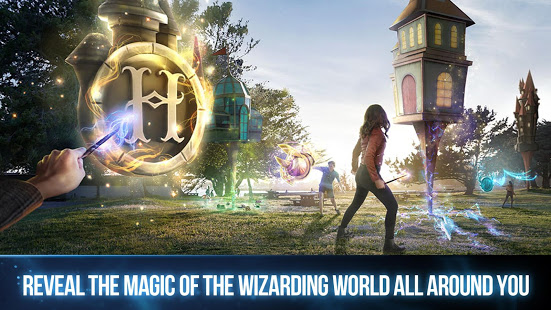
REVEAL THE MAGIC OF THE WIZARDING WORLD IN A NEW WAY
◆ Use cutting-edge AR to relive some of your favourite moments from the Harry Potter and Fantastic Beasts series, encountering hundreds of magical artefacts, creatures, people and memories from the wizarding world.
◆ Discover the magic in your neighborhood as unique real world points of interest such as parks, museums, murals and more are transformed into magical Inns, Greenhouses and Fortresses to aid you on your adventures.
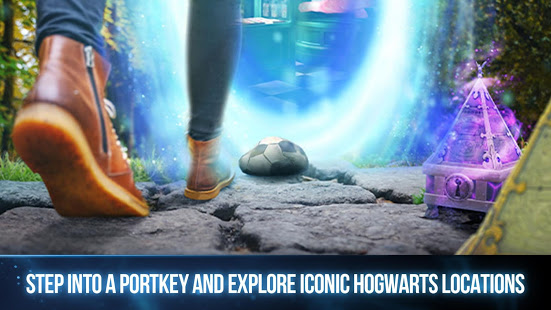
◆ Step into a Portkey and, through the lens of immersive AR, experience the magic of being whisked away to some of your favourite wizarding world locations such as Ollivander’s Wand Shop, Dumbledore’s Office, Hagrid’s Hut and more.
FULFILL YOUR MAGICAL POTENTIAL
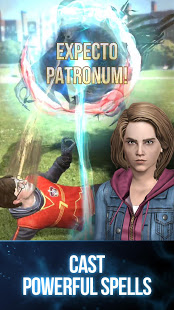
◆ Learn powerful spells and unlock unique rewards as you level up that will help you on your adventures, with training lessons provided by the Ministry of Magic.
◆ Gather ingredients to brew Potions with a variety of magical effects, including powerful concoctions that even Professor Snape would be proud of.
◆ Select a magical Profession and learn unique skills. Take on dark wizards as an Auror, tame fantastic beasts as a Magizoologist or master spells for any occasion as a Professor.
TEAM UP WITH OTHER WITCHES AND WIZARDS
◆ Duel fearsome foes in Wizarding Challenges–real-time cooperative multiplayer battles against Death Eaters, Werewolves, Acromantulas and more. Team up and strategize with friends to turn even the most difficult Wizarding Challenges in your favor.
◆ Catch a ride on the Knight Bus to the Hogwarts Fortress and join in Wizarding Challenges with players from around the globe, all from the comfort of home.
◆ Collect useful magical resources from real world points of interest and share them with friends by sending in-game gifts.
Ready your wand, alert your friends and enlist to protect the wizarding world. Dark forces don't stand a chance when witches and wizards come together. Your wizarding adventure awaits!
Stay tuned for the latest at WizardsUnite.com
Notes:
- With the player's permission, Adventure Sync uses your location to enable the player to earn walking distance when the app is closed.
Harry Potter: Wizards Unite is co-developed and co-published by Niantic, Inc. and WB Games San Francisco as part of Portkey Games, a label dedicated to creating new Wizarding World mobile and video games inspired by J.K. Rowling's original stories that place players at the center of their own adventure.
Show more

1. Download MEmu installer and finish the setup

2. Start MEmu then open Google Play on the desktop

3. Search Harry Potter: Wizards Unite in Google Play
Install
4. Download and Install Harry Potter: Wizards Unite
5. On install completion click the icon to start

6. Enjoy playing Harry Potter: Wizards Unite on PC with MEmu
MEmu Play is the best Android emulator and 100 million people already enjoy its superb Android gaming experience. The MEmu virtualization technology empowers you to play thousands of Android games smoothly on your PC, even the most graphic-intensive ones.
Bigger screen with better graphics; Long duration, without limitation of battery or mobile data.
Full Keymapping support for precise control of keyboard and mouse or gamepad.
Multiple game accounts or tasks on single PC at one time with Multi-Instance manager.
Play Harry Potter: Wizards Unite on PC by following steps: