
Immortal Destiny:Chosen Heirs
Updated
Current Version
11.0.21
Offered By

With your passion for Immortal Destiny:Chosen Heirs, you shouldn’t have to limit yourself to the small screen of a phone. Play like a pro and take full control of the game using a keyboard and mouse. MEmu gives you everything you’re looking for. Download and play Immortal Destiny:Chosen Heirs on PC. Play as long as you want — no more worries about battery life, mobile data, or unexpected calls. The all-new MEmu 9 is the best way to play Immortal Destiny:Chosen Heirs on PC. With our expertly designed keymapping system, Immortal Destiny:Chosen Heirs feels just like a real PC game. The MEmu multi-instance manager lets you run two or more accounts on the same device at the same time. Most importantly, our exclusive emulation engine unlocks your PC’s full potential, delivering smooth and seamless performance.
Show more
Download Immortal Destiny:Chosen Heirs on PC with MEmu Android Emulator. Enjoy playing on big screen. Talisman Quells All Realms, Yin-Yang Descends.
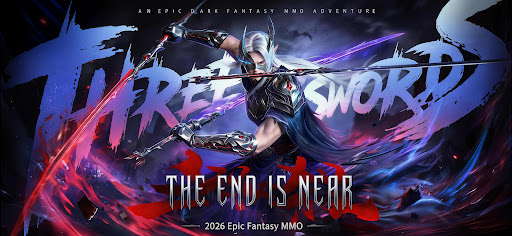
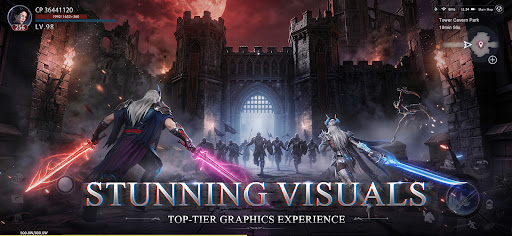
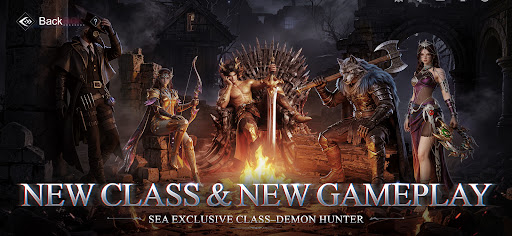
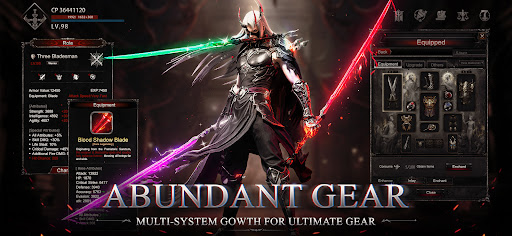
Talisman Quells All Realms, Yin-Yang Descends.
The all-new class "Witch" has arrived!
Demons have torn through the world’s barrier, unleashing an endless tide of despair.
The legendary Magic Cube has surfaced once again—a divine artifact holding infinite power, the final glimmer of hope against the abyss!
Now, the call of fate crosses oceans! Are you ready to become the long-awaited hero this world craves? Restore peace to a realm plunged into despair by demonic invasion, and embark on a legendary journey to rewrite destiny!
——Game Features——
▶ Next-Gen Combat Visuals, A Feast for the Eyes!
Powered by Unreal Engine 5, experience stunning graphics, fluid combo chains, and explosive skill effects for an immersive combat adventure!
▶ Exclusive Classes, Forge Your Legacy!
Wield a giant sword, summon divine beings, stalk the shadows, or defeat foes with a single dance. Choose from a variety of classic classes, paired with an in-depth advancement system to make your combat style truly unique and engrave your name in history!
▶ Conquer Demon Lords, Forge Legendary Gear!
Legendary equipment belongs only to the strong! Challenge bosses with unique mechanics, use strategy and skill to prevail — vanquish mighty foes, claim legendary spoils, and build your ultimate arsenal!
▶ One-Click Relief, Play with Ease!
Multiple time-saving features. Let the Lazy Assistant make your gaming experience truly effortless! One-click catch-up for daily quests, offline grinding rewards, and one-click dungeon completion—say no to grind, goodbye to repetition! Play when you want, rest when you need—your character keeps growing, and you’ll never miss a moment of excitement!
▶ Crown of Glory, The Server Is Defined By You!
The strong shall be remembered by the world! Reach the pinnacle of power, and your name will be engraved across the entire server. You shall own the exclusive supreme title, and your name will be forever imprinted in the history of this magical continent, becoming an immortal legend admired by future generations!
▶ All-Out Competition, Dominate the Battlefield!
Gather your allies, form your legion, and take part in massive PvP battles with hundreds of players to claim the title of the server’s strongest warrior!Darkness rises, heroes awaken! Grab your weapon—the fate of the world is in your hands!
Show more

1. Download MEmu installer and finish the setup

2. Start MEmu then open Google Play on the desktop

3. Search Immortal Destiny:Chosen Heirs in Google Play
Install
4. Download and Install Immortal Destiny:Chosen Heirs
5. On install completion click the icon to start

6. Enjoy playing Immortal Destiny:Chosen Heirs on PC with MEmu
MEmu Play is the best Android emulator and 100 million people already enjoy its superb Android gaming experience. The MEmu virtualization technology empowers you to play thousands of Android games smoothly on your PC, even the most graphic-intensive ones.
Bigger screen with better graphics; Long duration, without limitation of battery or mobile data.
Full Keymapping support for precise control of keyboard and mouse or gamepad.
Multiple game accounts or tasks on single PC at one time with Multi-Instance manager.
Play Immortal Destiny:Chosen Heirs on PC by following steps:
















































