One Punch Man: World
Updated
Current Version
1.0.0
Offered By

With your passion for One Punch Man: World, you shouldn’t have to limit yourself to the small screen of a phone. Play like a pro and take full control of the game using a keyboard and mouse. MEmu gives you everything you’re looking for. Download and play One Punch Man: World on PC. Play as long as you want — no more worries about battery life, mobile data, or unexpected calls. The all-new MEmu 9 is the best way to play One Punch Man: World on PC. With our expertly designed keymapping system, One Punch Man: World feels just like a real PC game. The MEmu multi-instance manager lets you run two or more accounts on the same device at the same time. Most importantly, our exclusive emulation engine unlocks your PC’s full potential, delivering smooth and seamless performance.
Show more
Download One Punch Man: World on PC with MEmu Android Emulator. Enjoy playing on big screen. Pre-download will be available on Jan.
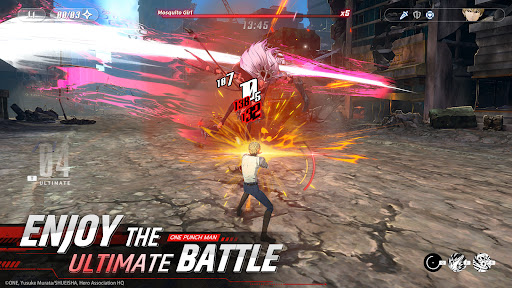
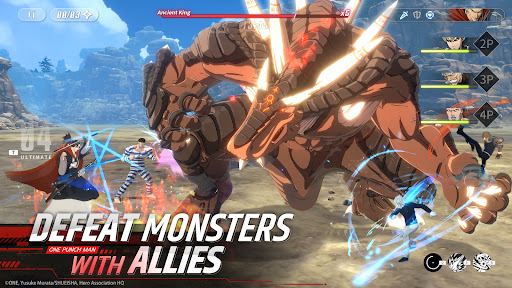
Pre-download will be available on Jan. 30, and the OBT will open on Feb. 1.
Get ready for the ultimate hero experience with One Punch Man: World. With official authorization from the Production Committee of One Punch Man TV series, this 3A-grade, multi-platform action RPG game is adapted from the wildly popular anime series One Punch Man. Based on the original world-building and lovingly crafted for authenticity and that unique One Punch Man flavor, this game contains an epic hero world that's both high-quality and accurate. With the heroes' moves and combat system meticulously recreated, you'll be able to fight alongside popular heroes and experience the true excitement of the One Punch Man universe!
One Punch Man: World is available across all platforms. And with cross-platform data sharing, your progress travels with you, no matter which device you play on!
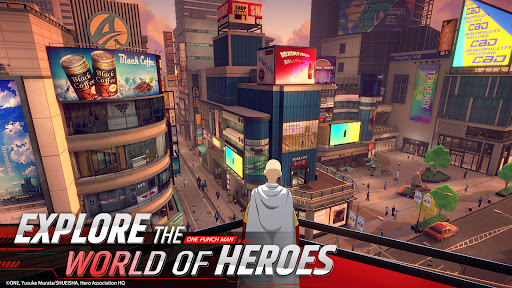
Explore the unique world of One Punch Man.
Explore every street and discover hidden gems at every turn. From classic arcade games to sales at the local supermarket, you'll find unique events and characters throughout the game. Encounter random heroes from the TV anime and complete special missions to unlock exclusive rewards. With everyday citizens who react differently to the changing weather, this game offers endless possibilities.
Immerse Yourself in the Innovative Character System.
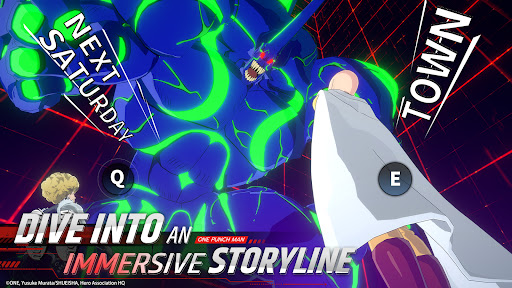
Rooted in classic character skills, this game fuses together visuals, sound, and control to deliver a visceral, bone-crunching fighting experience. Control a myriad of characters, each with their own gorgeous models, unique abilities and techniques.
Engage in the ultimate battle experience.
Dominate your opponents by mastering the art of Defense Rebound and Armor Break. Combine various sets of skills to deliver a smooth chain of combos and explosive moves that provide an unforgettable arcade feel! The incredibly flexible fighting system combined with an easy-to-learn, yet hard-to-master control mechanism, makes for infinite combinations of unique skills and an exemplary fighting experience!
Official Website: https://opmw.perfectworld.com/
Facebook: https://www.facebook.com/gaming/OPMWSEA
Show more

1. Download MEmu installer and finish the setup

2. Start MEmu then open Google Play on the desktop

3. Search One Punch Man: World in Google Play
Install
4. Download and Install One Punch Man: World
5. On install completion click the icon to start

6. Enjoy playing One Punch Man: World on PC with MEmu
MEmu Play is the best Android emulator and 100 million people already enjoy its superb Android gaming experience. The MEmu virtualization technology empowers you to play thousands of Android games smoothly on your PC, even the most graphic-intensive ones.
Bigger screen with better graphics; Long duration, without limitation of battery or mobile data.
Full Keymapping support for precise control of keyboard and mouse or gamepad.
Multiple game accounts or tasks on single PC at one time with Multi-Instance manager.
Play One Punch Man: World on PC by following steps: