Hypermarket 3D
Updated
Current Version
231
Offered By

With your passion for Hypermarket 3D, you shouldn’t have to limit yourself to the small screen of a phone. Play like a pro and take full control of the game using a keyboard and mouse. MEmu gives you everything you’re looking for. Download and play Hypermarket 3D on PC. Play as long as you want — no more worries about battery life, mobile data, or unexpected calls. The all-new MEmu 9 is the best way to play Hypermarket 3D on PC. With our expertly designed keymapping system, Hypermarket 3D feels just like a real PC game. The MEmu multi-instance manager lets you run two or more accounts on the same device at the same time. Most importantly, our exclusive emulation engine unlocks your PC’s full potential, delivering smooth and seamless performance.
Show more
Download Hypermarket 3D on PC with MEmu Android Emulator. Enjoy playing on big screen. Step into the world of retail and build the supermarket store of your dreams!
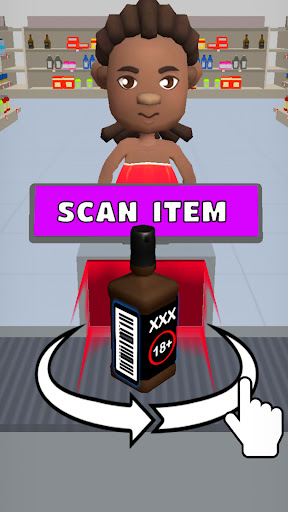
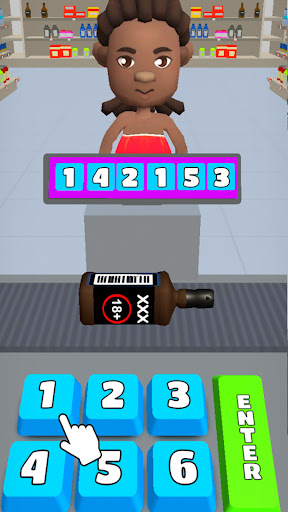
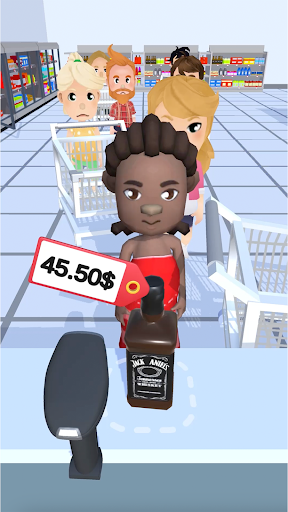
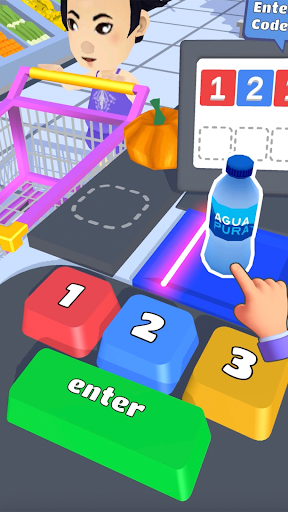
Step into the world of retail and build the supermarket store of your dreams!
Hypermarket 3D Simulator offers a fun and engaging cashier game experience where you’ll manage customers, operate the cash register, and grow your very own grocery empire. This supermarket simulator game is perfect for anyone who loves shopping and organizing, with endless opportunities to expand your store.
Scan, Unlock & Sell New Items!
Explore new products as you progress through the game, and unlock a wide range of exciting items. With each level, your market evolves, and you’ll manage your stock to keep customers coming back for more. Stay organized and efficient as a cashier to ensure smooth shopping experiences for your customers.
Manage the Chaos of a Busy Supermarket!
As a supermarket manager, it’s your job to keep the aisles clean, shelves stocked, and customers happy. From operating the cash register to sorting items and handling customer requests, you’ll have to juggle multiple tasks to ensure everything runs smoothly. Keep your cash registers flowing to maximize profits and manage a successful store in this job simulator game.
Ride the Cart-Surfing Adventures!
Want a break from the hustle? Jump on a shopping cart and race through the parking lot in this unique grocery game. It’s one of the many fun challenges that make Hypermarket 3D more than just a cashier simulator—it's an adventure!
Take Charge as the Supermarket Cashier!
As the lead cashier in your store, you’ll be responsible for ringing up items at the cash register. But that’s not all—this isn’t just another cash register game. You’ll need to help customers, sort products, and even clean the floors to create the best shopping experience. Stay organized, manage your time, and become the best in this 3D job simulator world.
Cleaning & Organizing Frenzy!
In this supermarket cashier game, a tidy store is a profitable one. Wipe floors, organize shelves, and help your customers navigate the aisles. A well-organized store will make shopping easier and keep your patrons coming back for more.
Exciting Levels & Challenges!
Every level brings new challenges to your cashier simulator journey. Build the best grocery business by stocking unique items, managing your cash register, and assisting customers. Each stage will test your skills in this ultimate grocery game experience, where you’ll strive to become the top supermarket manager!
Simple Gameplay, Tons of Fun!
Enjoy easy-to-learn controls that make running your store a breeze. Touch, drag, and swipe your way to success as you navigate various tasks. Whether you're operating the cash register or assisting a customer, the game remains fun and engaging throughout!
More Items Than a Real Supermarket!
Hypermarket 3D offers more items to discover than any real-world store! From everyday groceries to rare finds, you'll be managing and selling a wide variety of products. Perfect for those who love shopping, organizing, and simulation games.
Master the Grocery Game & Become the Top Cashier!
As the lead cashier, you’ll experience the fun and challenges of working in a bustling store. From handling the cash register to organizing the aisles, every aspect of running a store is in your hands. This cashier simulator game is all about managing time, assisting customers, and boosting profits while enjoying the vibrant 3D graphics.
Ready to take on the challenge of being the ultimate supermarket manager?
With realistic tasks like handling the cash register, organizing your store, and assisting customers, Hypermarket 3D Simulator is the perfect supermarket simulator game for players of all ages.
Dive into the most exciting grocery game and build the greatest shopping experience today! Download Hypermarket 3D Simulator Now!
Show more

1. Download MEmu installer and finish the setup

2. Start MEmu then open Google Play on the desktop

3. Search Hypermarket 3D in Google Play
Install
4. Download and Install Hypermarket 3D
5. On install completion click the icon to start

6. Enjoy playing Hypermarket 3D on PC with MEmu
MEmu Play is the best Android emulator and 100 million people already enjoy its superb Android gaming experience. The MEmu virtualization technology empowers you to play thousands of Android games smoothly on your PC, even the most graphic-intensive ones.
Bigger screen with better graphics; Long duration, without limitation of battery or mobile data.
Full Keymapping support for precise control of keyboard and mouse or gamepad.
Multiple game accounts or tasks on single PC at one time with Multi-Instance manager.
Play Hypermarket 3D on PC by following steps: