Anime Saga
Updated
Current Version
1.1.2
Offered By

With your passion for Anime Saga, you shouldn’t have to limit yourself to the small screen of a phone. Play like a pro and take full control of the game using a keyboard and mouse. MEmu gives you everything you’re looking for. Download and play Anime Saga on PC. Play as long as you want — no more worries about battery life, mobile data, or unexpected calls. The all-new MEmu 9 is the best way to play Anime Saga on PC. With our expertly designed keymapping system, Anime Saga feels just like a real PC game. The MEmu multi-instance manager lets you run two or more accounts on the same device at the same time. Most importantly, our exclusive emulation engine unlocks your PC’s full potential, delivering smooth and seamless performance.
Show more
Download Anime Saga on PC with MEmu Android Emulator. Enjoy playing on big screen. Anime Saga, a fantastic and amusing adventure game, will come to your life and show you the magic world.
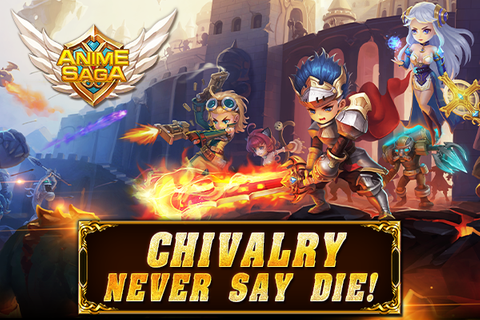
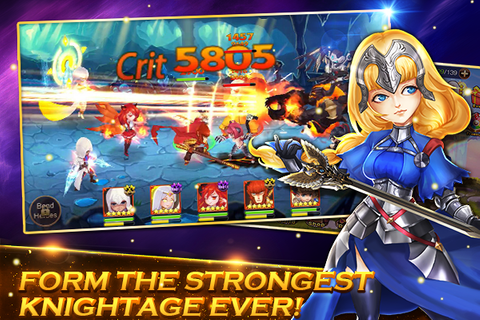
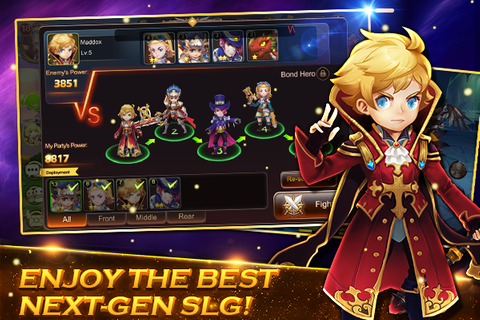
Anime Saga, a fantastic and amusing adventure game, will come to your life and show you the magic world. There are more than one hundred cute heroes with different personalized array. The new gameplay of mercenary is attractive, and you can carry out skills with easy displacement. The fantastic unnique skill and psychic dubbing have magical power of revolution. Guild War and Instant PK reflect the new age of social activity. The strategy of RPG stats and the toppling towers of MOBA are combined perfectly. Come and join the Anime Saga to summon the heroes you wanted. You can defeat the Flame Demon and save the Brave Land."Protect the balance between light and darkness!"Heroes from all around the world gathered together in the Warrior Land for one mission, to protect the order of light and darkness that guarding the world. Light Gem and Dark Gem which represents light and darkness separately provided heroes the highest arcane power, refining the most magical wands and jewelry to safeguard the Warrior Land against the intruders.However, in this wonderful and peaceful world, a surge of rotten depraved dark power devoured Light Gem. From then on, Warrior Land fell into the dark mire without light anymore! What heroes protect was getting lost…Characteristic【Cute Heroes with Personalized Array】More than a hunderd heroes can be trained in diverse modesThe combination of array can be unlimited with strategy and personalityThe Anime Saga can be joined to establish the Knights of salvation 【Gorgeous Incantation with Shocking Output】Many interesting things attract you like unique skill and mercenaryTactical roar and incantation sound loudly while the sword light and magic are keenly shiningFantastic light effect and psychic dubbing have magical power 【Instant Duel with Social PK】Single Combat, Team War and Guild War make you enjoy the battlesReal-time duel rather than chatting create the new social modelManor duel has come online and the conflict may break out at any moment【Player Group】Facebook group:https://www.facebook.com/AnimeSaga/Game Web:https://sjqy.springgame.com Customer Service:service@springgame.com
Show more

1. Download MEmu installer and finish the setup

2. Start MEmu then open Google Play on the desktop

3. Search Anime Saga in Google Play
Install
4. Download and Install Anime Saga
5. On install completion click the icon to start

6. Enjoy playing Anime Saga on PC with MEmu
MEmu Play is the best Android emulator and 100 million people already enjoy its superb Android gaming experience. The MEmu virtualization technology empowers you to play thousands of Android games smoothly on your PC, even the most graphic-intensive ones.
Bigger screen with better graphics; Long duration, without limitation of battery or mobile data.
Full Keymapping support for precise control of keyboard and mouse or gamepad.
Multiple game accounts or tasks on single PC at one time with Multi-Instance manager.
Play Anime Saga on PC by following steps: