Super Wings : Jett Run
Updated
Current Version
3.0.5
Offered By

With your passion for Super Wings : Jett Run, you shouldn’t have to limit yourself to the small screen of a phone. Play like a pro and take full control of the game using a keyboard and mouse. MEmu gives you everything you’re looking for. Download and play Super Wings : Jett Run on PC. Play as long as you want — no more worries about battery life, mobile data, or unexpected calls. The all-new MEmu 9 is the best way to play Super Wings : Jett Run on PC. With our expertly designed keymapping system, Super Wings : Jett Run feels just like a real PC game. The MEmu multi-instance manager lets you run two or more accounts on the same device at the same time. Most importantly, our exclusive emulation engine unlocks your PC’s full potential, delivering smooth and seamless performance.
Show more
Download Super Wings : Jett Run on PC with MEmu Android Emulator. Enjoy playing on big screen. Treasure Hunting Version is online!
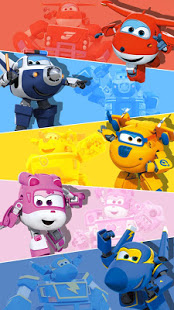
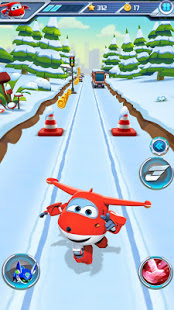

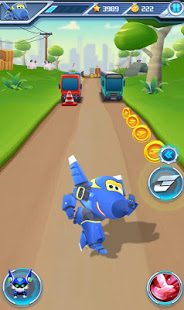
Treasure Hunting Version is online! Just keep exploring and the prize await will be Huge.
Jimbo had hidden many treasure chests during his winter vacation. Collect them and get the Bounty of Super Wings.
Innovative express gameplay - let you accompany Jett and Dizzy them to deliver packages to children in different cities and share happiness! The package may carry a long-awaited toy from a distant friend, a letter from a former teacher, a sweater that may be hand-woven by grandparents and so on. Enjoy the warm and happy atmosphere of opening the package with everyone!
Welcome to Super Wings, join the endless running fun, help Jett deliver the courier to the world!
Players run and surfers to deliver the courier and explore the fun and endless running world of Super Wings Jett Run! This cool running game completely revolves around running, jumping, surfing and rushing in subway!
Official Genuine Authorization :
Jett is the fastest Jet airplane robot in the world! He is full of energy and confidence. Jett is very friendly with everyone at the international airport. He likes to fly around the world to help person deliver packages
Fun Run and surfers :
Play as a Super Wings, running and dodge in a stimulating subway. In this fast and crazy endless running game, Jett and his friend safely deliver the package to the owner.
Transform :
Jett and his friends can transform into airplanes, run and surfers at insane speed and destroy everything on the subway.
Multiple Characters
Choose to play as one of Jett's friends, including Donnie, Dizzy, Jerome and Paul. Each has its own characteristics. For example, Dizzy is a rescue plane, Donnie is an engineer, and Jerome is a stunt plane...
Different Scenes
Enjoy the run and surfers in different scenes, Include subway, undersea, city, field, temple etc.Admire the different scenery along the way, but don't forget to avoid the obstacles and trains while on the subway!
Easy Control
It is very easy to control, run and surfers as fast as possible and run around in endless subway scenes. Be careful to avoid obstacle, collect coins and buy more items. There are many roles to choose from. Every runner has a unique style. Use your favorite character to get the first place.
Official Genuine Authorization - Popular characters and original plots let you instantly blend into them!
Rich and varied gameplay - simple operation and rich gameplay just let you can't stop!
High-definition extreme quality - gorgeous scenes in HD scenes let you enjoy the visual feast!
Download the game and let Super Wings take you around the world and start a magical journey!
Download Now, DASH as fast as you can!
Help Jett and his friends deliver the courier to the world!
Show more

1. Download MEmu installer and finish the setup

2. Start MEmu then open Google Play on the desktop

3. Search Super Wings : Jett Run in Google Play
Install
4. Download and Install Super Wings : Jett Run
5. On install completion click the icon to start

6. Enjoy playing Super Wings : Jett Run on PC with MEmu
MEmu Play is the best Android emulator and 100 million people already enjoy its superb Android gaming experience. The MEmu virtualization technology empowers you to play thousands of Android games smoothly on your PC, even the most graphic-intensive ones.
Bigger screen with better graphics; Long duration, without limitation of battery or mobile data.
Full Keymapping support for precise control of keyboard and mouse or gamepad.
Multiple game accounts or tasks on single PC at one time with Multi-Instance manager.
Play Super Wings : Jett Run on PC by following steps: