Tom Clancy’s The Division® 2
Updated
Current Version
Offered By

With your passion for Tom Clancy’s The Division® 2, you shouldn’t have to limit yourself to the small screen of a phone. Play like a pro and take full control of the game using a keyboard and mouse. MEmu gives you everything you’re looking for. Download and play Tom Clancy’s The Division® 2 on PC. Play as long as you want — no more worries about battery life, mobile data, or unexpected calls. The all-new MEmu 9 is the best way to play Tom Clancy’s The Division® 2 on PC. With our expertly designed keymapping system, Tom Clancy’s The Division® 2 feels just like a real PC game. The MEmu multi-instance manager lets you run two or more accounts on the same device at the same time. Most importantly, our exclusive emulation engine unlocks your PC’s full potential, delivering smooth and seamless performance.
Show more
Download Tom Clancy’s The Division® 2 on PC with MEmu Android Emulator. Enjoy playing on big screen. Tom Clancy’s The Division 2 suits players looking for an online action game built around defending communities in a damaged Washington, D.
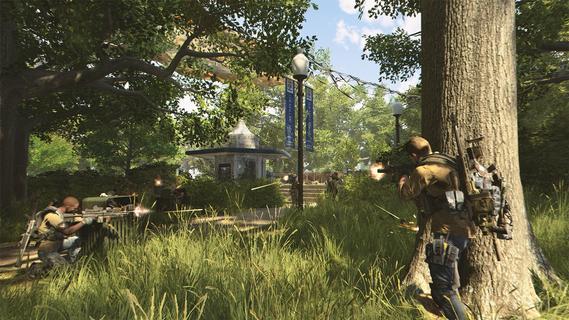
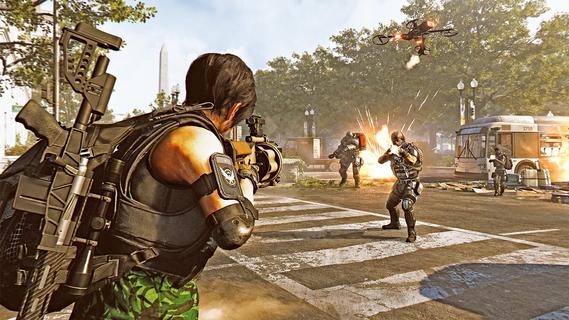
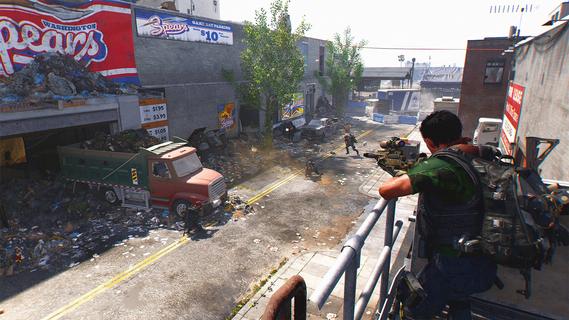
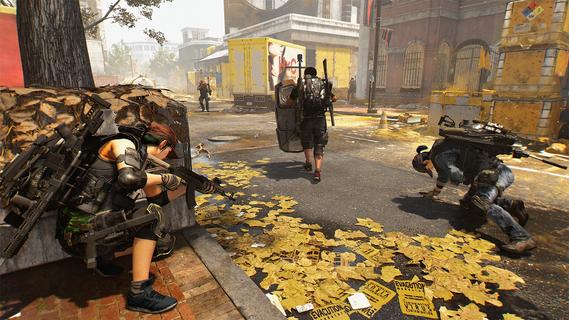
Tom Clancy’s The Division 2 suits players looking for an online action game built around defending communities in a damaged Washington, D.C. You play as a Division agent facing hostile groups while helping restore order across the city. The game focuses on ongoing progression instead of a short single campaign, so missions, equipment, and activities continue after the main story. Before searching for the Tom Clancy’s The Division 2 latest version, note that this is not a standalone Android game or a mobile companion tool.Tom Clancy’s The Division 2 featuresCover-focused firefightsTom Clancy’s The Division 2 uses a third-person view and makes positioning important during combat. You move between cover, choose weapons for the situation, and use skills or gadgets when enemies push forward. As a result, staying exposed for too long can quickly put your agent at risk. Encounters often require you to watch enemy movement and adjust your approach.Agent gear and SpecializationsYou collect equipment and build an agent around the weapons, armor, and skills you prefer to use. Gear can be crafted and changed as you find new items, which lets you alter your role between missions. Later, Specializations support different approaches, including marksman, demolition expert, and survivalist paths. These choices affect how you contribute during combat and group activities.Four player co op missionsTom Clancy’s The Division 2 lets you form a squad with up to three other agents for missions and group challenges. Players can combine different roles, share resources, and respond to stronger enemy encounters together. Challenge difficulty can scale for the group, so coordination matters when choosing targets or using skills. This mode is useful for players who want to progress alongside friends or other online agents.Washington, D.C. open world activitiesYou explore a version of Washington, D.C. affected by a pandemic and conflicts between factions. Weather conditions, world events, and control of key areas can change what is happening around the map. Consequently, the city offers activities beyond story missions, including encounters that appear while you travel. Civilian communities remain part of the setting and the agent’s rebuilding work.Progression after the main storyTom Clancy’s The Division 2 continues with harder missions, world events, player versus player battles, and group content such as Incursions. Seasonal content adds further challenges, enemies, rewards, and story developments. For example, The Division 2: Red Horizon is a season that expands the game’s ongoing activities. This long-term structure is intended for players who want to keep improving their builds after completing earlier missions.Tom Clancy’s The Division 2 and mobile searchesTom Clancy’s The Division 2 is an online tactical shooter with RPG-style progression, not a standalone mobile release. Searches for a Tom Clancy’s The Division 2 APK may also show unofficial apps that use the game’s name. The available information does not indicate an official first-party companion app for managing gear, inventory, or loadouts. Players should therefore avoid expecting an Android tool that lets them change their agent build outside the game.What to consider before playingThe Division 2 is built around online combat, cooperative play, loot collection, and repeatable activities. Players who prefer planning a loadout, collecting equipment, and taking on difficult missions with a squad may find its structure relevant. In contrast, users looking for a self-contained Android shooter or a gear management companion app should know that this title does not serve that purpose.Check Tom Clancy’s The Division 2 detailsTom Clancy’s The Division 2 centers on tactical combat in Washington, D.C., with agent builds, cooperative missions, and continuing seasonal activities. Review the available listing details carefully before choosing to download Tom Clancy’s The Division 2, especially if you are looking for an Android app rather than the main online game.
Show more

1. Download MEmu installer and finish the setup

2. Start MEmu then open Google Play on the desktop

3. Search Tom Clancy’s The Division® 2 in Google Play
Install
4. Download and Install Tom Clancy’s The Division® 2
5. On install completion click the icon to start

6. Enjoy playing Tom Clancy’s The Division® 2 on PC with MEmu
MEmu Play is the best Android emulator and 100 million people already enjoy its superb Android gaming experience. The MEmu virtualization technology empowers you to play thousands of Android games smoothly on your PC, even the most graphic-intensive ones.
Bigger screen with better graphics; Long duration, without limitation of battery or mobile data.
Full Keymapping support for precise control of keyboard and mouse or gamepad.
Multiple game accounts or tasks on single PC at one time with Multi-Instance manager.
Play Tom Clancy’s The Division® 2 on PC by following steps: