
Console Archives THE CONVENI 2
Updated
Current Version
Offered By

With your passion for Console Archives THE CONVENI 2, you shouldn’t have to limit yourself to the small screen of a phone. Play like a pro and take full control of the game using a keyboard and mouse. MEmu gives you everything you’re looking for. Download and play Console Archives THE CONVENI 2 on PC. Play as long as you want — no more worries about battery life, mobile data, or unexpected calls. The all-new MEmu 9 is the best way to play Console Archives THE CONVENI 2 on PC. With our expertly designed keymapping system, Console Archives THE CONVENI 2 feels just like a real PC game. The MEmu multi-instance manager lets you run two or more accounts on the same device at the same time. Most importantly, our exclusive emulation engine unlocks your PC’s full potential, delivering smooth and seamless performance.
Show more
Download Console Archives THE CONVENI 2 on PC with MEmu Android Emulator. Enjoy playing on big screen. Console Archives THE CONVENI 2 suits players who want to plan a business at their own pace instead of racing toward a quick ending.
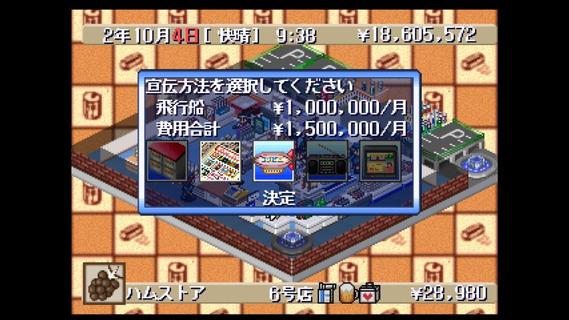
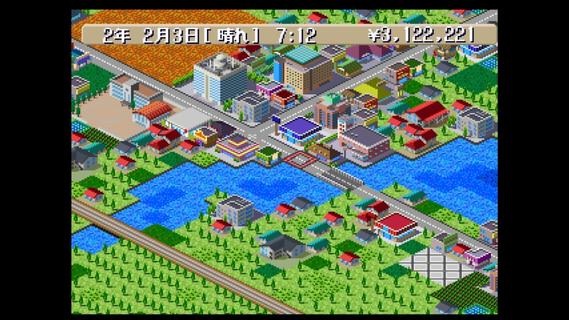
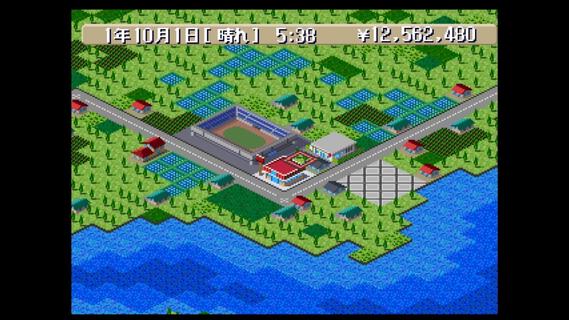
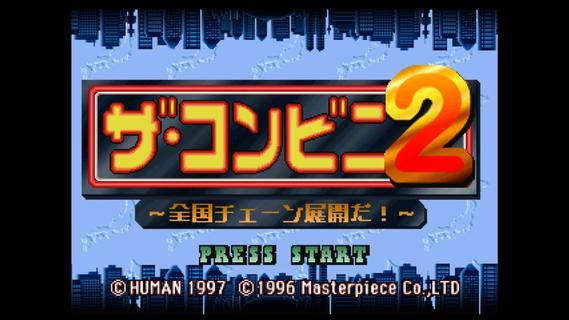
Console Archives THE CONVENI 2 suits players who want to plan a business at their own pace instead of racing toward a quick ending. It recreates HUMAN’s 1997 management game through HAMSTER’s Console Archives release, while keeping its original Japanese game content. Players build and manage CONVENIs in a competitive market across Japan. Before you download Console Archives THE CONVENI 2, it is useful to know that this sequel adds a broader map layout and presentation changes compared with the first game.Store management featuresBuild a chain across JapanConsole Archives THE CONVENI 2 focuses on operating convenience stores in different areas of Japan. You choose how to expand your chain and work toward success in the CONVENI market. Progress depends on planning your locations and business growth rather than simply completing the game as quickly as possible.Updated visuals for the sequelThe game uses fully revised graphics compared with the original THE CONVENI. Its isometric viewpoint shows stores and nearby areas from an angled perspective. This view helps you follow the layout of each location while managing your growing business.Larger selection of mapsConsole Archives THE CONVENI 2 includes more maps than the first game. The wider choice of locations gives you different places for store expansion. As a result, players can approach each new game with different plans for their CONVENI chain.Double speed for routine playYou can use double speed mode when you want game time to move faster. This option is useful during routine operations or longer sessions where you do not need to watch every moment at normal speed. You can switch your pace to suit the way you want to manage the game.Markers and Console Archives optionsConsole Archives THE CONVENI 2 lets you create original store markers for your locations. These markers can help you organize expansion plans and distinguish stores on the map. In addition, Console Archives options include adjustable button layouts, screen settings, and the ability to save or load progress at any point.Language and game content in Console Archives THE CONVENI 2The main game uses a Japanese ROM, so in game text and gameplay content remain in Japanese. However, the options menu and manual support English, French, German, Italian, and Spanish. Players who do not read Japanese can use these supported languages to adjust Console Archives settings and consult the manual, but should consider the Japanese game language before installing.What makes this sequel differentTHE CONVENI 2 is a follow up to the original convenience store simulation from HUMAN. Its updated graphics, added maps, isometric presentation, double speed mode, and custom store markers are the main changes identified for this version. It is also presented as a faithful revival by HAMSTER for players interested in a 1997 Japanese management title.How to play Console Archives THE CONVENI 2Console Archives THE CONVENI 2 starts with building a plan for your convenience store business and choosing where to grow. The Console Archives THE CONVENI 2 latest version includes settings that let you adjust controls and the display before playing. Since the main game is in Japanese, checking the supported language manual first can help you understand the available options.Open the game and enter the Console Archives options if you want to change the button layout or screen settings before starting.Begin a new game, then review the available map area and decide where you want to establish your first CONVENI.Manage your stores while planning further expansion into other locations across Japan.Use original store markers to label locations and keep track of your wider business plan as your chain grows.Turn on double speed when routine operations take longer, then save your progress whenever you want to stop and continue later.Get started with your store planConsole Archives THE CONVENI 2 is a retro management game centered on expanding convenience stores across Japan. The Console Archives THE CONVENI 2 APK is best suited to players who are comfortable with Japanese in-game content and want Console Archives features such as flexible saves, display settings, and control customization. Wen the game is available on Android, you can download Console Archives The CONVENI 2 APK from APKPure.
Show more

1. Download MEmu installer and finish the setup

2. Start MEmu then open Google Play on the desktop

3. Search Console Archives THE CONVENI 2 in Google Play
Install
4. Download and Install Console Archives THE CONVENI 2
5. On install completion click the icon to start

6. Enjoy playing Console Archives THE CONVENI 2 on PC with MEmu
MEmu Play is the best Android emulator and 100 million people already enjoy its superb Android gaming experience. The MEmu virtualization technology empowers you to play thousands of Android games smoothly on your PC, even the most graphic-intensive ones.
Bigger screen with better graphics; Long duration, without limitation of battery or mobile data.
Full Keymapping support for precise control of keyboard and mouse or gamepad.
Multiple game accounts or tasks on single PC at one time with Multi-Instance manager.
Play Console Archives THE CONVENI 2 on PC by following steps: