Cricket All Stars
Updated
Current Version
Offered By

With your passion for Cricket All Stars, you shouldn’t have to limit yourself to the small screen of a phone. Play like a pro and take full control of the game using a keyboard and mouse. MEmu gives you everything you’re looking for. Download and play Cricket All Stars on PC. Play as long as you want — no more worries about battery life, mobile data, or unexpected calls. The all-new MEmu 9 is the best way to play Cricket All Stars on PC. With our expertly designed keymapping system, Cricket All Stars feels just like a real PC game. The MEmu multi-instance manager lets you run two or more accounts on the same device at the same time. Most importantly, our exclusive emulation engine unlocks your PC’s full potential, delivering smooth and seamless performance.
Show more
Download Cricket All Stars on PC with MEmu Android Emulator. Enjoy playing on big screen. Every ball matters.
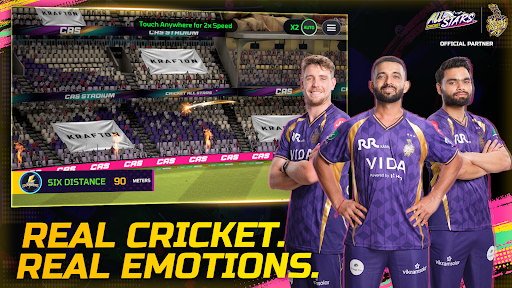
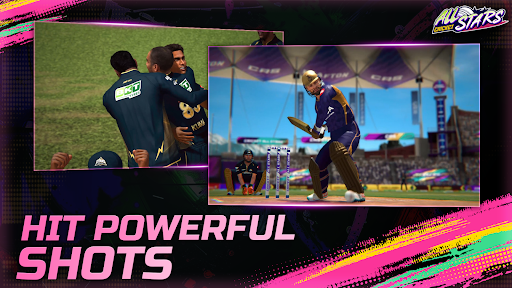
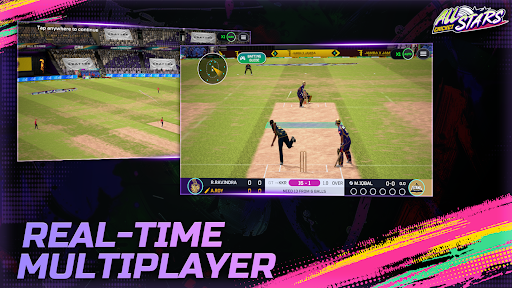
Every ball matters. Every shot counts. Every roar of the crowd hits different.
Cricket All Stars drops you straight into the heartbeat of a live cricket stadium — and it feels real. Built by Krafton, this is cricket the way it was meant to be played on mobile: fluid, beautiful, and packed with the kind of detail that makes you forget you're holding a phone.
LOOKS REAL. FEELS REAL. Stunning visuals running at a buttery-smooth 60 FPS bring every match to life. From the glint of the sun on the pitch to the swing of the ball through the air — every frame is designed to make casual fans and cricket diehards feel the game. Broadcast-style camera angles and presentation give you that unmistakable "watching it live on TV" feeling, except this time, you're the one calling the shots.
PICK UP & PLAY IN SECONDS. No complicated tutorials. No steep learning curves. Cricket All Stars is built for everyone — whether you're a first-timer figuring out a cover drive or a seasoned gamer chasing perfect timing. Intuitive, tap-friendly controls mean you spend less time learning and more time smashing boundaries.
GET BETTER, BALL BY BALL. Every delivery comes with guided feedback, so you know exactly what you did right — and what needs work. It's like having a personal coach in your pocket, helping you level up your game one ball at a time.
PLAY WITH REAL IPL TEAMS & STARS. This isn't generic cricket. Suit up as Kolkata Knight Riders or Lucknow Super Giants — with officially licensed teams and real player likenesses. Step into the shoes of your favourite stars, wear the real jerseys, and lead your franchise to glory. This is as close to the IPL as it gets without a stadium ticket.
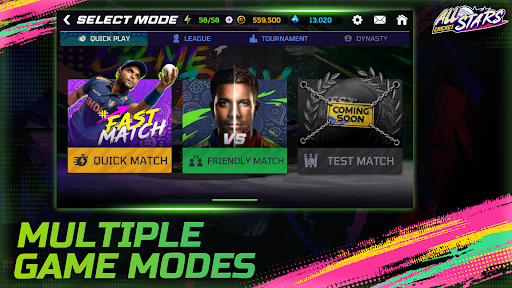
PLAY YOUR WAY. Choose your match, set your rules:
• Quick Match — Jump in, smash around, done.
• Friendly Match — Casual vibes with friends.
• Test Match — The real deal for the purists.
• Indian Pro T20 League — Lead KKR or LSG to the trophy.
• 20-Over World Cup — Take your team to glory on the biggest stage.
Fine-tune your experience with full control over overs, AI difficulty, and control settings. Your game, your terms.
BUILD YOUR DREAM SQUAD. Set up your own team from the ground up. Play matches, earn rewards, and level up your squad with every game. Watch your players grow from club-level hopefuls to world-class superstars.
MAKE THE STADIUM YOURS. Why just play in a stadium when you can own it? Customize your match-day experience with wickets, flags, lasers, and fireworks. Set the mood with time-of-day and weather settings — sunset finishes and floodlit thrillers, all at your fingertips.
UNLOCK THE CHAMPION PASS. Climb the ranks, complete challenges, and unlock exclusive rewards through the Champion Pass. The more you play, the more you earn — gear, cosmetics, and bragging rights included.
Download Cricket All Stars now. The stadium is packed. The crowd is waiting. It's your turn.
Show more

1. Download MEmu installer and finish the setup

2. Start MEmu then open Google Play on the desktop

3. Search Cricket All Stars in Google Play
Install
4. Download and Install Cricket All Stars
5. On install completion click the icon to start

6. Enjoy playing Cricket All Stars on PC with MEmu
MEmu Play is the best Android emulator and 100 million people already enjoy its superb Android gaming experience. The MEmu virtualization technology empowers you to play thousands of Android games smoothly on your PC, even the most graphic-intensive ones.
Bigger screen with better graphics; Long duration, without limitation of battery or mobile data.
Full Keymapping support for precise control of keyboard and mouse or gamepad.
Multiple game accounts or tasks on single PC at one time with Multi-Instance manager.
Play Cricket All Stars on PC by following steps: