Cube 3D - Cube Puzzle PC

Download Cube 3D - Cube Puzzle on PC

Cube 3D - Cube Puzzle PC

Cube 3D - Cube Puzzle

  • Updated

  • Current Version

    21.0.3

  • Offered By

    Cube 3D - Cube Puzzle PC

Features of Cube 3D - Cube Puzzle on PC

With your passion for Cube 3D - Cube Puzzle, you shouldn’t have to limit yourself to the small screen of a phone. Play like a pro and take full control of the game using a keyboard and mouse. MEmu gives you everything you’re looking for. Download and play Cube 3D - Cube Puzzle on PC. Play as long as you want — no more worries about battery life, mobile data, or unexpected calls. The all-new MEmu 9 is the best way to play Cube 3D - Cube Puzzle on PC. With our expertly designed keymapping system, Cube 3D - Cube Puzzle feels just like a real PC game. The MEmu multi-instance manager lets you run two or more accounts on the same device at the same time. Most importantly, our exclusive emulation engine unlocks your PC’s full potential, delivering smooth and seamless performance.

Show more

Screenshots & Video of Cube 3D - Cube Puzzle PC

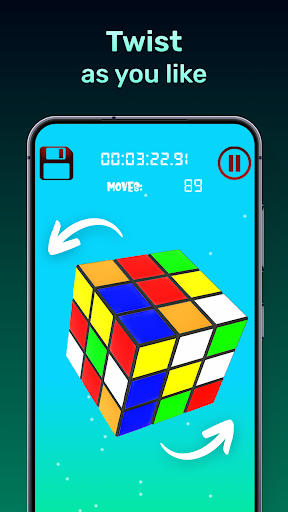
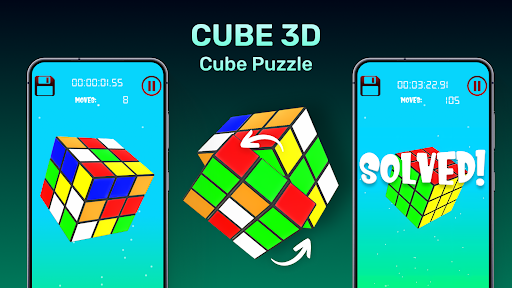
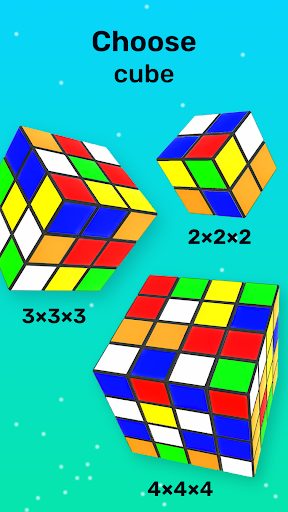
Download Cube 3D - Cube Puzzle on PC with MEmu Android Emulator. Enjoy playing on big screen. Enjoy smooth with interactions in the 3D cube puzzle game!
Game Info

Enjoy smooth with interactions in the 3D cube puzzle game!
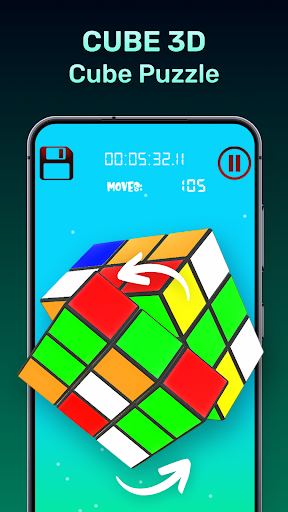
Are you ready to challenge yourself mentally while testing your reaction speed? plunge into the most enjoyable cub puzzle game on your mobile. This game features real mechanical cube turning and lifelike physics, bringing the loved cube right into your hands. The game is crafted for complete fun and interaction, be it for a beginner, intermediate or expert cube solver.

Why Us 3D Cube Puzzle App:
Offering fluid gameplay is what makes the cube puzzle app to stand out. The turning of cube faces is so accurate and coherent so one can place more focus on solving the cube. Cube solving has no glitches, delays or hindrances and therefore provides enjoyable experience smoothly.

Fantastic Characteristics
Each Twist and Turn Super realistic: The cube puzzle game is engineered in a manner so that each rotation feels accurate;
Responsive and Super Fast: An uncompromised interface ensures faster cube puzzle interactions;
Monitor Your Progress: Take note of your solving time and the amount of movements utilized;
Simple Gameplay, Difficult to Master: This app is suited for everyone, whether a beginner or more advanced!

Advance Your Skills & Compete With Friends!

Looking to become an expert cube solver? This Cube Puzzle Game is not just an app to pass the time on – it is focused on providing training to dedicated solvers! Achieve goals faster, optimize your solving times, and challenge friends to determine who can solve the cube with the least number of moves.

Leaderboard & Achievements: Compete with players worldwide and earn badges showcasing your solving prowess;
Hints & Tips: Find yourself twiddling your thumbs waiting to make the next move? Get hints to help you in advancement:
⭐ Offline play: No WiFi? No worries. Enjoy your favorite cube puzzle game anytime and anywhere!

How fast can you solve the cube!

Cubers often drop the question, how fast can you solve the cube, while our team developed this app with that question in mind. Our cube puzzle app is speed-centric and precision-oriented so you achieve best dinetimeos distraction during practice or competition aimed relaxation. This app promises non-stop cube bending brain-teasers. Each twist and turn enhances your problem solving and pattern recognition capabilities.

Show more

How to Download Cube 3D - Cube Puzzle on PC

  • Cube 3D - Cube Puzzle PC

    1. Download MEmu installer and finish the setup

  • Cube 3D - Cube Puzzle PC

    2. Start MEmu then open Google Play on the desktop

  • Cube 3D - Cube Puzzle PC

    3. Search Cube 3D - Cube Puzzle in Google Play

  • Cube 3D - Cube Puzzle PC Install

    4. Download and Install Cube 3D - Cube Puzzle

  • Cube 3D - Cube Puzzle PC

    5. On install completion click the icon to start

  • Cube 3D - Cube Puzzle PC
    Cube 3D - Cube Puzzle PC Cube 3D - Cube Puzzle PC

    6. Enjoy playing Cube 3D - Cube Puzzle on PC with MEmu

Why Use MEmu for Cube 3D - Cube Puzzle

MEmu Play is the best Android emulator and 100 million people already enjoy its superb Android gaming experience. The MEmu virtualization technology empowers you to play thousands of Android games smoothly on your PC, even the most graphic-intensive ones.

  • Bigger screen with better graphics; Long duration, without limitation of battery or mobile data.

  • Full Keymapping support for precise control of keyboard and mouse or gamepad.

  • Multiple game accounts or tasks on single PC at one time with Multi-Instance manager.

Ready to Play?

Hot Topics

Cube 3D - Cube Puzzle - FAQs

  • How to play Cube 3D - Cube Puzzle on PC?

    Play Cube 3D - Cube Puzzle on PC by following steps:

    • Download MEmu, then install and launch it
    • Login to Google Play Store, install the game
    • Enjoy playing the game on PC with MEmu
  • What are the minimum system requirements to run Cube 3D - Cube Puzzle on PC?
    • Intel or AMD Processor
    • Microsoft Windows 7 and above
    • 2GB of memory
    • 5GB of free disk space
    • Hardware Virtualization Technology
lyzs
lyzs