Design Match 3D: Matching Game
Updated
Current Version
1.0.1
Offered By

With your passion for Design Match 3D: Matching Game, you shouldn’t have to limit yourself to the small screen of a phone. Play like a pro and take full control of the game using a keyboard and mouse. MEmu gives you everything you’re looking for. Download and play Design Match 3D: Matching Game on PC. Play as long as you want — no more worries about battery life, mobile data, or unexpected calls. The all-new MEmu 9 is the best way to play Design Match 3D: Matching Game on PC. With our expertly designed keymapping system, Design Match 3D: Matching Game feels just like a real PC game. The MEmu multi-instance manager lets you run two or more accounts on the same device at the same time. Most importantly, our exclusive emulation engine unlocks your PC’s full potential, delivering smooth and seamless performance.
Show more
Download Design Match 3D: Matching Game on PC with MEmu Android Emulator. Enjoy playing on big screen. Welcome to Design Match 3D: A triple matching game that you just need to connect 3 same items to clear the board and win the challenge.
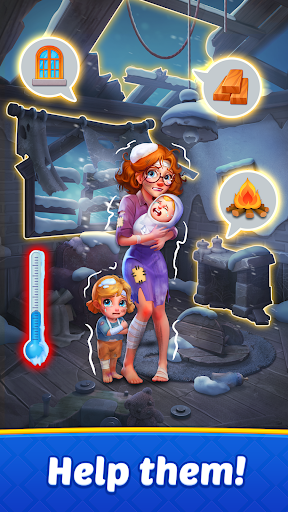
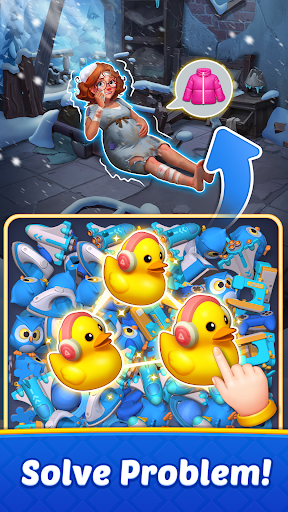
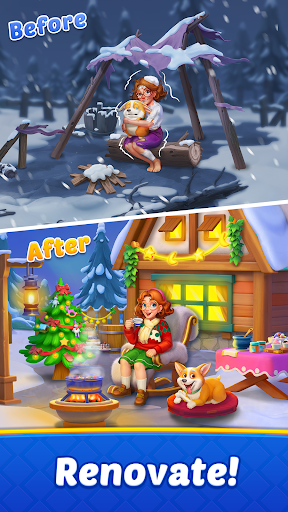
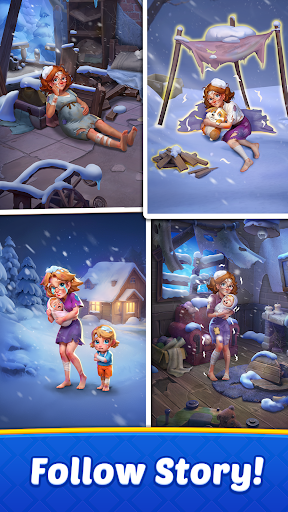
Welcome to Design Match 3D: A triple matching game that you just need to connect 3 same items to clear the board and win the challenge.
A mysterious alien force has struck! A small town, blanketed in ice and snow, sees its tranquility shattered overnight. Is this a mere accident or part of a long-planned scheme? The town lies in ruins, and its residents are desperate for help! Can you join our protagonist to solve matching puzzles and assist residents in resisting the bitter cold and renovating their homes?
Forget the mundane matching games of the past; here, you'll sort and match stunning 3D items that almost leap off the screen! Every tap and swipe will bring you a stress-relieving experience, and each match 3D puzzle you conquer will earn you chances to design and renovate houses!
Are you ready to bring warmth and beauty back to the town and reveal the secrets it holds?
FEATURES THAT WILL WOW YOU:
Match 3D Puzzles:
Enjoy a fresh twist on classic matching games! Match 3D items with realistic physics animations, bringing a more immersive and stress-relieving gaming experience!
Relax & Train Your Brain:
Immerse yourself in a fun brain-training experience. Sharpen your cognitive skills by finding and matching items within a limited time. Perfect for stress-relieving and keeping your mind sharp!
Free Offline Games:
Free to play anywhere, anytime! The fun never stops, even without wifi or internet!
Renovation & Home Design:
Use your stars to decorate and renovate houses and town buildings. Watch in awe as each room comes to life while having fun in brain-training puzzles!
Explore Different Areas:
New rooms, swimming pool, fascinating garden, a wide range of areas await you to unlock and decorate! Each space offers unique decoration challenges and endless fun!
HOW TO PLAY
- Tap 3 identical items to collect them.
- Keep sorting and matching items until all goal items are collected.
- With a timer in each level, think quickly and act even more quickly to triumph!
- Use boosters to overcome tricky puzzles and shuffle the board to reveal hidden items when you're stuck.
- Achieve level goals set and become a master of 3D puzzle games!
- Earn stars to renovate and decorate houses.
Download Design Match 3D now for free and embark on your match 3D puzzle journey. Start matching, designing, and revealing the mystery today!
Show more

1. Download MEmu installer and finish the setup

2. Start MEmu then open Google Play on the desktop

3. Search Design Match 3D: Matching Game in Google Play
Install
4. Download and Install Design Match 3D: Matching Game
5. On install completion click the icon to start

6. Enjoy playing Design Match 3D: Matching Game on PC with MEmu
MEmu Play is the best Android emulator and 100 million people already enjoy its superb Android gaming experience. The MEmu virtualization technology empowers you to play thousands of Android games smoothly on your PC, even the most graphic-intensive ones.
Bigger screen with better graphics; Long duration, without limitation of battery or mobile data.
Full Keymapping support for precise control of keyboard and mouse or gamepad.
Multiple game accounts or tasks on single PC at one time with Multi-Instance manager.
Play Design Match 3D: Matching Game on PC by following steps:









































![[3D Platformer] Super Bear Adventure PC](https://dl.memuplay.com/new_market/img/com.Earthkwak.Platformer.icon.2024-09-08-15-16-43.png)








