Destiny Hero: Black Myth RPG
Updated
Current Version
1.0.8
Offered By

With your passion for Destiny Hero: Black Myth RPG, you shouldn’t have to limit yourself to the small screen of a phone. Play like a pro and take full control of the game using a keyboard and mouse. MEmu gives you everything you’re looking for. Download and play Destiny Hero: Black Myth RPG on PC. Play as long as you want — no more worries about battery life, mobile data, or unexpected calls. The all-new MEmu 9 is the best way to play Destiny Hero: Black Myth RPG on PC. With our expertly designed keymapping system, Destiny Hero: Black Myth RPG feels just like a real PC game. The MEmu multi-instance manager lets you run two or more accounts on the same device at the same time. Most importantly, our exclusive emulation engine unlocks your PC’s full potential, delivering smooth and seamless performance.
Show more
Download Destiny Hero: Black Myth RPG on PC with MEmu Android Emulator. Enjoy playing on big screen. The Ultimate Dark Myth Fantasy Card RPG.
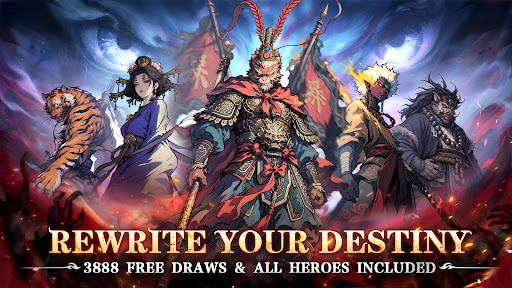
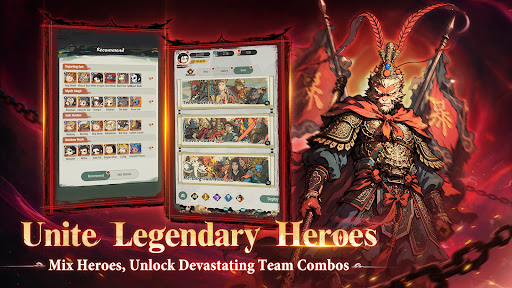
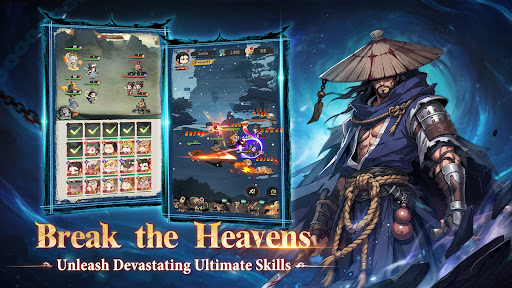
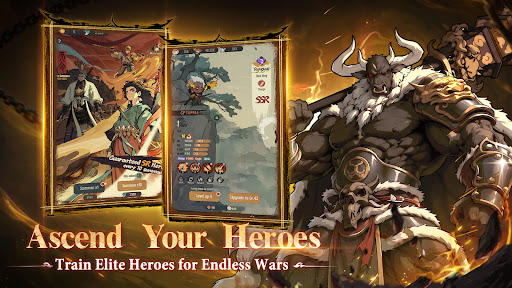
The Ultimate Dark Myth Fantasy Card RPG
Download now to claim:
3,888 Summons
Full Hero Roster Unlocked (All SSR/SR)
Exclusive Title: "Destiny Hero"
God-grade Gear Bundle
Idle leveling in a dark myth fantasy! Flexible strategies, simple gameplay, no gacha anxiety, and rich rewards! Wield your staff and rewrite your fate!
====Background====
Awaken your destiny and shatter the heavens.
You are the Chosen One in a world where corrupt gods control the chessboard. It's time to refuse to be their pawn and step into an ancient, forbidden world of dark fantasy.
Wielding your legendary staff, you are sure to smash the false old laws and come out on top!
====Feature====
◆Free Full Hero Roster
Log in to get the complete hero collection and instantly crush your gacha anxiety. Build your ultimate dream team on day one!
◆3,888 Free Summons
Say goodbye to bad luck with our unique "Infinite Reset" Wheel of Fate. Keep rolling until you get your favorite Tier-0 general!
◆Gridless Tactical Freedom
Place your heroes anywhere with 360° absolute freedom to unlock infinite tactical possibilities. Use your strategy to make the heavens tremble!
◆Casual AFK Leveling
Claim massive idle rewards effortlessly. Enjoy casual built-in mini-games like farming with no grinding and no paywalls.
◆Insane Drop Rates
Experience ultra-high drop rates where every pull counts. Complete your collection with zero pressure and turn the old order into ashes!
====Contact Us====
Facebook: https://www.facebook.com/DestinyHeroGlobal/
Show more

1. Download MEmu installer and finish the setup

2. Start MEmu then open Google Play on the desktop

3. Search Destiny Hero: Black Myth RPG in Google Play
Install
4. Download and Install Destiny Hero: Black Myth RPG
5. On install completion click the icon to start

6. Enjoy playing Destiny Hero: Black Myth RPG on PC with MEmu
MEmu Play is the best Android emulator and 100 million people already enjoy its superb Android gaming experience. The MEmu virtualization technology empowers you to play thousands of Android games smoothly on your PC, even the most graphic-intensive ones.
Bigger screen with better graphics; Long duration, without limitation of battery or mobile data.
Full Keymapping support for precise control of keyboard and mouse or gamepad.
Multiple game accounts or tasks on single PC at one time with Multi-Instance manager.
Play Destiny Hero: Black Myth RPG on PC by following steps: