
Dino Hazard: Chronos Blackout
Updated
Current Version
a.1.4.006
Offered By

With your passion for Dino Hazard: Chronos Blackout, you shouldn’t have to limit yourself to the small screen of a phone. Play like a pro and take full control of the game using a keyboard and mouse. MEmu gives you everything you’re looking for. Download and play Dino Hazard: Chronos Blackout on PC. Play as long as you want — no more worries about battery life, mobile data, or unexpected calls. The all-new MEmu 9 is the best way to play Dino Hazard: Chronos Blackout on PC. With our expertly designed keymapping system, Dino Hazard: Chronos Blackout feels just like a real PC game. The MEmu multi-instance manager lets you run two or more accounts on the same device at the same time. Most importantly, our exclusive emulation engine unlocks your PC’s full potential, delivering smooth and seamless performance.
Show more
Download Dino Hazard: Chronos Blackout on PC with MEmu Android Emulator. Enjoy playing on big screen. "Dino Hazard: Chronos Blackout" is a mix of several genres, with a carefully built narrative and art style.
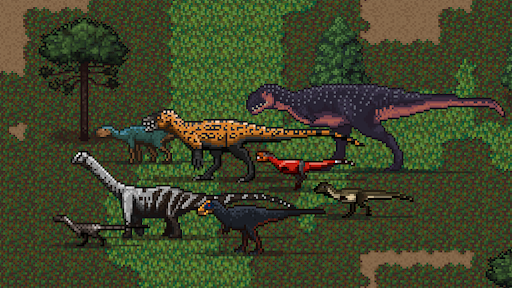
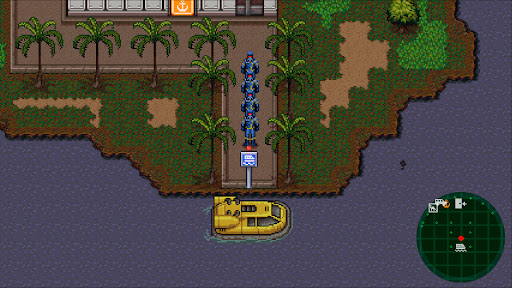
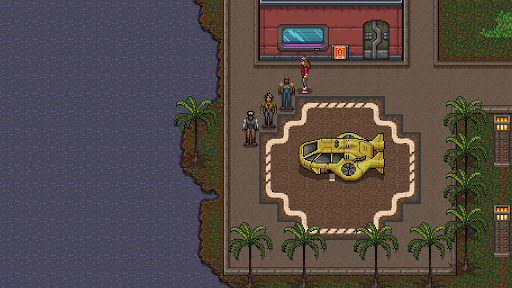
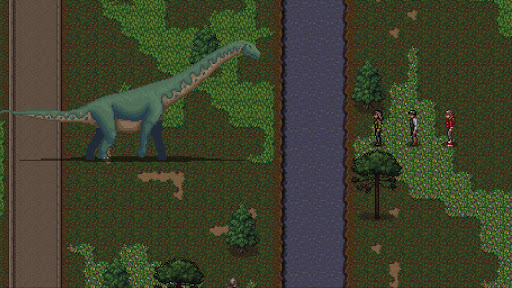
"Dino Hazard: Chronos Blackout" is a mix of several genres, with a carefully built narrative and art style. It is a charming RPG about friendship and courage in a dystopian context with varied mechanics and alternative endings.
A group of people is trapped in a high-tech facility on a tropical island in the year 2147. They must survive a malicious artificial intelligence system while fighting against dinosaurs and hacked robots.
Explore a vast island with distinct ecosystems and creatures. Mandatory grinding is not essential, but players can enjoy fast-paced strategic combat focused on character traits. You can solve conflicts with either HATE or LOVE strategies that influence the environment around you. Gameplay possibilities expand as you restore the facilities.
You play as a distinct group of characters that must overcome their differences to defeat a common enemy. You must administrate their skills to restore facilities before it is too late. Discover who is the malicious antagonist and escape its traps and puzzles to survive.
Features:
*Main story: 40+ hours.
*Main story + side quests: 50+ hours.
*Completionist: 80+ hours.
*Nostalgic atmosphere with an original plot.
*Explore the secrets of a beautiful living 16-bit world.
*A turn-based battle system with 7 unique playable characters.
*Customize characters with an array of weapons and armor.
*Different areas of the island present distinct ecologies.
*Hundreds of different beasts for battle (including dinosaurs).
*The game had scientist consultants to help build animals and flora accurately.
*Expand gameplay functionalities as you restore each island complex.
*Gradually updating gameplay with the fishing, crafting, capture, and taming systems.
*Mission-focused story with great pacing and intense climaxes.
*Explore an open world and play as you wish. Do you prefer developing a career as a hunter, a scavenger, or a conservationist?
Impact:
Part of the profits from the sales of DINO HAZARD is destined for scientific research in the field of paleontology, including the study of dinosaur fossils.
Show more

1. Download MEmu installer and finish the setup

2. Start MEmu then open Google Play on the desktop

3. Search Dino Hazard: Chronos Blackout in Google Play
Install
4. Download and Install Dino Hazard: Chronos Blackout
5. On install completion click the icon to start

6. Enjoy playing Dino Hazard: Chronos Blackout on PC with MEmu
MEmu Play is the best Android emulator and 100 million people already enjoy its superb Android gaming experience. The MEmu virtualization technology empowers you to play thousands of Android games smoothly on your PC, even the most graphic-intensive ones.
Bigger screen with better graphics; Long duration, without limitation of battery or mobile data.
Full Keymapping support for precise control of keyboard and mouse or gamepad.
Multiple game accounts or tasks on single PC at one time with Multi-Instance manager.
Play Dino Hazard: Chronos Blackout on PC by following steps: