Dirt Town: Road Builder 3D
Updated
Current Version
1.0.3
Offered By

With your passion for Dirt Town: Road Builder 3D, you shouldn’t have to limit yourself to the small screen of a phone. Play like a pro and take full control of the game using a keyboard and mouse. MEmu gives you everything you’re looking for. Download and play Dirt Town: Road Builder 3D on PC. Play as long as you want — no more worries about battery life, mobile data, or unexpected calls. The all-new MEmu 9 is the best way to play Dirt Town: Road Builder 3D on PC. With our expertly designed keymapping system, Dirt Town: Road Builder 3D feels just like a real PC game. The MEmu multi-instance manager lets you run two or more accounts on the same device at the same time. Most importantly, our exclusive emulation engine unlocks your PC’s full potential, delivering smooth and seamless performance.
Show more
Download Dirt Town: Road Builder 3D on PC with MEmu Android Emulator. Enjoy playing on big screen. Welcome to Dirt Works: Road Builder, an exciting construction simulator where you transform rough terrain into incredible roads and racing tracks!
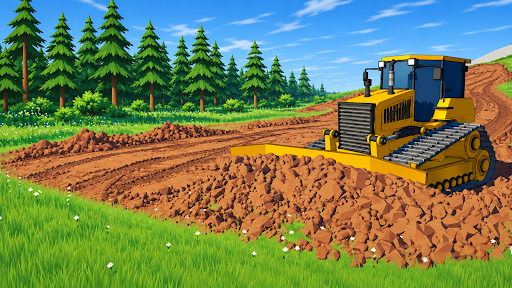
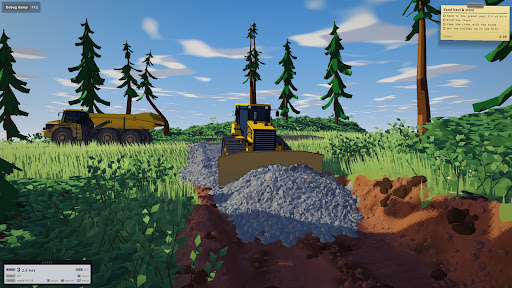
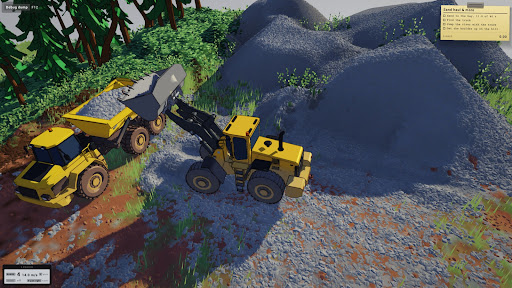
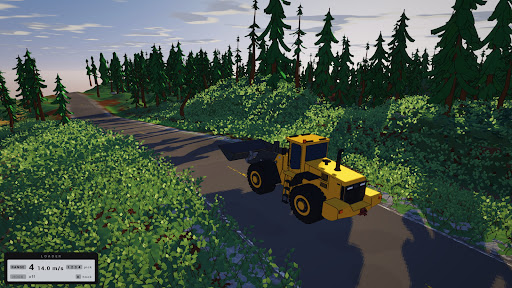
Welcome to Dirt Works: Road Builder, an exciting construction simulator where you transform rough terrain into incredible roads and racing tracks!
Take control of powerful construction machines, push dirt, cut down trees, move rocks, and transport gravel to complete challenging construction tasks. Explore an interactive world with physics-based gameplay and build your own construction empire.
Dig deep pits to collect resources, clear obstacles, and create smooth roads across challenging landscapes. Earn money by completing tasks and unlock new heavy machines to expand your construction capabilities.
Game Features:
Physics-based dirt and terrain simulation
Powerful construction vehicles and heavy machinery
Road building and excavation challenges
Tree cutting and rock-moving activities
Gravel transportation and resource collection
Dirt bike racing track construction
Machine unlocking and progression
Interactive construction environments
Start your construction adventure, operate heavy machinery, and transform an empty landscape into your ultimate dirt construction town!
Show more

1. Download MEmu installer and finish the setup

2. Start MEmu then open Google Play on the desktop

3. Search Dirt Town: Road Builder 3D in Google Play
Install
4. Download and Install Dirt Town: Road Builder 3D
5. On install completion click the icon to start

6. Enjoy playing Dirt Town: Road Builder 3D on PC with MEmu
MEmu Play is the best Android emulator and 100 million people already enjoy its superb Android gaming experience. The MEmu virtualization technology empowers you to play thousands of Android games smoothly on your PC, even the most graphic-intensive ones.
Bigger screen with better graphics; Long duration, without limitation of battery or mobile data.
Full Keymapping support for precise control of keyboard and mouse or gamepad.
Multiple game accounts or tasks on single PC at one time with Multi-Instance manager.
Play Dirt Town: Road Builder 3D on PC by following steps: