Tomodachi life Live The Dream
Updated
Current Version
Offered By

With your passion for Tomodachi life Live The Dream, you shouldn’t have to limit yourself to the small screen of a phone. Play like a pro and take full control of the game using a keyboard and mouse. MEmu gives you everything you’re looking for. Download and play Tomodachi life Live The Dream on PC. Play as long as you want — no more worries about battery life, mobile data, or unexpected calls. The all-new MEmu 9 is the best way to play Tomodachi life Live The Dream on PC. With our expertly designed keymapping system, Tomodachi life Live The Dream feels just like a real PC game. The MEmu multi-instance manager lets you run two or more accounts on the same device at the same time. Most importantly, our exclusive emulation engine unlocks your PC’s full potential, delivering smooth and seamless performance.
Show more
Download Tomodachi life Live The Dream on PC with MEmu Android Emulator. Enjoy playing on big screen. Welcome to Tomodachi Life Living World, the ultimate life simulation adventure where your imagination becomes reality.
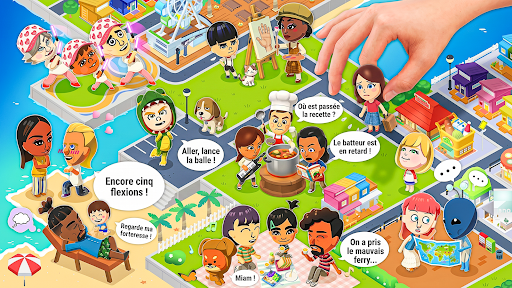
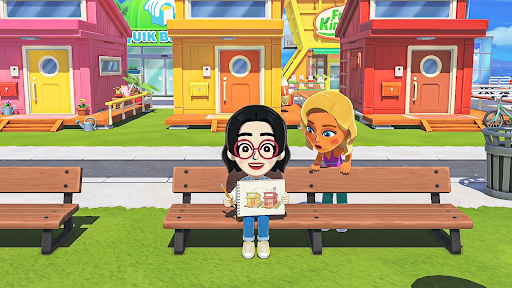
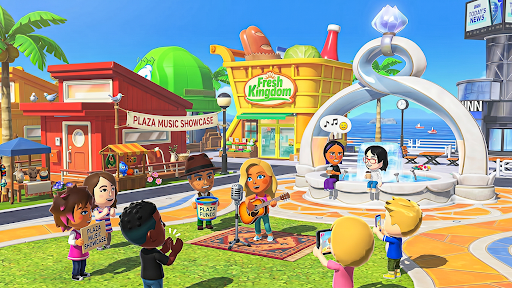
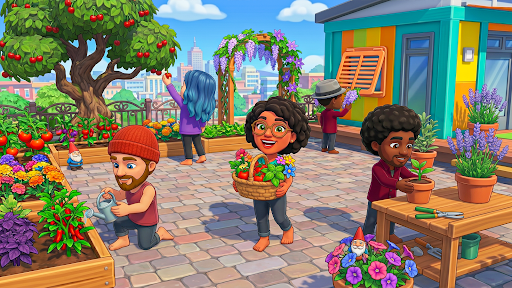
Welcome to Tomodachi Life Living World, the ultimate life simulation adventure where your imagination becomes reality. Create your own unique stories, build beautiful homes, design amazing rooms, customize lovable characters, and explore a colorful world filled with endless fun. Every place you visit and every choice you make creates a brand-new adventure.
Start your journey by creating your favorite characters with stylish outfits, trendy hairstyles, cute accessories, and fun expressions. Give each character a unique personality and create exciting family stories, daily routines, school adventures, shopping trips, birthday celebrations, vacations, and much more.
Design the home of your dreams using a huge collection of furniture, decorations, wallpapers, flooring, and decorative items. Arrange every room exactly the way you like and create cozy bedrooms, modern kitchens, relaxing living rooms, beautiful gardens, and creative play areas.
Explore a lively world packed with interactive locations including homes, schools, cafés, supermarkets, beauty salons, parks, playgrounds, shopping centers, beaches, hospitals, restaurants, gyms, and many more exciting places. Discover hidden surprises, interact with hundreds of objects, and create unlimited roleplay adventures without rules or time limits.
Whether you enjoy decorating, storytelling, character customization, or simply exploring new places, Dream Life Living World offers a relaxing experience for players of all ages. Every day brings fresh opportunities to create new stories and unforgettable memories.
Game Features
• Create and customize unique characters.
• Decorate and design beautiful dream homes.
• Explore colorful interactive locations.
• Enjoy unlimited roleplay and storytelling.
• Collect stylish outfits and fun accessories.
• Discover hidden surprises and interactive objects.
• Build your own family adventures.
• Relax with open-ended gameplay.
• Easy controls and smooth performance.
• Regular updates with exciting new locations, furniture, outfits, and activities.
There are no levels, timers, or pressure—just endless creativity and freedom. Play your way, decorate your world, meet friendly characters, and turn simple moments into exciting adventures. Every room you design, every outfit you choose, and every story you create makes your world truly unique.
Download Dream Life Living World today and enjoy a fun-filled life simulation experience where creativity has no limits. Build your dream home, explore amazing places, create unforgettable memories, and let your imagination bring every adventure to life.
Disclaimer: Dream Life Living World is an original life simulation game created independently. It is not affiliated with, endorsed by, or associated with any other game, company, trademark, or intellectual property. All characters, locations, artwork, and game content are original.
Show more

1. Download MEmu installer and finish the setup

2. Start MEmu then open Google Play on the desktop

3. Search Tomodachi life Live The Dream in Google Play
Install
4. Download and Install Tomodachi life Live The Dream
5. On install completion click the icon to start

6. Enjoy playing Tomodachi life Live The Dream on PC with MEmu
MEmu Play is the best Android emulator and 100 million people already enjoy its superb Android gaming experience. The MEmu virtualization technology empowers you to play thousands of Android games smoothly on your PC, even the most graphic-intensive ones.
Bigger screen with better graphics; Long duration, without limitation of battery or mobile data.
Full Keymapping support for precise control of keyboard and mouse or gamepad.
Multiple game accounts or tasks on single PC at one time with Multi-Instance manager.
Each island can hold up to 70 registered Mii characters. Players first spotted this cap while datamining the free eShop demo, and Nintendo later confirmed it as official in the Japanese FAQ for the game.
No direct import exists. You can build new residents using the face data of Miis already registered on your Switch or Switch 2 console, but there's no tool that pulls Miis in from Miitopia or any other Mii-compatible title.
No. Mii data created inside Living the Dream stays inside the game — it can't be sent back to your console's system Mii library or moved into other software such as Miitopia.
No. Every user profile registered on the console gets its own separate island and save file, and each profile can only hold one save file at a time.
Yes. Unlike the original Tomodachi Life, where every Mii shared a single apartment building by default, residents here each start in their own house but can move in together, with shared homes expandable to fit up to eight residents.
Not necessarily. Once a Mii child is born and ages up, you can choose to have them move out and live elsewhere instead of remaining permanently in the household they were born into.
Switch 2 owners get shorter load times and a sharper 1080p resolution in handheld mode, an upgrade over base Switch's handheld output. That said, the game doesn't use Switch 2's separate handheld boost function, and Nintendo hasn't detailed any specific docked-mode improvements.
No. Despite Switch 2 adding mouse-mode capability system-wide, Nintendo has confirmed this title doesn't support it — a decision quite a few players have publicly pushed back on.
Yes. You can share clips on social platforms as long as you follow both that platform's rules and Nintendo's Guidelines for the Use of Nintendo's Copyrighted Works on Network Services. Note that a few in-console sharing shortcuts, like automatic upload or direct transfer to a smartphone, aren't available for this title.
Yes, in supported regions. The demo is designed to transfer progress into the full release rather than making players start over from scratch after purchasing.
The game supports up to two players. Local wireless play lets you share selected Miis and custom creations with nearby players, rather than hosting a fully simultaneous shared island.