DK Mobile: Reborn
Updated
Current Version
6.0.2
Offered By

With your passion for DK Mobile: Reborn, you shouldn’t have to limit yourself to the small screen of a phone. Play like a pro and take full control of the game using a keyboard and mouse. MEmu gives you everything you’re looking for. Download and play DK Mobile: Reborn on PC. Play as long as you want — no more worries about battery life, mobile data, or unexpected calls. The all-new MEmu 9 is the best way to play DK Mobile: Reborn on PC. With our expertly designed keymapping system, DK Mobile: Reborn feels just like a real PC game. The MEmu multi-instance manager lets you run two or more accounts on the same device at the same time. Most importantly, our exclusive emulation engine unlocks your PC’s full potential, delivering smooth and seamless performance.
Show more
Download DK Mobile: Reborn on PC with MEmu Android Emulator. Enjoy playing on big screen. [Global Server Launch Rewards].

[Global Server Launch Rewards]
Mystery Cube x10,000
Speed Potion x100
Common – Hero Transformation Summon Ticket x50
Common – Hero Magic Doll Summon Ticket x50
[Service Regions]
- South Korea, Taiwan, Hong Kong, Macau
- Thailand, Vietnam, Indonesia, Singapore, Philippines, Malaysia
- East Timor, Laos, Myanmar, Brunei, Cambodia
[Supported Languages]
- Korean, Chinese (Simplified), Chinese (Traditional)
- English, Thai, Vietnamese
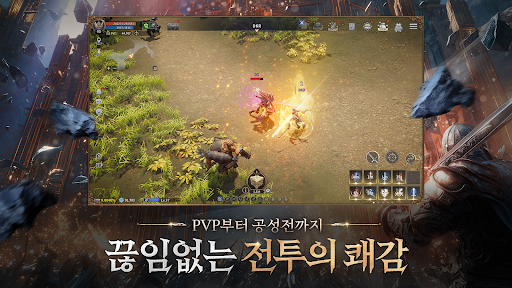
A true MMORPG with no pay-to-win barriers. Everything can be earned through gameplay.
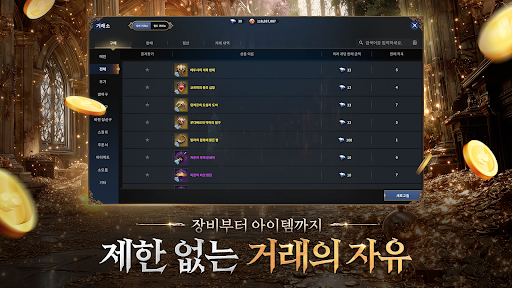
"▶ Pure Gold Economy — No Diamonds
The premium currency, 'Diamonds', has been completely removed.
Earn rewards for your time and effort in a unified gold-based economy with full trading freedom."
"▶ Barrier-Free Hyper Growth
No more tedious grinding.
Level up at lightning speed with up to 1,900% XP boosts and jump straight into core endgame content."
"▶ Endless Battles and Sieges
Take on massive boss raids and large-scale sieges with your allies.
Dominate uncharted servers and claim the throne."
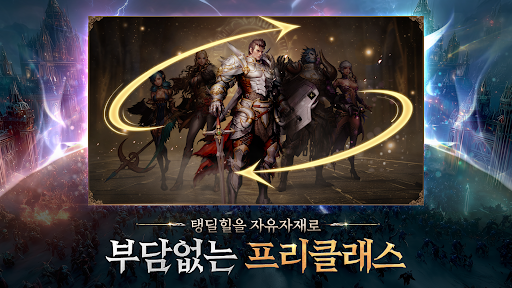
"▶ Flexible Class System
No more unnecessary class switching.
Choose one of five classes and freely take on the roles of Tank, DPS, or Healer."
▣ DK Mobile Reborn requires the following permissions for optimal gameplay ▣
You can still play the game even if you do not grant optional permissions. You can also change or revoke permissions at any time in your device settings.
[Optional] Photos: Required to download resources, save game data, access Customer Support and Community features, and capture gameplay screenshots.
[Optional] Approximate Location: Used for user analytics, fraud prevention in advertising/marketing, security, and compliance.
[Optional] Precise Location: Used for user analytics, fraud prevention in advertising/marketing, security, and compliance.
[Optional] Notifications: Allows the app to send informational and promotional push notifications.
[How to Manage Permissions]
-By permission: Device Settings > Privacy & Security > Select the permission > Allow or Deny permission
-By app: Device Settings > Select the app > Allow or Deny permissions
By installing DK Mobile Reborn, you agree to the installation of the DK Mobile Reborn program.
Developer Contact: help@ntrance.co.kr
Show more

1. Download MEmu installer and finish the setup

2. Start MEmu then open Google Play on the desktop

3. Search DK Mobile: Reborn in Google Play
Install
4. Download and Install DK Mobile: Reborn
5. On install completion click the icon to start

6. Enjoy playing DK Mobile: Reborn on PC with MEmu
MEmu Play is the best Android emulator and 100 million people already enjoy its superb Android gaming experience. The MEmu virtualization technology empowers you to play thousands of Android games smoothly on your PC, even the most graphic-intensive ones.
Bigger screen with better graphics; Long duration, without limitation of battery or mobile data.
Full Keymapping support for precise control of keyboard and mouse or gamepad.
Multiple game accounts or tasks on single PC at one time with Multi-Instance manager.
Play DK Mobile: Reborn on PC by following steps: