
DK64 Rekongpiled
Updated
Current Version
Offered By

With your passion for DK64 Rekongpiled, you shouldn’t have to limit yourself to the small screen of a phone. Play like a pro and take full control of the game using a keyboard and mouse. MEmu gives you everything you’re looking for. Download and play DK64 Rekongpiled on PC. Play as long as you want — no more worries about battery life, mobile data, or unexpected calls. The all-new MEmu 9 is the best way to play DK64 Rekongpiled on PC. With our expertly designed keymapping system, DK64 Rekongpiled feels just like a real PC game. The MEmu multi-instance manager lets you run two or more accounts on the same device at the same time. Most importantly, our exclusive emulation engine unlocks your PC’s full potential, delivering smooth and seamless performance.
Show more
Download DK64 Rekongpiled on PC with MEmu Android Emulator. Enjoy playing on big screen. DK64 Rekongpiled is intended for players who already own a legally acquired Donkey Kong 64 ROM and want to use that game with updated display and control options.
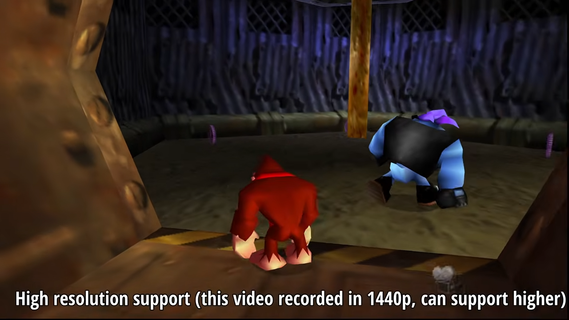
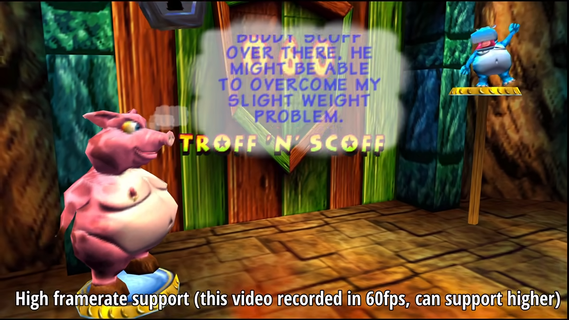
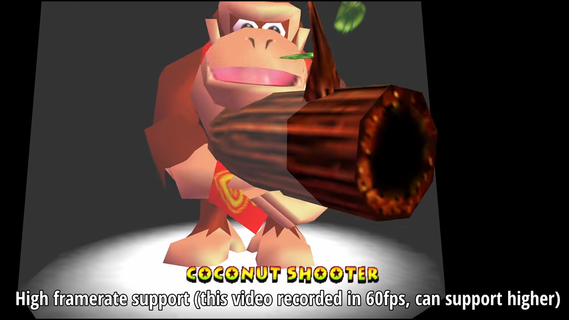
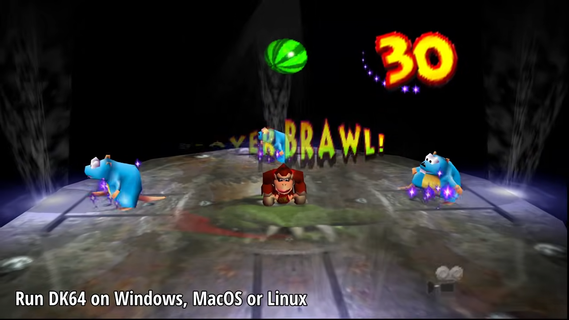
DK64 Rekongpiled is intended for players who already own a legally acquired Donkey Kong 64 ROM and want to use that game with updated display and control options. It is not an official Nintendo release, and it does not include original game assets. Instead, the project recompiles the original game for native execution rather than relying on conventional emulation. Before you download DK64 Rekongpiled, make sure you have your own compatible ROM available.DK64 Rekongpiled featuresNative game recompilationDK64 Rekongpiled uses the N64: Recompiled framework and RT64 to run recompiled game code as a native executable. This approach differs from a conventional emulator, which imitates original hardware behavior. The project aims to retain the original game’s identity while changing how it runs on current devices.Original N64 presentationDK64 Rekongpiled keeps the low-poly art style, music, audio processing, and visual effects associated with Donkey Kong 64. Gameplay is presented with the original visual character instead of replacing it with redesigned assets. As a result, players can revisit the game while keeping its familiar look and sound.Display options for wider screensDK64 Rekongpiled supports widescreen, ultrawide, and other aspect ratios. It adapts original effects for wider screen layouts, so the game can display beyond the original N64 frame. You can use these options when the standard display area does not suit your device or preferred setup.Higher frame rate renderingDK64 Rekongpiled can render gameplay, menus, terrain, textures, HUD elements, and effects at high frame rates. The game speed remains separate from rendering speed, so higher frame rates do not make normal gameplay run faster. This also helps preserve the timing of the original game while changing how motion appears.Controls and in game adjustmentsYou can use keyboard, mouse, controller, and gyro input options where supported by the build and device. DK64 Rekongpiled also includes improved camera handling, cutscene skipping, character switching, and settings that remain saved between sessions. These changes focus on common actions that can otherwise require repeated menu changes or slower navigation.Mods, texture packs, and fixesDK64 Rekongpiled includes support for mods and texture packs through its community content tools. It also offers configurable draw distance, faster transitions, and changed timing for selected challenges. In addition, the project includes a fix for the Hideout Helm medal issue, which can matter to players working toward full game completion.What to know before installing DK64 RekongpiledDK64 Rekongpiled provides the recompilation project, not a copy of Donkey Kong 64 itself. You need to supply a ROM that you obtained legally, since the project does not distribute Nintendo’s original game files. This is an important difference for anyone looking for a complete game package rather than a way to run an existing copy.When checking a DK64 Rekongpiled APK, confirm that the release information explains how the required ROM is handled. Community mods and texture packs are optional additions, so the base experience can remain close to the original game. Players who prefer the classic presentation can also avoid optional content and use the standard game assets they provide.Original game and ReKONGpiled changesDonkey Kong 64 originally targeted N64 hardware and its original display limits. DK64 Recomp keeps the game’s levels, characters, effects, music, and overall presentation while adding settings for current display formats and input methods. The project therefore suits players who want the original game structure with configurable technical changes rather than a remake.Some options affect how far scenery is drawn or how quickly certain transitions occur. Other changes address selected challenge timing and the Hideout Helm medal problem. These adjustments are useful to review before starting a long save file, especially if you want a playthrough that stays as close as possible to the original N64 experience.Getting started with DK64 RekongpiledDK64 Rekongpiled is a fan-made recompilation for players who can provide their own Donkey Kong 64 game data. It preserves the original game’s style while offering settings for display, controls, and optional community content. Check the DK64 Rekongpiled latest version details to see the available project options.
Show more

1. Download MEmu installer and finish the setup

2. Start MEmu then open Google Play on the desktop

3. Search DK64 Rekongpiled in Google Play
Install
4. Download and Install DK64 Rekongpiled
5. On install completion click the icon to start

6. Enjoy playing DK64 Rekongpiled on PC with MEmu
MEmu Play is the best Android emulator and 100 million people already enjoy its superb Android gaming experience. The MEmu virtualization technology empowers you to play thousands of Android games smoothly on your PC, even the most graphic-intensive ones.
Bigger screen with better graphics; Long duration, without limitation of battery or mobile data.
Full Keymapping support for precise control of keyboard and mouse or gamepad.
Multiple game accounts or tasks on single PC at one time with Multi-Instance manager.
Play DK64 Rekongpiled on PC by following steps:

















































