DRAGON QUEST VI
Updated
Current Version
1.1.5
Offered By

With your passion for DRAGON QUEST VI, you shouldn’t have to limit yourself to the small screen of a phone. Play like a pro and take full control of the game using a keyboard and mouse. MEmu gives you everything you’re looking for. Download and play DRAGON QUEST VI on PC. Play as long as you want — no more worries about battery life, mobile data, or unexpected calls. The all-new MEmu 9 is the best way to play DRAGON QUEST VI on PC. With our expertly designed keymapping system, DRAGON QUEST VI feels just like a real PC game. The MEmu multi-instance manager lets you run two or more accounts on the same device at the same time. Most importantly, our exclusive emulation engine unlocks your PC’s full potential, delivering smooth and seamless performance.
Show more
Download DRAGON QUEST VI on PC with MEmu Android Emulator. Enjoy playing on big screen. Get DRAGON QUEST VI for 40% off the regular price!
Get DRAGON QUEST VI for 40% off the regular price!
**************************************************
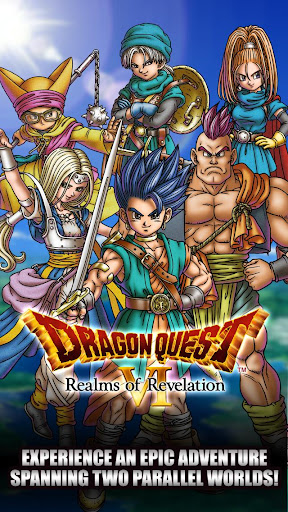
Dragon Quest VI: Realms of Revelation , the final instalment in the Zenithian trilogy, is now available on mobile devices!
Experience an epic adventure spanning two parallel worlds!
Recover the heroes’ long-lost memories, and bring the two worlds together!
Download it once, and there’s nothing else to buy, and nothing else to download!
********************
◆Prologue
A young lad from the secluded village of Weaver’s Peak lives a peaceful life with his little sister. But all that is to change when the mountain spirit appears before him, prophesying that only he can save the world from being swallowed by darkness. And so he sets out on a grand adventure to learn the truth of his world, and that of the mysterious phantom realm that lies beneath...
This world-spanning saga can now be enjoyed in the palm of your hand!
◆Game Features
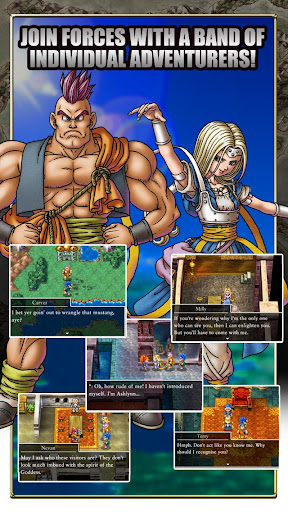
・Join forces with a band of individual adventurers!
Amass a following of faithful friends as you travel around the riven realms. From wandering warriors to amnesiac teens, a rich cast of characters will join you in your adventures, and help you to unlock the mysteries of your clouded world!
・Vocational Education
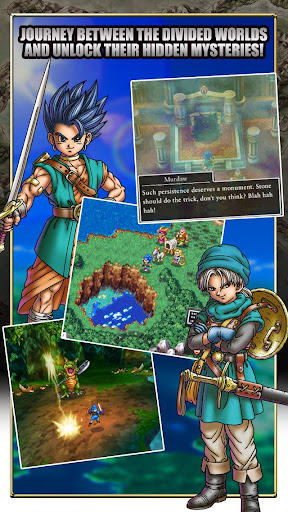
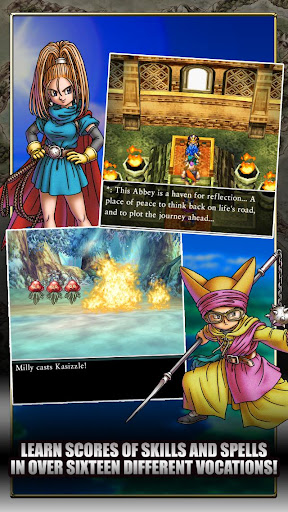
As you progress in the game, the hero and his party will gain access to Alltrades Abbey, where they can specialise in any of over sixteen vocations. Train your skills in your chosen vocation, and learn a multitude of spells and special abilities. After you have mastered an ability, you can still use it even if you change vocation!
・Converse Freely with your Fellow Party Members!
The party chat function allows you to converse freely with the cast of colourful characters who will accompany you on your adventure. So don’t hesitate to turn to them for advice and idle chit-chat whenever the urge assails you!
・360-Degree Views
Rotate your viewpoint in towns and villages through a full 360 degrees to make sure you don’t miss a thing!
・AI Battles
Tired of giving orders? Your faithful companions can be instructed to fight automatically! Use the various tactics at your disposal to see off even the toughest enemies with ease!
・The Slimopolis
Unlike previous titles, where monsters could only be recruited during battle, Dragon Quest VI lets you recruit an army of lovely little slimes as you travel around the world! Once you’ve recruited a slimy friend or two, head to the Slimopolis to test their mettle in a series of arena battles, with fabulous prizes on offer for any slime tough enough to emerge victorious! Train up your slimes, and aim for the championship!
・Slippin’ Slime
The slime-sliding minigame introduced in the Nintendo DS version makes its welcome return! Brush the ice in front of your sliding slime to guide it past perilous pitfalls and obstinate obstacles. Perfect your polishing action to hit the target, and send your score through the roof!
--------------------
[Supported Operating Systems]
Devices running Android 6.0 and above.
* This game is not guaranteed to run on all devices.
Show more

1. Download MEmu installer and finish the setup

2. Start MEmu then open Google Play on the desktop

3. Search DRAGON QUEST VI in Google Play
Install
4. Download and Install DRAGON QUEST VI
5. On install completion click the icon to start

6. Enjoy playing DRAGON QUEST VI on PC with MEmu
MEmu Play is the best Android emulator and 100 million people already enjoy its superb Android gaming experience. The MEmu virtualization technology empowers you to play thousands of Android games smoothly on your PC, even the most graphic-intensive ones.
Bigger screen with better graphics; Long duration, without limitation of battery or mobile data.
Full Keymapping support for precise control of keyboard and mouse or gamepad.
Multiple game accounts or tasks on single PC at one time with Multi-Instance manager.
Play DRAGON QUEST VI on PC by following steps: