
Dungeon Princess : RPG
Updated
Current Version
460
Offered By

With your passion for Dungeon Princess : RPG, you shouldn’t have to limit yourself to the small screen of a phone. Play like a pro and take full control of the game using a keyboard and mouse. MEmu gives you everything you’re looking for. Download and play Dungeon Princess : RPG on PC. Play as long as you want — no more worries about battery life, mobile data, or unexpected calls. The all-new MEmu 9 is the best way to play Dungeon Princess : RPG on PC. With our expertly designed keymapping system, Dungeon Princess : RPG feels just like a real PC game. The MEmu multi-instance manager lets you run two or more accounts on the same device at the same time. Most importantly, our exclusive emulation engine unlocks your PC’s full potential, delivering smooth and seamless performance.
Show more
Download Dungeon Princess : RPG on PC with MEmu Android Emulator. Enjoy playing on big screen. Best DOT RPG Game,.


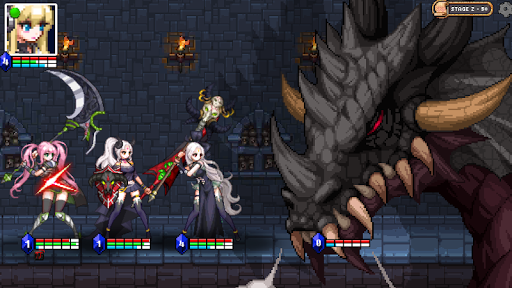
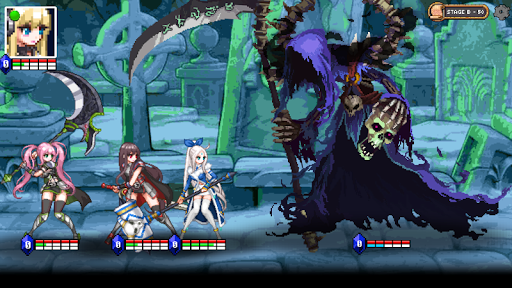
Best DOT RPG Game,
‘Dungeon Princess’ is the most popular online virtual game around the world.
The first party who clears the final stage of the Dungeon will be rewarded with fantastic prizes and a female player in this party shall henceforth be named ‘Princess’ who will obtain extravagant privileges.
‘ISM’, a gaming genius starts off his journey into Dungeon Princess with the aim to make his sister ‘NADIE’ into a princess.
▶ Contents
– A game with an ending that you can complete
– 100% user interactive game without auto play mode
– 11 characters with unique skills and abilities
– Attractive character voices & illustration
– Lighthearted storyline and character relationships
– More than 430 Set items to collect with unique attributes
– Battle it out and face more than 18 different type of Boss monsters
Content regularly updated. Look forward to new stages, features, and storyline!
▶ Unique battle system
Unlike routine battle games played in turn, you can choose various skills in real time during battles as long as stamina allows while each skill needs a different level of stamina. The effort to find out the best combination of skills and character lineup as well as timing for attack is the key to enjoy this game.
Excitement from creating battle strategy and also from managing the control on attack timing by your own fingertips! Be the winner of this game with set items buffs & attack skills while reacting to enemy attack charge ups, and disrupting their spells with stuns.
Furthermore, utilize the character swap function mid battle to replace injured characters for an extra boost towards success!
Clear the final stage to receive rewards and crown your sister NADIE a princess!
※ Caution: Dungeon & Princess is an Offline Game. Server based data saving is not provided by this game. All user data is saved only on the device of the user. Therefore data cannot be restored once the app is deleted. Please utilize the save on Cloud function within the game.
※ Refund Policy
Refund is available within 2 hours after purchase by using the Refund Button provided by Google. However, you cannot claim for refund after 2 hours.
Enquiries on refund: ssico8909@gmail.com
Show more

1. Download MEmu installer and finish the setup

2. Start MEmu then open Google Play on the desktop

3. Search Dungeon Princess : RPG in Google Play
Install
4. Download and Install Dungeon Princess : RPG
5. On install completion click the icon to start

6. Enjoy playing Dungeon Princess : RPG on PC with MEmu
MEmu Play is the best Android emulator and 100 million people already enjoy its superb Android gaming experience. The MEmu virtualization technology empowers you to play thousands of Android games smoothly on your PC, even the most graphic-intensive ones.
Bigger screen with better graphics; Long duration, without limitation of battery or mobile data.
Full Keymapping support for precise control of keyboard and mouse or gamepad.
Multiple game accounts or tasks on single PC at one time with Multi-Instance manager.
Play Dungeon Princess : RPG on PC by following steps: