
Dungeon Tracer
Updated
Current Version
2.5.8
Offered By

With your passion for Dungeon Tracer, you shouldn’t have to limit yourself to the small screen of a phone. Play like a pro and take full control of the game using a keyboard and mouse. MEmu gives you everything you’re looking for. Download and play Dungeon Tracer on PC. Play as long as you want — no more worries about battery life, mobile data, or unexpected calls. The all-new MEmu 9 is the best way to play Dungeon Tracer on PC. With our expertly designed keymapping system, Dungeon Tracer feels just like a real PC game. The MEmu multi-instance manager lets you run two or more accounts on the same device at the same time. Most importantly, our exclusive emulation engine unlocks your PC’s full potential, delivering smooth and seamless performance.
Show more
Download Dungeon Tracer on PC with MEmu Android Emulator. Enjoy playing on big screen. Connect blocks to attack, defend, and heal as you survive in endless dungeons.
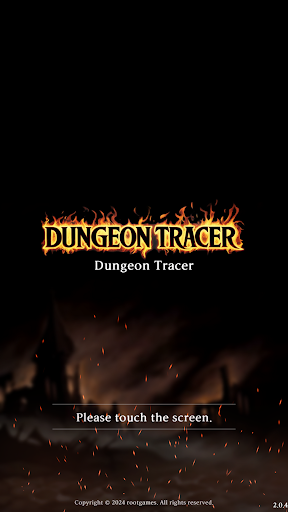
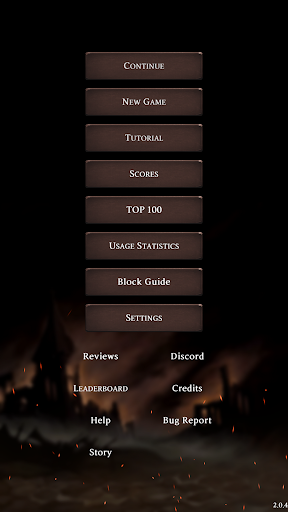
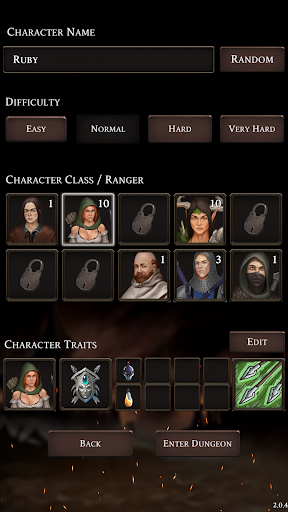
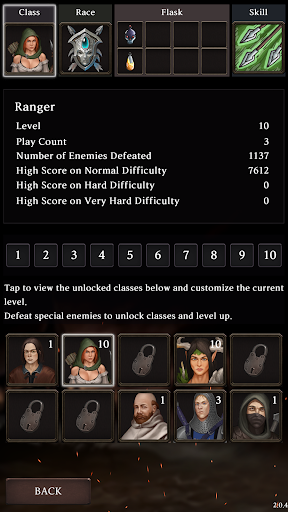
Connect blocks to attack, defend, and heal as you survive in endless dungeons.
Dungeon Tracer is a turn-based dungeon exploration game that combines puzzles, roguelikes, and RPG elements. Connect the same type of blocks to attack with swords, defend with shields, and heal with potions. Your choices each turn determine the outcome of battles and your survival.
The controls are simple, but the strategy is deep. Trigger powerful effects with longer block connections, read enemy patterns, and adapt to battlefield conditions to make optimal choices. Each battle flow and decision creates a new gameplay experience.
■ Recommended for
Players who enjoy puzzle RPGs and roguelikes
Players who like turn-based strategic combat
Players looking for offline dungeon games
Players who want the fun of creating new builds and strategies through repeated play
■ Core Gameplay
Connect the same type of blocks to attack, defend, and heal
Strategic puzzle combat where choices matter each turn
Stronger combo effects with longer connections
Roguelike challenges where dying means starting over
Survival strategies crafted in ever-changing situations
■ In-depth Strategic Combat
The intuitive fun of block connection puzzles merges with the combat strategies of roguelike RPGs. Your playstyle can vary significantly based on block placement, enemy combinations, skill choices, and item combinations.
■ 10 Classes and 10 Races
Each class has unique skills and traits, and combining them with racial traits creates entirely different builds. Experiment with various combinations to create your own strategies.
■ Diverse Skills and Builds
Combine over 40 active skills and growth elements to complete your unique combat style. The choices of skills and items lead to different developments each time.
■ Special Monsters and Block Debuffs
43 types of special monsters, including Lich, Avenger, Kamikaze, and Assassin, appear. Block debuffs like Freeze, Fire, Poison, Destruction, and Lock add to the ever-changing flow of battle. Simply connecting many blocks won't guarantee victory.
■ Fair Roguelike Challenges
A seed-based deterministic random system ensures that the same run and same turn yield the same results. Enjoy a fair challenge where choices and judgments matter more than luck.
■ More Fun with Repeated Growth
Skill choices change with each level-up
Build design focused on upgrades and items
Dungeons that unfold anew with each run
A challenge structure where a single mistake creates tension
■ Global Leaderboard
Compete with players worldwide for scores. Challenge global rankings by difficulty and leave your best records.
■ 4 Difficulty Levels
Easy, Normal, Hard, Very Hard
Difficulty levels suitable for beginners to experts.
■ Premium Offline RPG
No ads
No in-app purchases
Offline play available
Once purchased, enjoy all content fully.
■ Support for Multiple Languages and Cloud Save
Supports 22 languages, allowing you to continue your progress safely even when changing devices.
Endless dungeons, increasingly powerful monsters, and changing choices each turn.
How long can you survive?
Experience the deep strategy of puzzle roguelike RPGs in Dungeon Tracer now.
Show more

1. Download MEmu installer and finish the setup

2. Start MEmu then open Google Play on the desktop

3. Search Dungeon Tracer in Google Play
Install
4. Download and Install Dungeon Tracer
5. On install completion click the icon to start

6. Enjoy playing Dungeon Tracer on PC with MEmu
MEmu Play is the best Android emulator and 100 million people already enjoy its superb Android gaming experience. The MEmu virtualization technology empowers you to play thousands of Android games smoothly on your PC, even the most graphic-intensive ones.
Bigger screen with better graphics; Long duration, without limitation of battery or mobile data.
Full Keymapping support for precise control of keyboard and mouse or gamepad.
Multiple game accounts or tasks on single PC at one time with Multi-Instance manager.
Play Dungeon Tracer on PC by following steps:
















































