E.D.E.N : The Last Line
Updated
Current Version
1.1.5
Offered By

With your passion for E.D.E.N : The Last Line, you shouldn’t have to limit yourself to the small screen of a phone. Play like a pro and take full control of the game using a keyboard and mouse. MEmu gives you everything you’re looking for. Download and play E.D.E.N : The Last Line on PC. Play as long as you want — no more worries about battery life, mobile data, or unexpected calls. The all-new MEmu 9 is the best way to play E.D.E.N : The Last Line on PC. With our expertly designed keymapping system, E.D.E.N : The Last Line feels just like a real PC game. The MEmu multi-instance manager lets you run two or more accounts on the same device at the same time. Most importantly, our exclusive emulation engine unlocks your PC’s full potential, delivering smooth and seamless performance.
Show more
Download E.D.E.N : The Last Line on PC with MEmu Android Emulator. Enjoy playing on big screen. "Commander, in a world on the brink of extinction, your orders are humanity’s last hope.
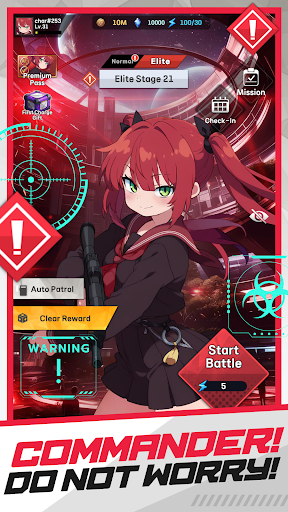
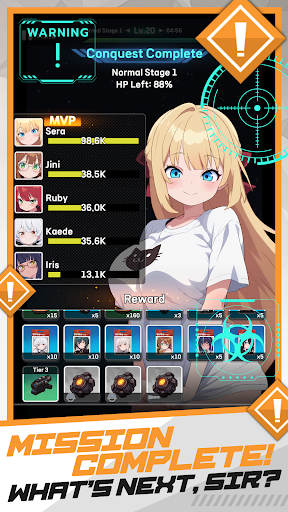
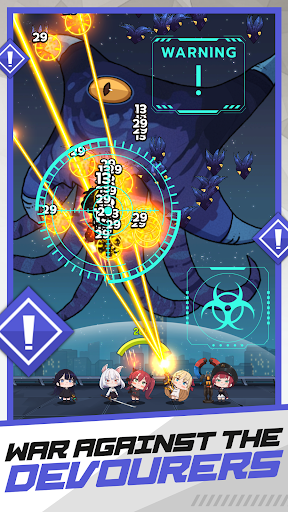
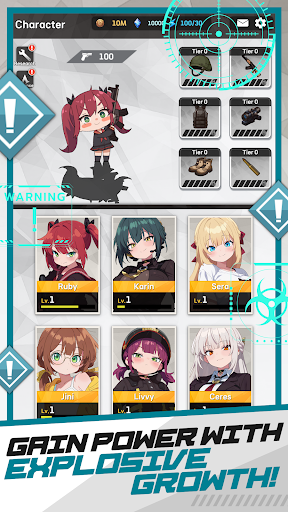
"Commander, in a world on the brink of extinction, your orders are humanity’s last hope."
Grant the girls their EDENs and lead the final line of defense for mankind!
[Commander, We’re Standing By!]
Half of humanity vanished in the "Devourer Catastrophe."
The survivors now cling to Astra City, a fortress city, and Lumina Academy, an elite institute for the awakened girls.
You are the Commander of Lumina Academy.
The girls who awakened their powers in extreme conditions called The Awakaned, follow only your orders.
“I’m not here just for revenge... I’m here so no one else has to ever cry again!” – Ruby
[EDEN: Manage the Power Amplifier System]
Take on the duties to manage the EDENs, a special system that amplifies and stabilizes each girl’s powers.
EDEN units are custom-built based on the girls' abilities.
Assault rifle for Ruby, Ice-round rifle for Iris, Shockwave Katana for Kaede, and Railgun cannon for Jini, the genius inventor.
Jini has no powers of her own, but her brilliant engineering is what upgrades and modifies EDEN.
Lead these girls and build a force strong enough to stand against the Devourers.
[Build Your Squad & Command Real-Time Battles]
Only your tactical decisions can save humanity.
Combine abilities like ice, electricity, lasers, and gravity to create powerful combo effects.
Each girl has a clear role: assault, control, support, sniper, and more.
Command their skills in real time during Devourer waves and giant boss fights.
Use your EDEN loadout and timing to hold the line and protect Astra City.
[Bonds & Stories: Heal the Girls’ Hearts]
Combat is only half the battle, their hearts matter too.
Every Awakened carries painful memories and scars from the Catastrophe.
Outside of battle, spend time with them in the dorms and labs, listen to their stories, and help heal their past.
Through special bonds with you, the Commander, the girls discover their true purpose and awaken to even greater power.
The girls of E.D.E.N : The Last Line are awaiting your orders.
Lead them, protect them, and decide the fate of humanity.
[Discord]
https://discord.gg/FuYA7qwPWm
[Contact Email]
- service.dfd@gameduo.net
[Privacy Policy]
- https://gameduo.net/en/privacy-policy
[Terms of Service]
- https://gameduo.net/en/terms-of-service
Show more

1. Download MEmu installer and finish the setup

2. Start MEmu then open Google Play on the desktop

3. Search E.D.E.N : The Last Line in Google Play
Install
4. Download and Install E.D.E.N : The Last Line
5. On install completion click the icon to start

6. Enjoy playing E.D.E.N : The Last Line on PC with MEmu
MEmu Play is the best Android emulator and 100 million people already enjoy its superb Android gaming experience. The MEmu virtualization technology empowers you to play thousands of Android games smoothly on your PC, even the most graphic-intensive ones.
Bigger screen with better graphics; Long duration, without limitation of battery or mobile data.
Full Keymapping support for precise control of keyboard and mouse or gamepad.
Multiple game accounts or tasks on single PC at one time with Multi-Instance manager.
Play E.D.E.N : The Last Line on PC by following steps: