Crown Rush
Updated
Current Version
1.2.8
Offered By

With your passion for Crown Rush, you shouldn’t have to limit yourself to the small screen of a phone. Play like a pro and take full control of the game using a keyboard and mouse. MEmu gives you everything you’re looking for. Download and play Crown Rush on PC. Play as long as you want — no more worries about battery life, mobile data, or unexpected calls. The all-new MEmu 9 is the best way to play Crown Rush on PC. With our expertly designed keymapping system, Crown Rush feels just like a real PC game. The MEmu multi-instance manager lets you run two or more accounts on the same device at the same time. Most importantly, our exclusive emulation engine unlocks your PC’s full potential, delivering smooth and seamless performance.
Show more
Download Crown Rush on PC with MEmu Android Emulator. Enjoy playing on big screen. The Endless Battles for the Crown!
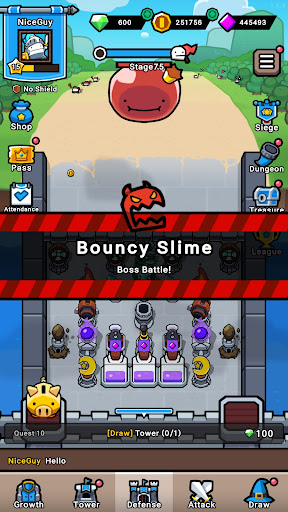
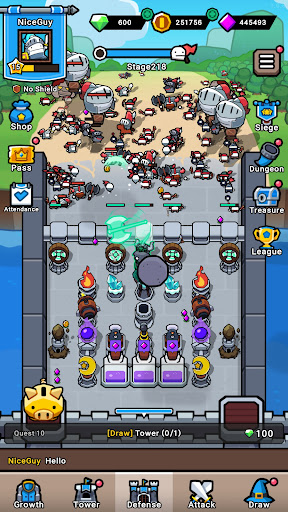
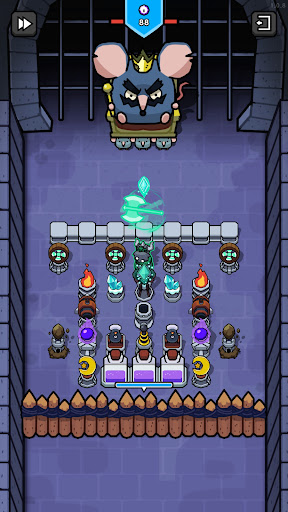
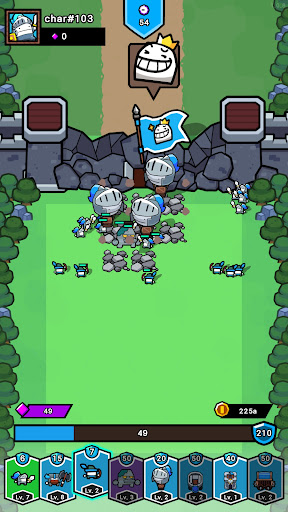
The Endless Battles for the Crown!
Master Your Tactics in the Idle Defense & Offense Game, Crown Rush: Survival!
Crown Rush: Survival is an idle defense & offense strategy game where you become a lord, defend your walls, and crush enemy strongholds to expand your territory. Protect your fort, fend off enemy attacks, and embark on your journey to become king!
■ Fortify & Place Towers
Hold off the invading enemies with your walls and defense towers. The onslaught is relentless, but you can strengthen your walls and towers to maximize your defense. Each tower has unique abilities, and strategic placements and upgrades are keys to protecting your fort.
■ Tactical Attacks & Unit Arrangements
Deploy your units to attack enemy walls and break through their defense. Position units with various abilities wisely and exploit enemy weaknesses for victory. Every attack requires tactical decisions—tear down their walls and assert dominance by planting your flag!
■ Auto-Defense & Resource Accumulation
Even when the game is offline, your walls will defend automatically, and resources will continue to accumulate. Enjoy the convenience of idle gameplay, allowing for steady progress without constant attention to defense.
■ Infinite Upgrades & Territory Expansion
Gather resources to upgrade your town and buildings, and reinforce your walls. Defend against enemy attacks with stronger units and towers, expand your territory, and rebuild your kingdom.
■ Explore the Treasure Map to Earn Special Reward
Explore the treasure map to earn valuable resources and items. Gain special resources that can turn the tides of battle into your favor.
■ Besiege Town & Clear Stages
Besiege towns and clear stages to unlock new towers and units. Stronger enemies will appear to challenge you at higher stages, but the rewards will be even greater.
Expand your territory, render judgment to enemies, and claim the crown!
[Contact Us]
service.mm@gameduo.net
[Privacy Policy]
https://gameduo.net/en/privacy-policy
[Terms of Service]
https://gameduo.net/en/terms-of-service
Show more

1. Download MEmu installer and finish the setup

2. Start MEmu then open Google Play on the desktop

3. Search Crown Rush in Google Play
Install
4. Download and Install Crown Rush
5. On install completion click the icon to start

6. Enjoy playing Crown Rush on PC with MEmu
MEmu Play is the best Android emulator and 100 million people already enjoy its superb Android gaming experience. The MEmu virtualization technology empowers you to play thousands of Android games smoothly on your PC, even the most graphic-intensive ones.
Bigger screen with better graphics; Long duration, without limitation of battery or mobile data.
Full Keymapping support for precise control of keyboard and mouse or gamepad.
Multiple game accounts or tasks on single PC at one time with Multi-Instance manager.
Play Crown Rush on PC by following steps: