Everwind: Fantasy Hero RPG
Updated
Current Version
1.1.0
Offered By

With your passion for Everwind: Fantasy Hero RPG, you shouldn’t have to limit yourself to the small screen of a phone. Play like a pro and take full control of the game using a keyboard and mouse. MEmu gives you everything you’re looking for. Download and play Everwind: Fantasy Hero RPG on PC. Play as long as you want — no more worries about battery life, mobile data, or unexpected calls. The all-new MEmu 9 is the best way to play Everwind: Fantasy Hero RPG on PC. With our expertly designed keymapping system, Everwind: Fantasy Hero RPG feels just like a real PC game. The MEmu multi-instance manager lets you run two or more accounts on the same device at the same time. Most importantly, our exclusive emulation engine unlocks your PC’s full potential, delivering smooth and seamless performance.
Show more
Download Everwind: Fantasy Hero RPG on PC with MEmu Android Emulator. Enjoy playing on big screen. Everwind is a 3D fantasy hero-collecting RPG set on a continent where the wind has stopped.
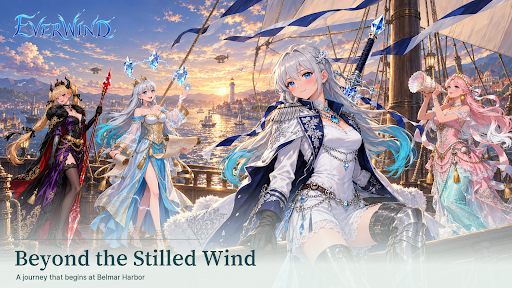
Everwind is a 3D fantasy hero-collecting RPG set on a continent where the wind has stopped.
■ Language
Text: English, Japanese and Korean. Hero voices: Japanese.
Daily reset is at 00:00 KST (15:00 UTC).
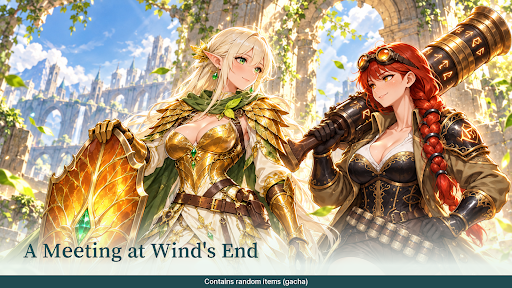
The wind called Everwind once circled the continent, carrying rain, seeds and clouds. Now it has stopped. No rain falls on the plains, and no seeds drift through the forests. An expedition formed by the Explorers' Guild of Belmar Port sets out for Hesychion at the northern edge of the continent, breaking the black stones called Tacitum that drain the wind. Where the wind stopped, the expedition begins. Walk that road with your companions as the expedition captain.
[Heroes] Companions at your side
- Heroes of six roles (tank, melee, ranged, mage, healer and support) join your expedition.
- Collect and raise heroes to build an expedition of your own.
- The more you fight together, the more trust grows, unlocking each hero's records and letters.
- Equip and enhance weapons, armor, helmets and shields to shape your team.
[Battle] Who you bring is the strategy
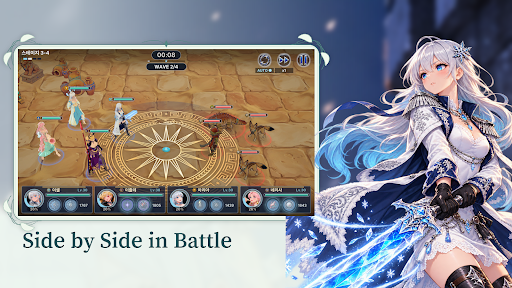
- Form a party of four. Each hero's role sets the front, middle or back row, so you focus on who to bring, not where to place them.
- Auto battles play out on a 3D battlefield. Tap a skill button whenever you want to cast it yourself.
- There are no elemental counters, so you can always bring the heroes you love.
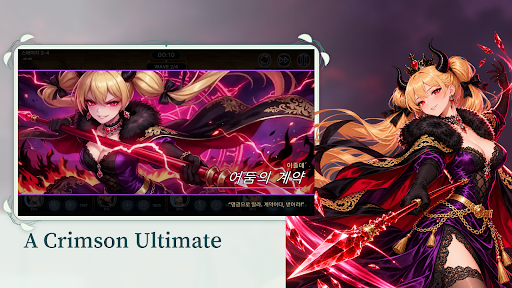
[Ultimate cinematics] A hero's brightest moment
- The camera closes in, a breath held for a beat, then the strike. Watch the moment that turns the battle.
- Cinematics can be skipped with a tap.
[Story] The day the wind stopped
- Part 1: 6 chapters and 60 stages, from the windswept plains through the Eldria Forest, the Red Desert, the Kargad Mountains and the Forgotten Volcano to the northern snowfields.
- In every region, Tacitum stones block the wind wells, and the Silencia, who seek to cage the wind, await your expedition.
- Meet new companions in each chapter as their stories connect along the wind road.
[Challenges] Climb, defeat, compete
- Trial Tower: climb floor by floor to set new records and receive daily supplies based on how high you reached.
- Raid: face a powerful boss that changes each round and score points by the damage you deal.
- PvP Arena: battle the defense teams of other expeditions and climb the ranks.
- Resource Dungeons: gather gold, gear and hero shards to prepare for growth.
■ Random items (gacha)
This game contains random items (hero summons and gear summons). Drop rates can be checked in-game on the Summon screen and in the Shop.
Some items, such as gems, can be purchased with real money.
■ Links
- YouTube: https://www.youtube.com/@everwind_game
- Privacy policy: https://everwind-2026.web.app/privacy
- Contact (Korean or English): pjh6274@gmail.com
Show more

1. Download MEmu installer and finish the setup

2. Start MEmu then open Google Play on the desktop

3. Search Everwind: Fantasy Hero RPG in Google Play
Install
4. Download and Install Everwind: Fantasy Hero RPG
5. On install completion click the icon to start

6. Enjoy playing Everwind: Fantasy Hero RPG on PC with MEmu
MEmu Play is the best Android emulator and 100 million people already enjoy its superb Android gaming experience. The MEmu virtualization technology empowers you to play thousands of Android games smoothly on your PC, even the most graphic-intensive ones.
Bigger screen with better graphics; Long duration, without limitation of battery or mobile data.
Full Keymapping support for precise control of keyboard and mouse or gamepad.
Multiple game accounts or tasks on single PC at one time with Multi-Instance manager.
Play Everwind: Fantasy Hero RPG on PC by following steps: