
Family Farm Merge
Updated
Current Version
12.0.0
Offered By

With your passion for Family Farm Merge, you shouldn’t have to limit yourself to the small screen of a phone. Play like a pro and take full control of the game using a keyboard and mouse. MEmu gives you everything you’re looking for. Download and play Family Farm Merge on PC. Play as long as you want — no more worries about battery life, mobile data, or unexpected calls. The all-new MEmu 9 is the best way to play Family Farm Merge on PC. With our expertly designed keymapping system, Family Farm Merge feels just like a real PC game. The MEmu multi-instance manager lets you run two or more accounts on the same device at the same time. Most importantly, our exclusive emulation engine unlocks your PC’s full potential, delivering smooth and seamless performance.
Show more
Download Family Farm Merge on PC with MEmu Android Emulator. Enjoy playing on big screen. Family Farm Merge: Merge Your Way Back to Nature!
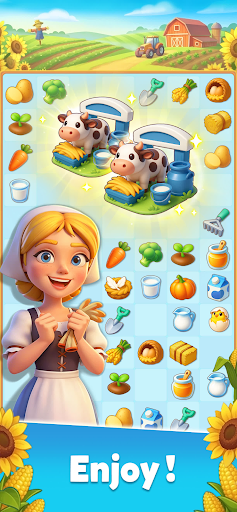



Family Farm Merge: Merge Your Way Back to Nature!
Welcome to Family Farm Merge, a brand-new merge game in the beloved Family Farm series. Here, the warmth of classic farm life meets relaxing, satisfying merge gameplay. You will do more than manage a farm. You will help bring color and life back to an entire valley.
Tired of the noise and rush of the city, Ella returns to Breeze Valley, a place she remembers from her childhood. But the farm she finds is no longer the one she knew. The windmill has stopped turning, the flowers have lost their color, and the land seems to have fallen into a deep sleep. Then Ella discovers a mysterious golden hourglass, and an old promise between people and nature begins to awaken...
Now, it is your turn to wake the valley.
Merge and Rebuild
- Drag and merge to unlock hundreds of crops, flowers, and farm items.
- Start with a faded, forgotten farm and restore it into a bright, lively paradise.
- Keep merging to discover hidden resources and miraculous tools.
Classic Farm Life, Fresh New Fun
- Enjoy the familiar charm of Family Farm in a fresh new way.
- Raise animals, harvest crops, make goods, and enjoy the simple pleasures of country life.
- Merge gameplay makes farming easier, smoother, and more relaxing than ever.
Discover the Story of Breeze Valley
- Follow Ella as she uncovers the secret of the Golden Covenant.
- Meet villagers full of personality and help restore the bond between people and nature.
- Every piece of land and every chapter of the story holds a little warmth waiting to be rediscovered.
Relax, Connect, and Share the Fun
- Team up with friends and bring your farm back to life faster.
- Join events to earn limited decorations and rare resources.
- Build a farm that is truly your own and show off your unique style.
In Family Farm Merge, you are not just merging crops and items. You are restoring a long-lost connection between people and nature.
Start your journey now and help Breeze Valley bloom again!
Show more

1. Download MEmu installer and finish the setup

2. Start MEmu then open Google Play on the desktop

3. Search Family Farm Merge in Google Play
Install
4. Download and Install Family Farm Merge
5. On install completion click the icon to start

6. Enjoy playing Family Farm Merge on PC with MEmu
MEmu Play is the best Android emulator and 100 million people already enjoy its superb Android gaming experience. The MEmu virtualization technology empowers you to play thousands of Android games smoothly on your PC, even the most graphic-intensive ones.
Bigger screen with better graphics; Long duration, without limitation of battery or mobile data.
Full Keymapping support for precise control of keyboard and mouse or gamepad.
Multiple game accounts or tasks on single PC at one time with Multi-Instance manager.
Play Family Farm Merge on PC by following steps: