Fast DS Emulator For Android
Updated
Current Version
pb1.0.3
Offered By

With your passion for Fast DS Emulator For Android, you shouldn’t have to limit yourself to the small screen of a phone. Play like a pro and take full control of the game using a keyboard and mouse. MEmu gives you everything you’re looking for. Download and play Fast DS Emulator For Android on PC. Play as long as you want — no more worries about battery life, mobile data, or unexpected calls. The all-new MEmu 9 is the best way to play Fast DS Emulator For Android on PC. With our expertly designed keymapping system, Fast DS Emulator For Android feels just like a real PC game. The MEmu multi-instance manager lets you run two or more accounts on the same device at the same time. Most importantly, our exclusive emulation engine unlocks your PC’s full potential, delivering smooth and seamless performance.
Show more
Download Fast DS Emulator For Android on PC with MEmu Android Emulator. Enjoy playing on big screen. Rediscover classic dual-screen gaming on your Android device with smooth performance and powerful customization options.
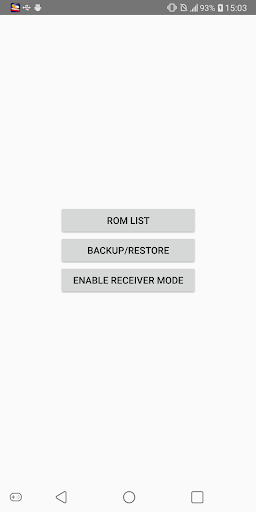
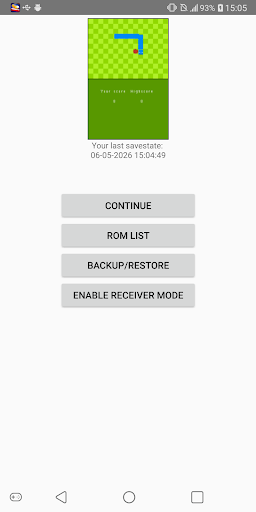
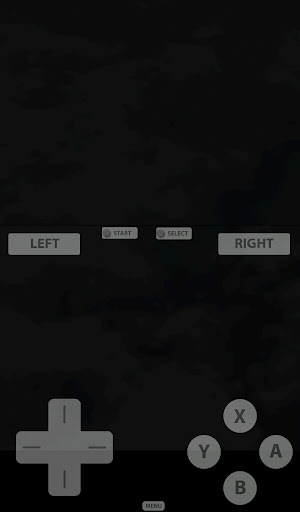
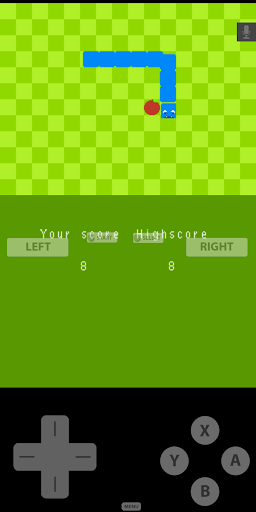
Rediscover classic dual-screen gaming on your Android device with smooth performance and powerful customization options.
Fast DS Emulator is built for players who want to enjoy their favorite DS games on modern devices. Whether you're revisiting old adventures or continuing your personal game collection, the emulator provides fast performance, flexible controls, and convenient save features.
Enjoy playing your DS games with 3D mode on your Android device at highest speed.
Features:
- Play compatible game backups from: .nds, .3ds, .zip ...
- High-performance DS / NDS emulation.
- Save and load game states anytime.
- Customizable touch controls and screen layout.
- External controller support.
- Fast loading and optimized gameplay.
- Designed for phones and tablets.
- Regular updates and improvements.
- Transfer Session (Beta)
Transfer Session allows you to instantly continue your current gameplay on another device connected to the same local Wi-Fi network.
How to it work:
1. Connect both devices to the same Wi-Fi network.
2. On the Receiver device, enable Receiver Mode from the Home screen.
3. On the Sender device, open: Menu Button -> Game Menu -> Transfer Session.
4. If the devices have never connected before, scan the QR code displayed on the Receiver device.
5. If the devices have been paired previously, they will automatically discover and reconnect to each other.
Once connected, the current game state will be transferred to the Receiver device, allowing you to continue playing seamlessly on the second device.
Note: Transfer Session does NOT work with 3D Mode.
Enjoy classic handheld gaming with features designed for today's Android devices.
Important Notes:
* This emulator is intended only for playing legally owned game backups.
* ROM files are not included with this application.
* When using 3D Mode, your game backup must be decrypted and compatible with the feature.
* 3D Mode is not supported by all games.
* Transfer Session does NOT work with 3D Mode.
* This product is not affiliated with, authorized, endorsed, or licensed by Nintendo.
* Please do not request ROMs, game downloads, or copyrighted game files.
Show more

1. Download MEmu installer and finish the setup

2. Start MEmu then open Google Play on the desktop

3. Search Fast DS Emulator For Android in Google Play
Install
4. Download and Install Fast DS Emulator For Android
5. On install completion click the icon to start

6. Enjoy playing Fast DS Emulator For Android on PC with MEmu
MEmu Play is the best Android emulator and 100 million people already enjoy its superb Android gaming experience. The MEmu virtualization technology empowers you to play thousands of Android games smoothly on your PC, even the most graphic-intensive ones.
Bigger screen with better graphics; Long duration, without limitation of battery or mobile data.
Full Keymapping support for precise control of keyboard and mouse or gamepad.
Multiple game accounts or tasks on single PC at one time with Multi-Instance manager.
Play Fast DS Emulator For Android on PC by following steps: