
Fate of the Empress
Updated
Current Version
2.3.3
Offered By

With your passion for Fate of the Empress, you shouldn’t have to limit yourself to the small screen of a phone. Play like a pro and take full control of the game using a keyboard and mouse. MEmu gives you everything you’re looking for. Download and play Fate of the Empress on PC. Play as long as you want — no more worries about battery life, mobile data, or unexpected calls. The all-new MEmu 9 is the best way to play Fate of the Empress on PC. With our expertly designed keymapping system, Fate of the Empress feels just like a real PC game. The MEmu multi-instance manager lets you run two or more accounts on the same device at the same time. Most importantly, our exclusive emulation engine unlocks your PC’s full potential, delivering smooth and seamless performance.
Show more
Download Fate of the Empress on PC with MEmu Android Emulator. Enjoy playing on big screen. Set in ancient China, Fate of the Empress is a turn-based RPG that faithfully recreates a majestic imperial city.

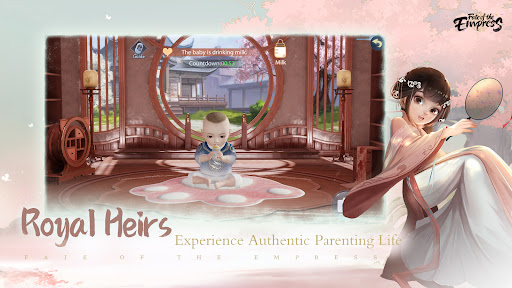
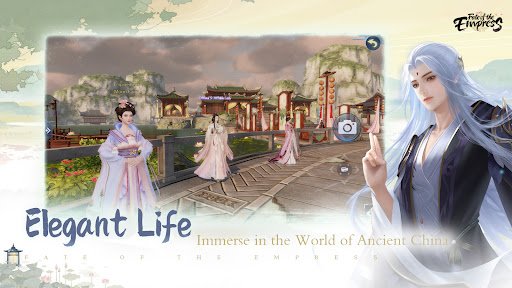
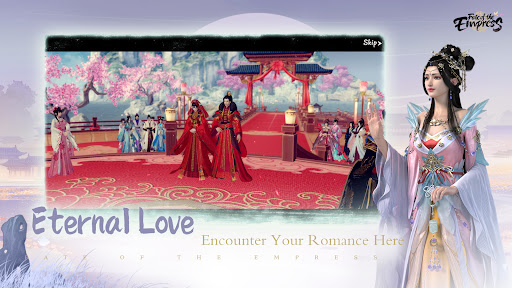
Set in ancient China, Fate of the Empress is a turn-based RPG that faithfully recreates a majestic imperial city. Get ready for palace intrigue, beautiful 3D graphics, and a tale of love told through stunning animated cutscenes and expansive, complex gameplay.
Elegant Mansion
The Mansion gameplay is now fully upgraded, with a brand new luxurious views both outside and inside. Craft stylish furnitures and decorate the room in a highly free way. It's time to build your dream home!
Royal Heir
New gameplay! Raise your heirs and heiress from childbirth to young adults with your love! Is there anything more exciting than the parent-child attire?
Grand Banquet
Invite your friends to witness the upgrade of the relationship between you and your lover. Get prepared to receive a massive number of the sweetest wishes.
Intimate Soulmate
Explore the marvelous world with your soulmate. Get your relationship polished with love and experience.
Invincible Squad
Summon and recruit historical heroes to guard what you cherish and who you love. Upgrade your squad to conquer the throne and become a one-of-a-kind empress through missions and stories.
Wonderful Life
Escape from the official circles when you feel tired. Or turn back to fight for your glory at any time. Experience palace life in your way.
Unique Beauty
Define your beauty with a customized appearance. Pick your favourite makeup, hairstyles, accessories, and outfits.
Adorable Pets
Interactions with pets are always fun, especially in Fate of the Empress!
Follow Fate of the Empress on Facebook: https://www.facebook.com/fswqg
Support: fswqg_service@friendtimes.net
Show more

1. Download MEmu installer and finish the setup

2. Start MEmu then open Google Play on the desktop

3. Search Fate of the Empress in Google Play
Install
4. Download and Install Fate of the Empress
5. On install completion click the icon to start

6. Enjoy playing Fate of the Empress on PC with MEmu
MEmu Play is the best Android emulator and 100 million people already enjoy its superb Android gaming experience. The MEmu virtualization technology empowers you to play thousands of Android games smoothly on your PC, even the most graphic-intensive ones.
Bigger screen with better graphics; Long duration, without limitation of battery or mobile data.
Full Keymapping support for precise control of keyboard and mouse or gamepad.
Multiple game accounts or tasks on single PC at one time with Multi-Instance manager.
Play Fate of the Empress on PC by following steps: