FOUNDRY
Updated
Current Version
Offered By

With your passion for FOUNDRY, you shouldn’t have to limit yourself to the small screen of a phone. Play like a pro and take full control of the game using a keyboard and mouse. MEmu gives you everything you’re looking for. Download and play FOUNDRY on PC. Play as long as you want — no more worries about battery life, mobile data, or unexpected calls. The all-new MEmu 9 is the best way to play FOUNDRY on PC. With our expertly designed keymapping system, FOUNDRY feels just like a real PC game. The MEmu multi-instance manager lets you run two or more accounts on the same device at the same time. Most importantly, our exclusive emulation engine unlocks your PC’s full potential, delivering smooth and seamless performance.
Show more
Download FOUNDRY on PC with MEmu Android Emulator. Enjoy playing on big screen. Set within a limitless and randomly generated voxel universe, FOUNDRY is a factory construction simulation from the perspective of a first-person—or perhaps, first-robot.
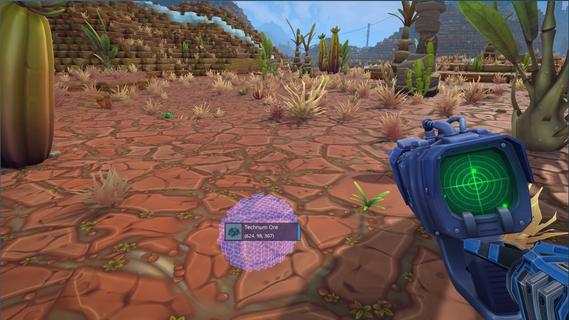
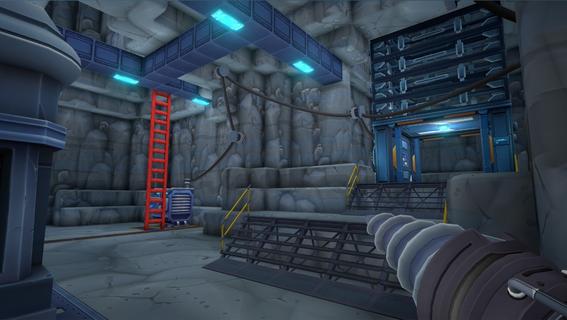
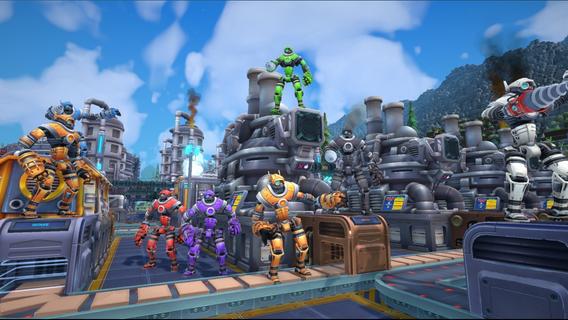
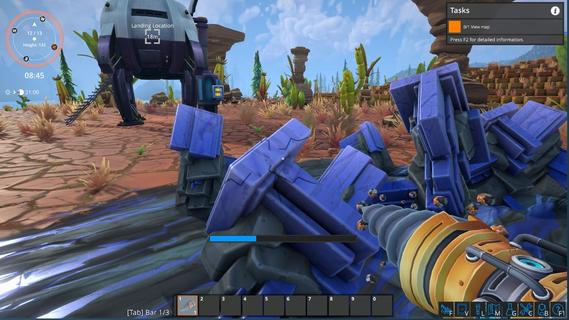
Set within a limitless and randomly generated voxel universe, FOUNDRY is a factory construction simulation from the perspective of a first-person—or perhaps, first-robot. It grants total creative liberty. Embark on an adventure to an untouched planet, guiding the growth of a colossal automated fabrication complex under the oversight of your AI companion, Carl. Begin with rudimentary gathering of resources by hand, and evolve into an autonomously functioning, finely-tuned manufacturing powerhouse. Erect lofty structures and intertwine a maze of conveyor belts and pipelines, sans any constructural boundaries. Dive into a richly-colored voxel terrain, molding the environment brick by brick. Investigate cutting-edge technology to keep up with the burgeoning demands of your production empire. Express yourself by gaining access to ornamental elements and a spectrum of hues. Sustain an intricate electrical grid to ensure your factory performs efficiently. Go it alone or join forces with others through internet or LAN-based cooperative multiplayer. Conceive a sprawling industrial maze that extends from subterranean depths to the atmosphere above. Build Without BoundariesCraft a formidable factory masterpiece, a true industrial sculpture, seamlessly incorporated within its surrounding landscape. Station your machinery anywhere from subterranean levels to lofty altitudes, using grid-oriented construction for meticulous placement. Discover a virgin planet and roam an endless sandbox world. Traverse through lush jungles, towering mountain ranges, and expansive plains that go on further than the eye can see, with even greater mysteries lying below ground.Automate EverythingDevelop elaborate arrays of conveyor belts, vast transit networks, pipelines, and elevators that span from the underground to automate your research activities. Unlock progressively sophisticated, potent, and rapid technologies to refine your factory and elevate production to its pinnacle. You will initiate by manually producing goods and collecting materials but will rapidly transition to orchestrating conveyor lines, creating an impeccably flowing system. Merge aesthetics with efficiency to engineer an operation that coverts raw substances into top-tier products without manual intervention.Optimize to PerfectionCombat production bottlenecks, always striving for a harmonious flow between supply and demand to amplify productivity. This will enable you to navigate through an expansive research network. Guarantee that production is constantly at its peak. Keep your power resources ample and, with factory expansion, gain access to superior machinery, enhanced power generators, and fresh customization choices that bring both flair and flow to your industrial processes. Whether you prefer solitary play or collective brainstorming in cooperative sessions, design ingenious logistical resolutions for elaborate challenges within this expansive voxel-based landscape.
Show more

1. Download MEmu installer and finish the setup

2. Start MEmu then open Google Play on the desktop

3. Search FOUNDRY in Google Play
Install
4. Download and Install FOUNDRY
5. On install completion click the icon to start

6. Enjoy playing FOUNDRY on PC with MEmu
MEmu Play is the best Android emulator and 100 million people already enjoy its superb Android gaming experience. The MEmu virtualization technology empowers you to play thousands of Android games smoothly on your PC, even the most graphic-intensive ones.
Bigger screen with better graphics; Long duration, without limitation of battery or mobile data.
Full Keymapping support for precise control of keyboard and mouse or gamepad.
Multiple game accounts or tasks on single PC at one time with Multi-Instance manager.
Play FOUNDRY on PC by following steps: