
Furry Love
Updated
Current Version
Offered By

With your passion for Furry Love, you shouldn’t have to limit yourself to the small screen of a phone. Play like a pro and take full control of the game using a keyboard and mouse. MEmu gives you everything you’re looking for. Download and play Furry Love on PC. Play as long as you want — no more worries about battery life, mobile data, or unexpected calls. The all-new MEmu 9 is the best way to play Furry Love on PC. With our expertly designed keymapping system, Furry Love feels just like a real PC game. The MEmu multi-instance manager lets you run two or more accounts on the same device at the same time. Most importantly, our exclusive emulation engine unlocks your PC’s full potential, delivering smooth and seamless performance.
Show more
Download Furry Love on PC with MEmu Android Emulator. Enjoy playing on big screen. Furry Love is made for players who want short arcade sessions after work or during a break.
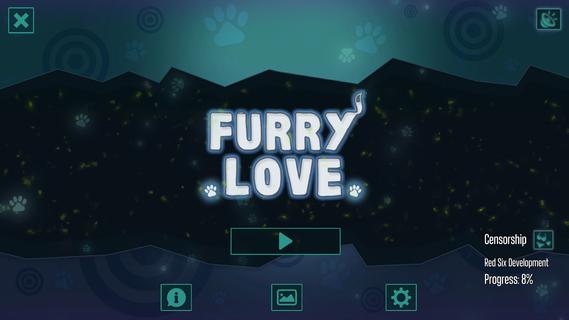
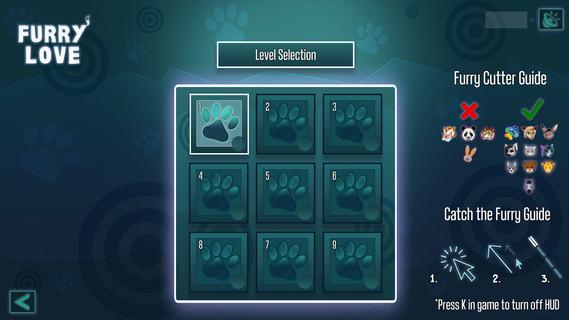
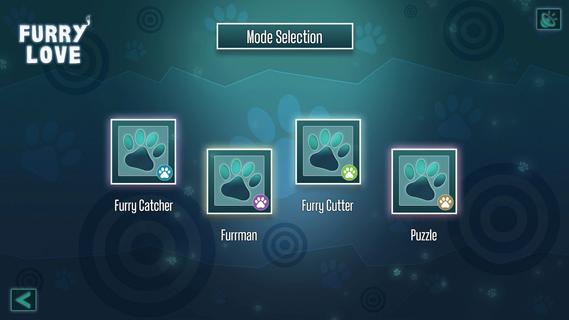
Furry Love is made for players who want short arcade sessions after work or during a break. It presents a furry-themed setting with colorful character art, music, and changing challenges across its level structure. The game focuses on completing small activities rather than following a long story. As a result, players can move between different types of arcade play at their own pace. Check the Furry Love APK page if you want an overview before installing.Game featuresFive arcade mini-game modesFurry Love includes five mini-game modes, so each level does not use the same activity. Available modes include Furrman, Furry Cutter, Catch the Furry!, and Puzzle, alongside other arcade challenges. This mix lets you switch between different objectives as you continue through the game. The screenshots can help show how each mode is presented.Different challenge levelsYou can play Furry Love with different difficulty levels depending on how much challenge you want. A lower setting can suit a relaxed session, while greater difficulty gives players more demanding arcade tasks. Therefore, the game can be approached casually or used to retry levels with a tougher setting. Difficulty is part of the gameplay rather than a separate game mode.32 illustrated levelsFurry Love contains 32 levels with Full HD furry artwork. Clearing levels opens the way forward through the game’s illustrated content. The art appears alongside the arcade activities and supports the furry-themed presentation. Players who want to see all available artwork will need to continue progressing through the level set.Music and character artFurry Love uses themed music together with colorful furry artwork during play. These elements provide the setting for the mini-games without changing their objectives. As you move through levels, the game keeps its focus on short arcade activities and visual scenes. This may suit players looking for a puzzle game collection with a consistent theme.Achievements and level helpYou can earn up to 100 achievements by clearing levels and trying the available modes. Achievements give players extra goals beyond simply reaching the next level. If a level stops your progress, Furry Love also provides the “LOVE” cheat code to complete that level. This option allows you to continue without needing to remain stuck on one challenge.How to play Furry LoveFurry Love starts with short activities that can be played in separate sessions on an Android phone. Before choosing a challenge, check the selected mode and difficulty so the game matches the time and level of challenge you want. The Furry Love latest version keeps the game’s available level and mode structure in one place.Open Furry Love and enter the game menu to begin a new session or continue from your current progress.Select an available mini-game mode, such as Furrman, Furry Cutter, Catch the Furry!, or Puzzle, then choose a difficulty level.Follow the objective shown for the selected arcade challenge and complete it to clear the current level.Continue through the 32 levels, checking your achievements as you clear activities and explore the different modes.If you cannot pass a level and want to move on, enter the “LOVE” cheat code to complete that level and continue.Get started with Furry LoveFurry Love is a furry themed arcade collection with five mini game modes, 32 illustrated levels, music, and achievements. Pre-register for Furry Love if you like short challenges with adjustable difficulty and an optional way to bypass a blocked level. When the mobile version is available on Android, you can download Furry Love APK from APKPure.
Show more

1. Download MEmu installer and finish the setup

2. Start MEmu then open Google Play on the desktop

3. Search Furry Love in Google Play
Install
4. Download and Install Furry Love
5. On install completion click the icon to start

6. Enjoy playing Furry Love on PC with MEmu
MEmu Play is the best Android emulator and 100 million people already enjoy its superb Android gaming experience. The MEmu virtualization technology empowers you to play thousands of Android games smoothly on your PC, even the most graphic-intensive ones.
Bigger screen with better graphics; Long duration, without limitation of battery or mobile data.
Full Keymapping support for precise control of keyboard and mouse or gamepad.
Multiple game accounts or tasks on single PC at one time with Multi-Instance manager.
Play Furry Love on PC by following steps:

















































