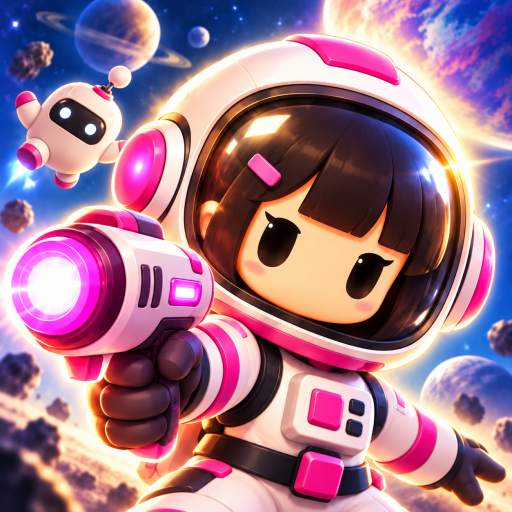
Galaxy Defense : TD
Updated
Current Version
Offered By

With your passion for Galaxy Defense : TD, you shouldn’t have to limit yourself to the small screen of a phone. Play like a pro and take full control of the game using a keyboard and mouse. MEmu gives you everything you’re looking for. Download and play Galaxy Defense : TD on PC. Play as long as you want — no more worries about battery life, mobile data, or unexpected calls. The all-new MEmu 9 is the best way to play Galaxy Defense : TD on PC. With our expertly designed keymapping system, Galaxy Defense : TD feels just like a real PC game. The MEmu multi-instance manager lets you run two or more accounts on the same device at the same time. Most importantly, our exclusive emulation engine unlocks your PC’s full potential, delivering smooth and seamless performance.
Show more
Download Galaxy Defense : TD on PC with MEmu Android Emulator. Enjoy playing on big screen. Pre-registration bonus pack included!
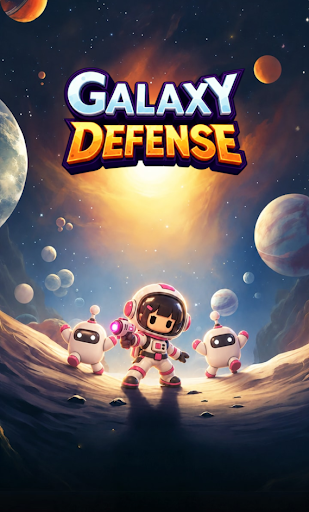
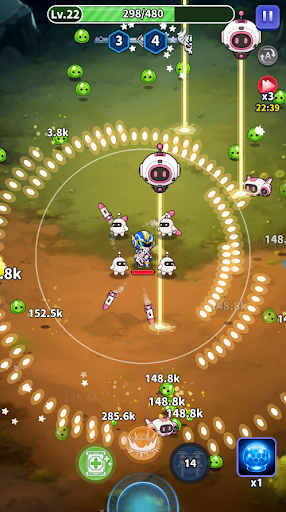
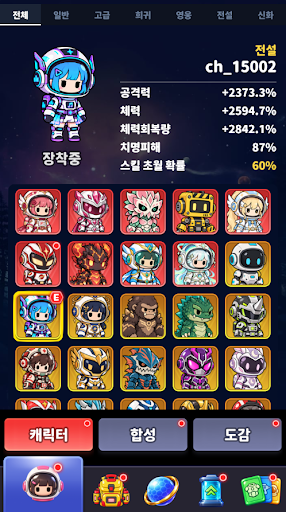
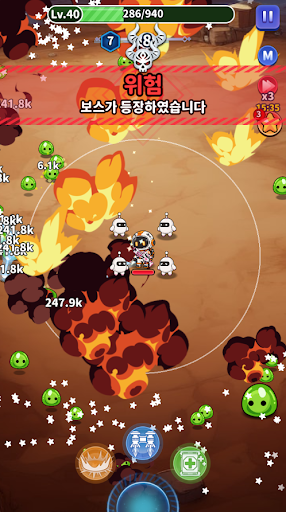
Pre-registration bonus pack included!
Ever-changing Skill combinations, endless growth!
Galaxy Defense: a roguelike defense game where short, intense battles meet continuous growth!
From easy one-handed combat to diverse Skill combinations and Character development. Defend against hordes of enemies with your own strategy and challenge higher chapters!
■ Thrilling 1-2 minute battles, enjoyed with one hand!
- Simple auto-combat without complex controls!
- Select desired Skills and abilities during battle to become even stronger!
- Experience refreshing combat and growth even in a short time!
■ Roguelike Skill combinations that change every time!
- Select new Skills and cores each time you level up during battle.
- Combine and Enhance various Skills to complete your unique combat style.
- Evolve and transcend Skills for even more powerful combat!
- Experience new battles that change with your choices, even in the same chapter.
■ Growth that continues even after battle!
- Collect and merge Characters to grow them to higher grades.
- Equip various weapons and Gear to Enhance abilities.
- Nurture pets that fight alongside you to increase combat power.
- Permanent growth effects through ability and collection log!
■ Diverse content and abundant rewards!
- Challenge endlessly continuing chapters.
- Acquire resources needed for growth in daily Dungeons.
- Easily collect rewards through subjugation and auto-exploration.
- Enjoy consistent growth with supply boxes and various Quests.
■ Fun whether you play short or long!
Each round is short, but the joy of growth continues.
New battles unfold every time, and growth accumulates steadily!
Embark on a new challenge with your own Skill combinations in Galaxy Defense now!
Show more

1. Download MEmu installer and finish the setup

2. Start MEmu then open Google Play on the desktop

3. Search Galaxy Defense : TD in Google Play
Install
4. Download and Install Galaxy Defense : TD
5. On install completion click the icon to start

6. Enjoy playing Galaxy Defense : TD on PC with MEmu
MEmu Play is the best Android emulator and 100 million people already enjoy its superb Android gaming experience. The MEmu virtualization technology empowers you to play thousands of Android games smoothly on your PC, even the most graphic-intensive ones.
Bigger screen with better graphics; Long duration, without limitation of battery or mobile data.
Full Keymapping support for precise control of keyboard and mouse or gamepad.
Multiple game accounts or tasks on single PC at one time with Multi-Instance manager.
Play Galaxy Defense : TD on PC by following steps: