Get Color Pack: Sort Puzzle
Updated
Current Version
1.4.6
Offered By

With your passion for Get Color Pack: Sort Puzzle, you shouldn’t have to limit yourself to the small screen of a phone. Play like a pro and take full control of the game using a keyboard and mouse. MEmu gives you everything you’re looking for. Download and play Get Color Pack: Sort Puzzle on PC. Play as long as you want — no more worries about battery life, mobile data, or unexpected calls. The all-new MEmu 9 is the best way to play Get Color Pack: Sort Puzzle on PC. With our expertly designed keymapping system, Get Color Pack: Sort Puzzle feels just like a real PC game. The MEmu multi-instance manager lets you run two or more accounts on the same device at the same time. Most importantly, our exclusive emulation engine unlocks your PC’s full potential, delivering smooth and seamless performance.
Show more
Download Get Color Pack: Sort Puzzle on PC with MEmu Android Emulator. Enjoy playing on big screen. Get Color Pack: Sort Puzzle - A Fresh Take on Color Sorting Puzzles!
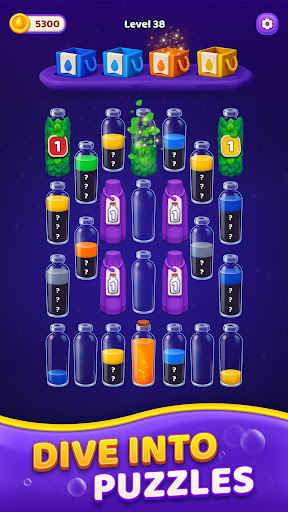
Get Color Pack: Sort Puzzle - A Fresh Take on Color Sorting Puzzles!
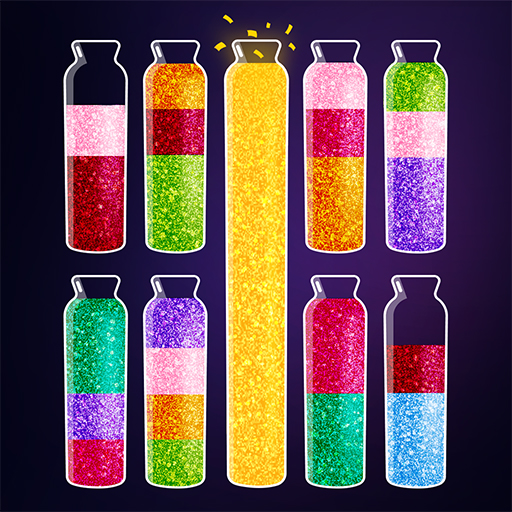
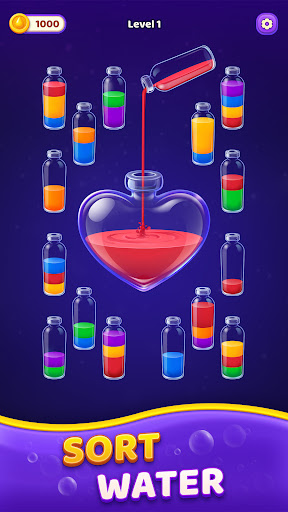
Dive into a deeply soothing and incredibly satisfying puzzle game where logic meets fluid mechanics. Your objective is crystal clear:
meticulously separate vibrant, mixed liquids so that each beautiful glass bottle contains only one unified color. With every single level you
conquer, the challenge deepens - and so does the immense satisfaction of getting that final pour just right. If you love brain teasers, color
matching, and relaxing offline games, you have found your next puzzle addiction!
Simple Concept, Smart Challenges
You’re presented with an array of beautifully crafted bottles filled with chaotic, layered colors. To solve this mesmerizing water sort puzzle,
you must carefully pour liquid between the bottles, adhering to strict color-matching rules:
• Pour liquid only onto the exact same color, or into a completely empty bottle.
• Stack identical colors together until the tube is full.
• Use your available empty space strategically to maneuver trapped liquids.
• Complete the level by achieving perfectly sorted, single-color bottles.
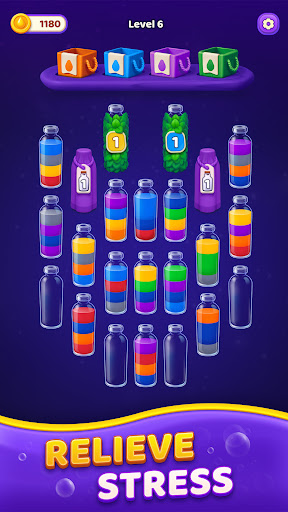
As you progress, new layers, hidden colors, and tighter layouts appear, meaning every single decision counts.
Strategy Over Speed
Forget stressful countdowns! There’s absolutely no timer in this game - just you, your mind, and the puzzle. Take a deep breath and think
carefully before each pour. Because you are given a limited number of empty bottles, you cannot simply move colors around endlessly. To
become a master sorter, you’ll need to:
• Anticipate your future moves and visualize the flow of the puzzle.
• Uncover and free trapped colors at the bottom of the tubes.
• Prevent frustrating dead ends by planning your bottle usage.
• Reorganize efficiently with minimal space to keep your board clean.
It’s a magnificent game of foresight, clever rearranging, and cognitive training that will keep your brain sharp.
Designed to Unwind (ASMR Experience)
Step into a world of ultimate relaxation. Enjoy stunning, fluid animations and beautifully rendered, vibrant colors that make every successful
pour feel incredibly satisfying. The clean user interface, gentle pace, and soothing aesthetic create a highly relaxing environment designed
to melt your stress away. Hidden colors and surprise mechanics add moments of discovery, making this the perfect ASMR-inspired digital
retreat after a long day.
Tools When You Need Them
We want you to feel challenged, not frustrated! If you ever hit a tough spot or make a mistake, our helpful in-game features are there to
save the day:
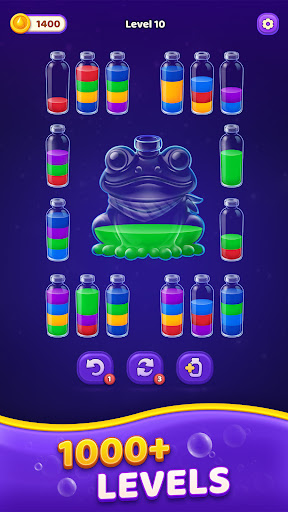
• Undo recent moves: Made a wrong pour? Simply rewind and try a different strategy.
• Add an extra bottle: Stuck with no empty space? Drop in a brand new, empty tube for ultimate flexibility.
• Reveal hidden layers: Peek at what's underneath to properly plan your next combination.
• Seamless progression: Continue advancing through thousands of levels without ever feeling hopelessly stuck.
Why You Will Love Get Color Pack:
• 1000+ uniquely designed levels with steadily increasing difficulty.
• Stunning, vibrant graphics and satisfying liquid pouring effects.
• No internet connection required - enjoy this relaxing offline game anywhere, anytime!
• Easy to learn with one-finger controls, but hard to master.
• Perfect for all ages, from kids learning colors to adults seeking a daily mental workout.
Whether you’re sharpening your logic skills, training your brain, or simply looking for a peaceful, stress-relieving way to pass the time during
your commute, this captivating color-sorting challenge delivers a perfect blend of mental strategy and pure relaxation. Start sorting today
and see how smoothly you can solve every single puzzle!
Support & Feedback
We are always working to improve your puzzle-solving experience! Do you have questions, feedback, or need assistance with a tough level?
• Email our support team at: zephyr.support@tripledotstudios.com
Show more

1. Download MEmu installer and finish the setup

2. Start MEmu then open Google Play on the desktop

3. Search Get Color Pack: Sort Puzzle in Google Play
Install
4. Download and Install Get Color Pack: Sort Puzzle
5. On install completion click the icon to start

6. Enjoy playing Get Color Pack: Sort Puzzle on PC with MEmu
MEmu Play is the best Android emulator and 100 million people already enjoy its superb Android gaming experience. The MEmu virtualization technology empowers you to play thousands of Android games smoothly on your PC, even the most graphic-intensive ones.
Bigger screen with better graphics; Long duration, without limitation of battery or mobile data.
Full Keymapping support for precise control of keyboard and mouse or gamepad.
Multiple game accounts or tasks on single PC at one time with Multi-Instance manager.
Play Get Color Pack: Sort Puzzle on PC by following steps: