
Go Go! My Lord - Roguelike RPG
Updated
Current Version
Offered By

With your passion for Go Go! My Lord - Roguelike RPG, you shouldn’t have to limit yourself to the small screen of a phone. Play like a pro and take full control of the game using a keyboard and mouse. MEmu gives you everything you’re looking for. Download and play Go Go! My Lord - Roguelike RPG on PC. Play as long as you want — no more worries about battery life, mobile data, or unexpected calls. The all-new MEmu 9 is the best way to play Go Go! My Lord - Roguelike RPG on PC. With our expertly designed keymapping system, Go Go! My Lord - Roguelike RPG feels just like a real PC game. The MEmu multi-instance manager lets you run two or more accounts on the same device at the same time. Most importantly, our exclusive emulation engine unlocks your PC’s full potential, delivering smooth and seamless performance.
Show more
Download Go Go! My Lord - Roguelike RPG on PC with MEmu Android Emulator. Enjoy playing on big screen. The Eastern Han Dynasty is in turmoil.
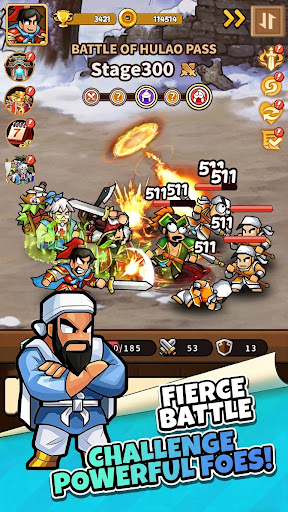
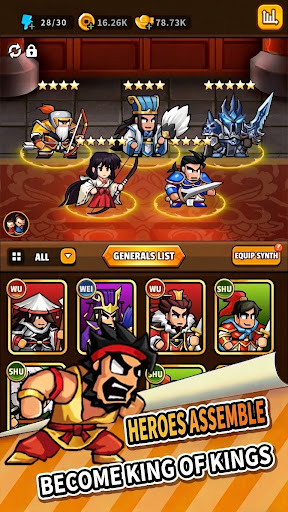
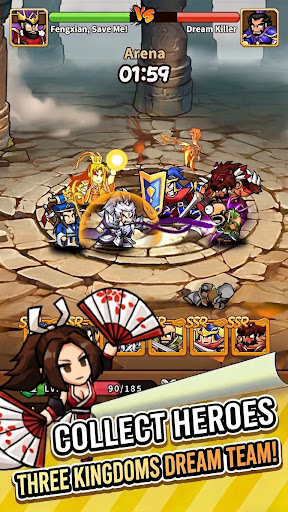
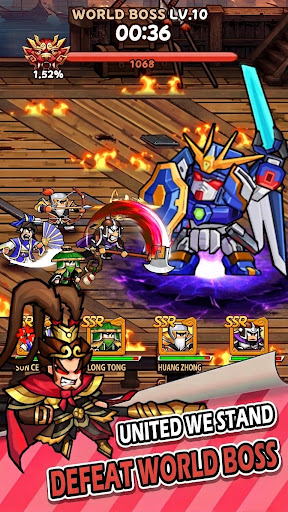
The Eastern Han Dynasty is in turmoil. Warlords rise, and chaos reigns.
As Lord, your journey begins now. Recruit legendary generals, collect rare treasures, trigger random adventures, and conquer a chaotic world—with one ultimate goal: Restore the Han Dynasty!
GoGo! My Lord combines Roguelike Progression + RPG Adventure + Arcade Action + PVP Battles + Idle Casual Play , bringing back the passion of classic arcade gaming with a modern tactical twist:
Retro Arcade Aesthetics: Classic pixel art styles paying tribute to the golden era of arcade beat-'em-ups, delivering authentic visual nostalgia and hard-hitting action.
Roguelike Random Builds: Random skill drops and free combinations every run. Every battle offers a brand-new strategy and a fresh playstyle.
AFK Idle Progression: Log in to smash through stages, or let your generals train and harvest resources offline. Grow stronger effortlessly without falling behind.
Legendary Heroes: Recruit historical Three Kingdoms icons like Zhao Yun, Lü Bu, and Guan Yu. Mix and match faction bonds to build your ultimate squad.
Gear & Mount Collection: Collect powerful divine weapons and rare mounts. Choose your multi-dimensional growth path and evolve your combat power.
Competitive PVP Arena: Step beyond single-player campaigns. Lead your all-star team head-to-head against global players and fight for the top of the leaderboard.
Random Adventure Events: The journey is full of unexpected encounters where luck and danger coexist. Every choice shapes your path to victory.
Whether you have a few minutes for quick idle progression or want to dive deep into hardcore arcade combat, this game delivers the ultimate blend of casual relaxation and passionate Three Kingdoms strategy!
My Lord, the chaotic era has arrived. Download GoGo! My Lord now, rally your generals, and clash with players worldwide!
Show more

1. Download MEmu installer and finish the setup

2. Start MEmu then open Google Play on the desktop

3. Search Go Go! My Lord - Roguelike RPG in Google Play
Install
4. Download and Install Go Go! My Lord - Roguelike RPG
5. On install completion click the icon to start

6. Enjoy playing Go Go! My Lord - Roguelike RPG on PC with MEmu
MEmu Play is the best Android emulator and 100 million people already enjoy its superb Android gaming experience. The MEmu virtualization technology empowers you to play thousands of Android games smoothly on your PC, even the most graphic-intensive ones.
Bigger screen with better graphics; Long duration, without limitation of battery or mobile data.
Full Keymapping support for precise control of keyboard and mouse or gamepad.
Multiple game accounts or tasks on single PC at one time with Multi-Instance manager.
Play Go Go! My Lord - Roguelike RPG on PC by following steps: