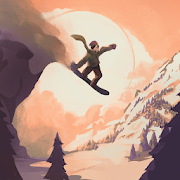
Grand Mountain Adventure 2
Updated
Current Version
1.012
Offered By

With your passion for Grand Mountain Adventure 2, you shouldn’t have to limit yourself to the small screen of a phone. Play like a pro and take full control of the game using a keyboard and mouse. MEmu gives you everything you’re looking for. Download and play Grand Mountain Adventure 2 on PC. Play as long as you want — no more worries about battery life, mobile data, or unexpected calls. The all-new MEmu 9 is the best way to play Grand Mountain Adventure 2 on PC. With our expertly designed keymapping system, Grand Mountain Adventure 2 feels just like a real PC game. The MEmu multi-instance manager lets you run two or more accounts on the same device at the same time. Most importantly, our exclusive emulation engine unlocks your PC’s full potential, delivering smooth and seamless performance.
Show more
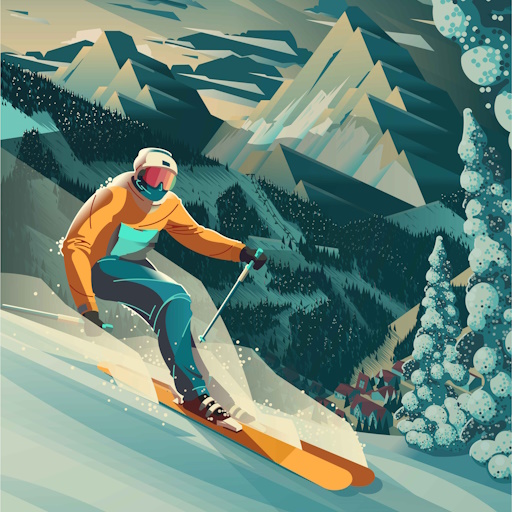
Download Grand Mountain Adventure 2 on PC with MEmu Android Emulator. Enjoy playing on big screen. Grab your skis (or snowboard) and enjoy a day in the mountains!
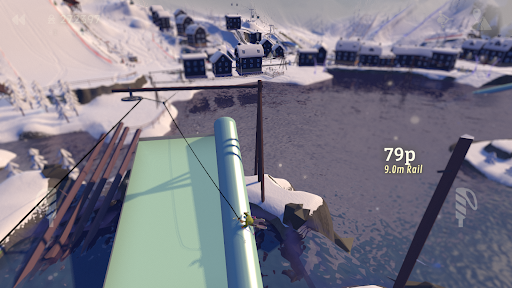
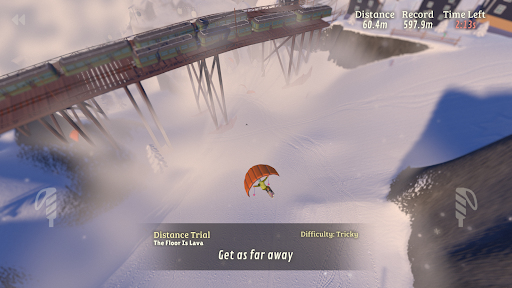
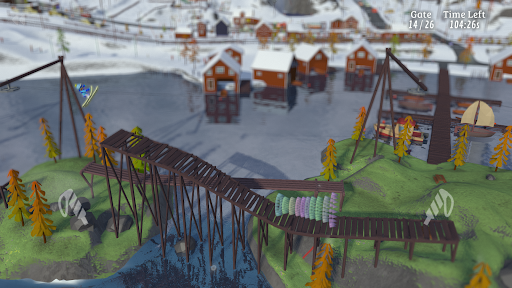
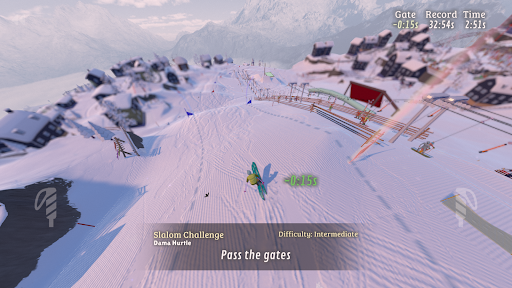
Grab your skis (or snowboard) and enjoy a day in the mountains! Compete in challenges, try thrilling activities like paragliding, ziplining, and speed skiing, or carve your own path down the mountain. The choice is yours in this open-world adventure!
HUGE OPEN-WORLD SKI RESORTS
Explore massive ski resorts with busy slopes, deep forests, steep cliffs, untouched backcountry, and lively Après Skis. Ride the ski lifts, explore the pistes, or head off-piste to discover secret spots. The mountains are non-linear, giving you the freedom to explore anywhere.
HUNDREDS OF CHALLENGES
Test your skills in a wide range of challenges like slalom, big air, slopestyle, downhill racing, and ski jumping. The challenges are easy to learn but hard to master, with an extreme Double-Diamond difficulty for the daring.
SPECIAL ACTIVITIES AND MODES
From paragliding and ziplining to longboarding and speedskiing, the mountain is packed with unique activities and modes like 2D platformer, and top-down skiing.
GEAR AND CLOTHES
Earn new gear and clothing as you complete challenges. Each ski and snowboard performs differently, so you can customize your style and look.
TRICKS, COMBOS AND TRANSITIONS
Combine spins, flips, rodeos, grabs, boxes, rails, and transitions for impressive trick combos. Master advanced moves like nose/tail presses or tapping trees with your ski tip for epic multipliers.
REALISTIC MOUNTAIN SIMULATOR
Experience dynamic slopes filled with skiers, changing mountain conditions, and realistic elements like wind, snowfall, day-night cycles, avalanches, and rolling rocks.
ZEN MODE
Turn on Zen Mode to enjoy a distraction-free powder day. With no skiers or challenges to interrupt your ride, you get to enjoy the ski resorts for yourself.
INTUITIVE CONTROLS
Simple, unique touch controls and game controller support ensure a smooth and immersive experience.
**About Toppluva**
Grand Mountain Adventure 2 is made by three snowboarding brothers from Sweden: Viktor, Sebastian, and Alexander. This is our second game in the popular Grand Mountain Adventure series, played by over 20 million players worldwide. We make everything in the game ourselves and our goal is to make this sequel bigger, better, stronger, more fun, more magical, and more everything for winter sports fans like us.
Show more

1. Download MEmu installer and finish the setup

2. Start MEmu then open Google Play on the desktop

3. Search Grand Mountain Adventure 2 in Google Play
Install
4. Download and Install Grand Mountain Adventure 2
5. On install completion click the icon to start

6. Enjoy playing Grand Mountain Adventure 2 on PC with MEmu
MEmu Play is the best Android emulator and 100 million people already enjoy its superb Android gaming experience. The MEmu virtualization technology empowers you to play thousands of Android games smoothly on your PC, even the most graphic-intensive ones.
Bigger screen with better graphics; Long duration, without limitation of battery or mobile data.
Full Keymapping support for precise control of keyboard and mouse or gamepad.
Multiple game accounts or tasks on single PC at one time with Multi-Instance manager.
Play Grand Mountain Adventure 2 on PC by following steps: