
Greatest Estate Dev: Squad TD
Updated
Current Version
0.2.7
Offered By

With your passion for Greatest Estate Dev: Squad TD, you shouldn’t have to limit yourself to the small screen of a phone. Play like a pro and take full control of the game using a keyboard and mouse. MEmu gives you everything you’re looking for. Download and play Greatest Estate Dev: Squad TD on PC. Play as long as you want — no more worries about battery life, mobile data, or unexpected calls. The all-new MEmu 9 is the best way to play Greatest Estate Dev: Squad TD on PC. With our expertly designed keymapping system, Greatest Estate Dev: Squad TD feels just like a real PC game. The MEmu multi-instance manager lets you run two or more accounts on the same device at the same time. Most importantly, our exclusive emulation engine unlocks your PC’s full potential, delivering smooth and seamless performance.
Show more
Download Greatest Estate Dev: Squad TD on PC with MEmu Android Emulator. Enjoy playing on big screen. ◈ Game Introduction ◈.
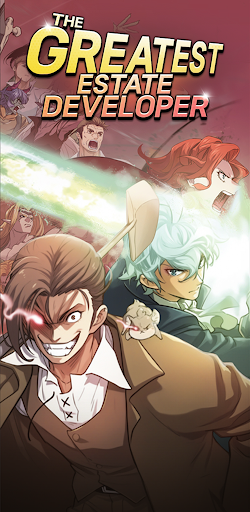
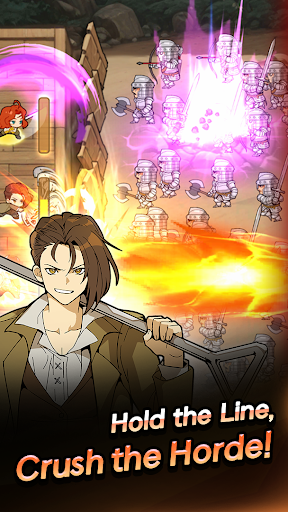
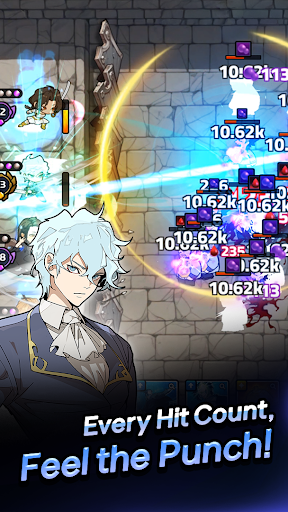
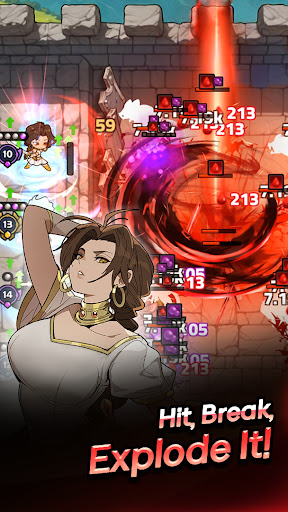
◈ Game Introduction ◈
[URGENT] Looking for a Lord to save a bankrupt estate!
I was just an ordinary civil engineering student, but I woke up as a noble in a fantasy world?! But wait... instead of a golden spoon, I inherited a massive debt and an estate on the brink of ruin! To make matters worse, monsters are attacking every single day!
No place to run! ⭕ The only way out is to fight and pay it back!
[Collect] x [Defense] x [Develop] Use your overwhelming engineering skills to build traps and defend against waves of enemies with legendary heroes.
Time to pay back the debt... I mean, start the great journey to save the estate!
▶ Exclusive Original Characters & Stories Not only can you meet the main characters from the original webtoon, but you can also discover new original heroes and fresh stories exclusive to the game! From special collaborations to hidden heroes, a vast collection awaits you. Build your own team and create a New Frontera!
▶ Team Roguelite Defense Combine heroes and set up the perfect skill cards! Strategically upgrade your skills and create unique builds to match each hero's traits. With hundreds of team combinations and skill trees, you can conquer every region and boss. Enjoy various modes including Raids, Monster Waves, and Co-op Battles with rivals!
▶ Non-Stop Growth Every Day Enjoy 100, 200, even 300 draws daily! The more stages you clear and the more strategies you use, the stronger your heroes become. Don't miss the Relationship System, where building bonds with heroes boosts your overall stats. Dive into daily dungeons, affinity content, and estate growth!
▶ Epic Boss Raids Face off against massive bosses like the Gigatitan and the final Demon King, Hellkaros! Countless enemies from the original worldview are waiting for you in special stages. Utilize Part Destruction and unique gimmicks to defeat them. Join Lloyd, devise a strategy, and claim your rewards!
Now, YOU are The Greatest Estate Developer!
Show more

1. Download MEmu installer and finish the setup

2. Start MEmu then open Google Play on the desktop

3. Search Greatest Estate Dev: Squad TD in Google Play
Install
4. Download and Install Greatest Estate Dev: Squad TD
5. On install completion click the icon to start

6. Enjoy playing Greatest Estate Dev: Squad TD on PC with MEmu
MEmu Play is the best Android emulator and 100 million people already enjoy its superb Android gaming experience. The MEmu virtualization technology empowers you to play thousands of Android games smoothly on your PC, even the most graphic-intensive ones.
Bigger screen with better graphics; Long duration, without limitation of battery or mobile data.
Full Keymapping support for precise control of keyboard and mouse or gamepad.
Multiple game accounts or tasks on single PC at one time with Multi-Instance manager.
Play Greatest Estate Dev: Squad TD on PC by following steps: