Guild of Monster Girls
Updated
Current Version
1.0.0
Offered By

With your passion for Guild of Monster Girls, you shouldn’t have to limit yourself to the small screen of a phone. Play like a pro and take full control of the game using a keyboard and mouse. MEmu gives you everything you’re looking for. Download and play Guild of Monster Girls on PC. Play as long as you want — no more worries about battery life, mobile data, or unexpected calls. The all-new MEmu 9 is the best way to play Guild of Monster Girls on PC. With our expertly designed keymapping system, Guild of Monster Girls feels just like a real PC game. The MEmu multi-instance manager lets you run two or more accounts on the same device at the same time. Most importantly, our exclusive emulation engine unlocks your PC’s full potential, delivering smooth and seamless performance.
Show more
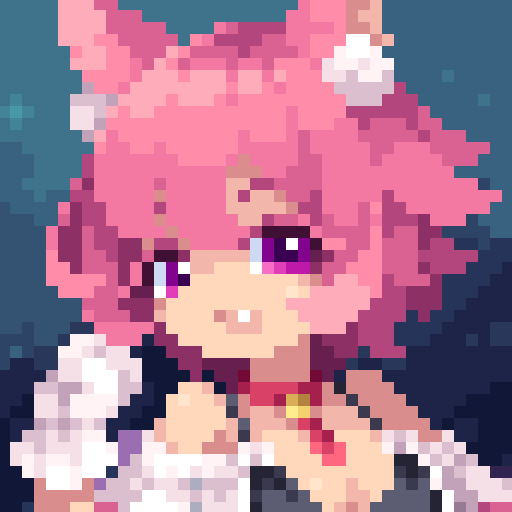
Download Guild of Monster Girls on PC with MEmu Android Emulator. Enjoy playing on big screen. Guild of Monster Girls is a pixel-art idle RPG where you run an adventurer's guild staffed entirely by adorable monster girls.
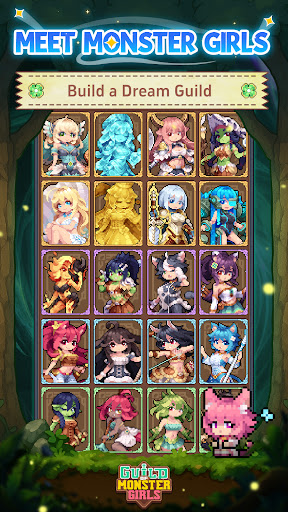
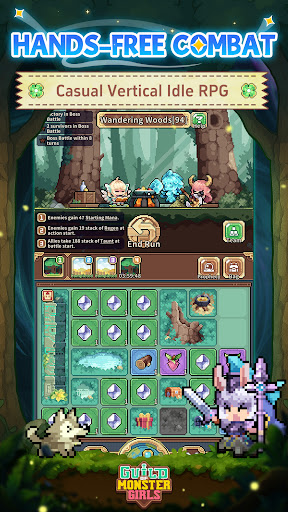
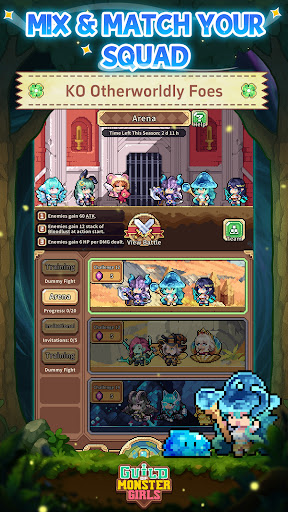
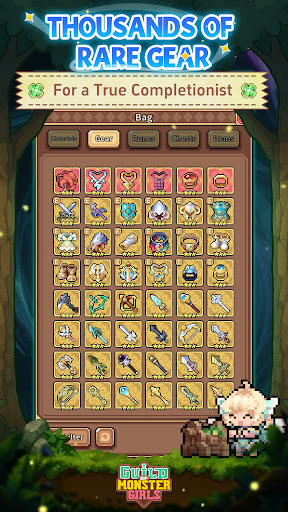
Guild of Monster Girls is a pixel-art idle RPG where you run an adventurer's guild staffed entirely by adorable monster girls. Recruit over 100 fantastical cuties, gear them up with 1,000+ unique equipment pieces, and send them off to explore a vast fantasy world. The adventure keeps going even while you're away.
YOUR WORLD, YOUR GIRLS
Your first 10-pull guarantees the fan-favorite Legendary "Holy Blade." From there, over 100 monster girls await: bubbly slimes, beast-ears, elven maidens, mischievous mimics, and plenty more. Every girl has her own personality, skills, and combat style.
ADVENTURE ON YOUR TERMS
The game is designed for portrait play, featuring an auto-battle system that keeps your squad moving while you do other things. You can play one-handed on your commute, check in on your loot over lunch, or just let your girls grind through the night.
1,000+ UNIQUE GEAR PIECES
Over 1,000 one-of-a-kind gear pieces are hidden across the continent. Mix and match equipment to unlock powerful combos, build specialized setups for each girl, or just hit auto-equip if you'd rather keep things simple.
A BRIGHT JOURNEY AWAITS
The game blends collecting, management and combat with lighthearted strategy and cozy progression. Put your squad together, explore uncharted lands, and see everything this pixel fantasy world has to offer. Your guild is up and running, and the adventure is just getting started.
Follow us:
http://www.chillyroom.com
Email: info@chillyroom.games
YouTube: @ChillyRoom
Instagram: @chillyroominc
X: @ChillyRoom
Discord: https://discord.gg/euUJPpEdPb
Show more

1. Download MEmu installer and finish the setup

2. Start MEmu then open Google Play on the desktop

3. Search Guild of Monster Girls in Google Play
Install
4. Download and Install Guild of Monster Girls
5. On install completion click the icon to start

6. Enjoy playing Guild of Monster Girls on PC with MEmu
MEmu Play is the best Android emulator and 100 million people already enjoy its superb Android gaming experience. The MEmu virtualization technology empowers you to play thousands of Android games smoothly on your PC, even the most graphic-intensive ones.
Bigger screen with better graphics; Long duration, without limitation of battery or mobile data.
Full Keymapping support for precise control of keyboard and mouse or gamepad.
Multiple game accounts or tasks on single PC at one time with Multi-Instance manager.
Play Guild of Monster Girls on PC by following steps: