
Harvest Exit Plan
Updated
Current Version
Offered By

With your passion for Harvest Exit Plan, you shouldn’t have to limit yourself to the small screen of a phone. Play like a pro and take full control of the game using a keyboard and mouse. MEmu gives you everything you’re looking for. Download and play Harvest Exit Plan on PC. Play as long as you want — no more worries about battery life, mobile data, or unexpected calls. The all-new MEmu 9 is the best way to play Harvest Exit Plan on PC. With our expertly designed keymapping system, Harvest Exit Plan feels just like a real PC game. The MEmu multi-instance manager lets you run two or more accounts on the same device at the same time. Most importantly, our exclusive emulation engine unlocks your PC’s full potential, delivering smooth and seamless performance.
Show more
Download Harvest Exit Plan on PC with MEmu Android Emulator. Enjoy playing on big screen. Every summer of his childhood, Nico got sent to his grandparents' orchard to pick fruit up off the ground.
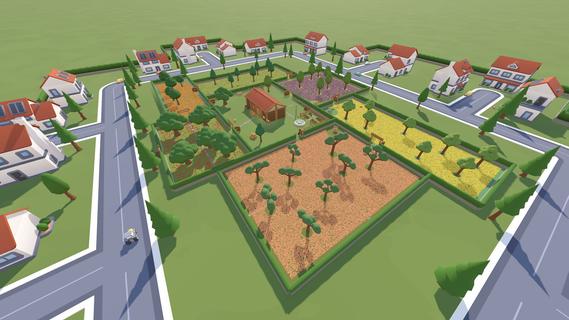
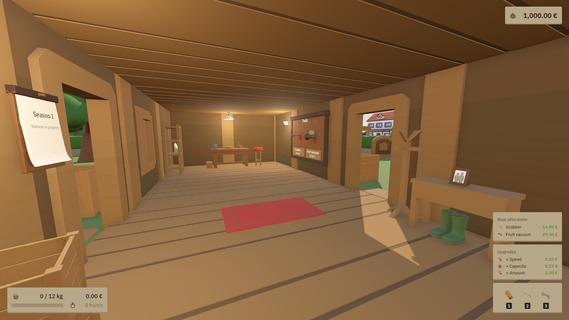
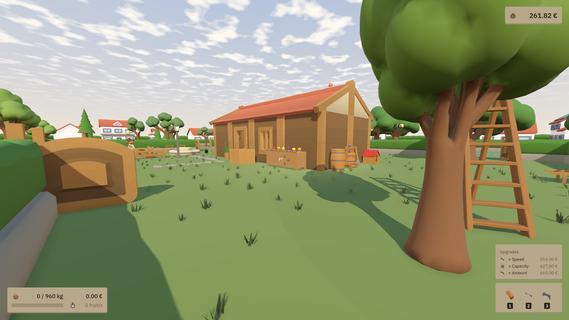
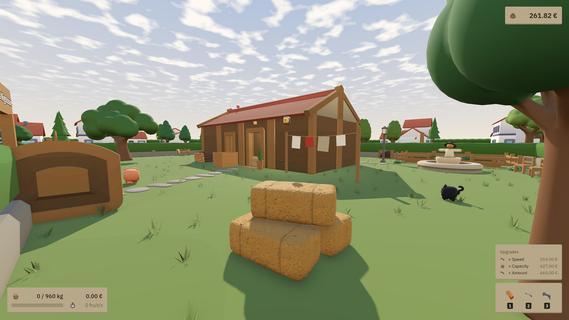
Every summer of his childhood, Nico got sent to his grandparents' orchard to pick fruit up off the ground. Apples mostly. He hated it, and he never once said so, because Trudi and Klaus were so pleased to have him there that it seemed easier to tell them it was the best part of his year. He must have been convincing. They believed it for about twenty years. Now they're too old to keep the place going, so they've signed it over to him. As far as they're concerned it's the nicest thing anyone has ever done for anybody. He thanked them properly. He did not mention what he was actually thinking, which was that he now owned the worst summers of his life, in writing. So he made a plan. Collect every last piece of fruit, sell all of it, sell the orchard, and never touch an apple again. The plan survives about twenty minutes. Somewhere between the first full basket and the sight of a patch of grass with nothing whatsoever left on it, something goes wrong, and Nico starts having a good time. The orchard does not stay empty Clearing all six gardens finishes season one. Season two starts straight afterwards and it starts faster, and before it does you get dealt cards that change how it plays. A bigger basket. More reach on the grabber. Robots that don't slack off. One card just quietly lowers the workbench prices for the rest of the season, which sounds boring until you do the arithmetic. Twenty of them so far, and from season six on you're picking ten at a time. The numbers move with you. Bare hands get you a piece or two at a time. By the end of a run the fruit vacuum is pulling in twenty-five a second, the last garden has seventy-nine thousand peaches lying in it, and you will clear that too. Nico's plan was to do this once. Two ways to clear an orchard Both work, and the game has no opinion about which one you pick. Switch your head off. Walk around, hold the button, watch a lawn empty. Nothing here runs on a timer, nothing can be failed, nothing is chasing you, and nobody minds if you stop and look at the trees for a while. Buy whichever upgrade has the nicest icon. Leave a robot working one garden while you wander off into another. You can play this badly for two hours and still finish it, which is not an accident. Or take it apart. Keep collecting without a break and a streak builds; the pace steps up, the sound climbs with it, and at the top it tips over into FRENZY. Clear a quarter of a garden cleanly and it pays out for the rest of the run. Which tool suits which density, when to sell, which upgrade to buy before which other one: none of that is obvious, and all of it gets measured. The records screen remembers your best pick rate, your longest flow, how long you held Frenzy, how far you walked, and what share of the work each tool did. There are leaderboards for when you think you've solved it. Both are built on the same idea. Every few seconds the game should be handing you something, rather than asking something of you: a basket filling up, a patch of grass going bare, a number you didn't have a minute ago. Nothing here is testing you. It's meant to be the thing you put on after a bad day, and to still be worth the two hours. In the game Six gardens, each with its own fruit and its own robot that keeps working while you're somewhere else.Three tools and a workbench full of upgrades, priced so that buying one means not buying another.Twelve rare finds, two per fruit, mixed in among the ordinary ones. The collection fills up as you turn them up.Mastery goals for every garden, if clearing one isn't enough for you.Ten languages, all of them voiced and subtitled, plus a colour-blind mode, free key rebinding and scalable text.
Show more

1. Download MEmu installer and finish the setup

2. Start MEmu then open Google Play on the desktop

3. Search Harvest Exit Plan in Google Play
Install
4. Download and Install Harvest Exit Plan
5. On install completion click the icon to start

6. Enjoy playing Harvest Exit Plan on PC with MEmu
MEmu Play is the best Android emulator and 100 million people already enjoy its superb Android gaming experience. The MEmu virtualization technology empowers you to play thousands of Android games smoothly on your PC, even the most graphic-intensive ones.
Bigger screen with better graphics; Long duration, without limitation of battery or mobile data.
Full Keymapping support for precise control of keyboard and mouse or gamepad.
Multiple game accounts or tasks on single PC at one time with Multi-Instance manager.
Play Harvest Exit Plan on PC by following steps:

















































