
Hole Digging Simulator
Updated
Current Version
1.0.4
Offered By

With your passion for Hole Digging Simulator, you shouldn’t have to limit yourself to the small screen of a phone. Play like a pro and take full control of the game using a keyboard and mouse. MEmu gives you everything you’re looking for. Download and play Hole Digging Simulator on PC. Play as long as you want — no more worries about battery life, mobile data, or unexpected calls. The all-new MEmu 9 is the best way to play Hole Digging Simulator on PC. With our expertly designed keymapping system, Hole Digging Simulator feels just like a real PC game. The MEmu multi-instance manager lets you run two or more accounts on the same device at the same time. Most importantly, our exclusive emulation engine unlocks your PC’s full potential, delivering smooth and seamless performance.
Show more
Download Hole Digging Simulator on PC with MEmu Android Emulator. Enjoy playing on big screen. What secrets are buried beneath your feet?
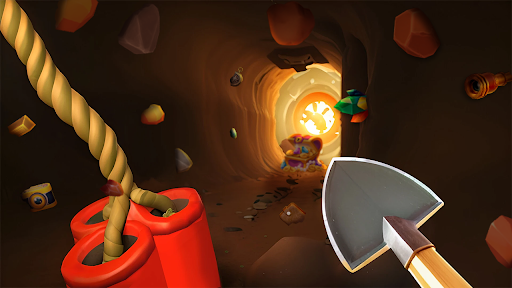
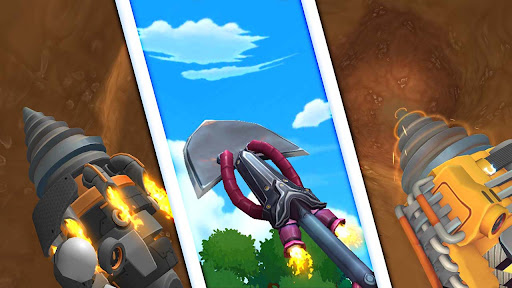
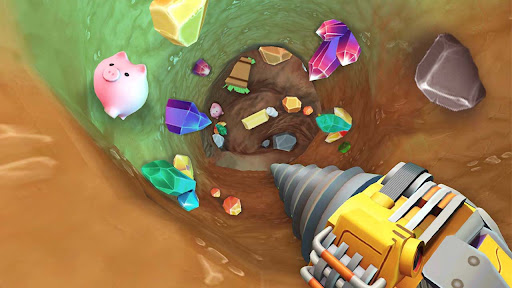
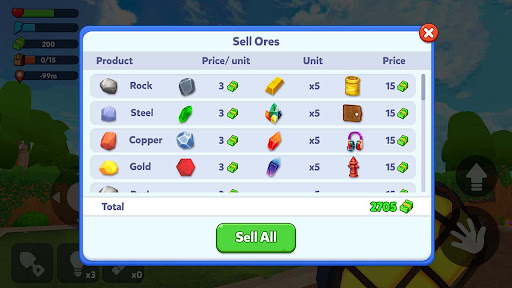
What secrets are buried beneath your feet? Grab your shovel and dive into this ultimate mining hole adventure!
A gold miner simulator invites you to explore the depths of your backyard and beyond, transforming you into a legendary treasure hunter in this simulator 3d game! Start mining hole, and uncover the hidden wonders below!
Unleash your inner digger & treasure hunter!
Grab your tools and begin your thrilling treasure hunt! This isn't just a drilling hole game; it's a journey of exploring and discovery! Become a master digger as you drill through layers of earth, collecting valuable gold, shimmering gems, rare diamonds, and ancient fossil excavations in this mining hole game. If you love mining, this is your 3d mining hole simulator game!
Dig deep, find treasures, & explore the underground!
How far will you go? Mine a deep hole and exploring the wonders of the underground. Each layer holds new surprises, from jewels to artifacts. Use your shovel, drill, and other powerful tools to excavate and find treasures that will make you rich! This simulator 3d experience is truly immersive!
Features of Gold Miner Simulator:
* Simulator 3d: immerse yourself in a visually stunning 3d world!
* Dig & mining: a perfect blend of mining hole simulator and mining gameplay!
* Treasure hunt & collect: embark on a thrilling treasure hunt to collect valuable items!
* Explore & discover: explore various locations and discover hidden secrets!
* Deep hole & underground: drill a deep hole to reach the depths of the underground! ⬇
* Find treasures: mining gold, gems, diamonds, and more!
* Drill & shovel: use powerful tools like the drill and shovel to dig faster!
* Backyard & mine: start in your backyard and venture into vast mines!
* Fossil excavation: uncover ancient fossils and add them to your collection!
⭐Become the ultimate treasure hunter in this mining hole simulator!
Start with a simple shovel and evolve into a master digger, unlocking powerful drills and uncovering increasingly rare treasures in this 3d mining hole simulator game! Upgrade your tools, strategically plan your digs, and face exciting challenges as you delve deeper. Sell your findings to earn rewards and become the wealthiest treasure hunter in this addictive simulator 3d! If you are looking for a good hole game, enjoy it now!
Show more

1. Download MEmu installer and finish the setup

2. Start MEmu then open Google Play on the desktop

3. Search Hole Digging Simulator in Google Play
Install
4. Download and Install Hole Digging Simulator
5. On install completion click the icon to start

6. Enjoy playing Hole Digging Simulator on PC with MEmu
MEmu Play is the best Android emulator and 100 million people already enjoy its superb Android gaming experience. The MEmu virtualization technology empowers you to play thousands of Android games smoothly on your PC, even the most graphic-intensive ones.
Bigger screen with better graphics; Long duration, without limitation of battery or mobile data.
Full Keymapping support for precise control of keyboard and mouse or gamepad.
Multiple game accounts or tasks on single PC at one time with Multi-Instance manager.
Play Hole Digging Simulator on PC by following steps: