hololive Dreams
Updated
Current Version
1.0.100
Offered By

With your passion for hololive Dreams, you shouldn’t have to limit yourself to the small screen of a phone. Play like a pro and take full control of the game using a keyboard and mouse. MEmu gives you everything you’re looking for. Download and play hololive Dreams on PC. Play as long as you want — no more worries about battery life, mobile data, or unexpected calls. The all-new MEmu 9 is the best way to play hololive Dreams on PC. With our expertly designed keymapping system, hololive Dreams feels just like a real PC game. The MEmu multi-instance manager lets you run two or more accounts on the same device at the same time. Most importantly, our exclusive emulation engine unlocks your PC’s full potential, delivering smooth and seamless performance.
Show more
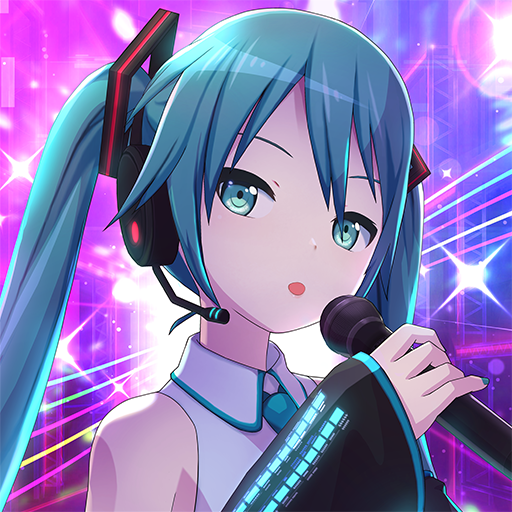
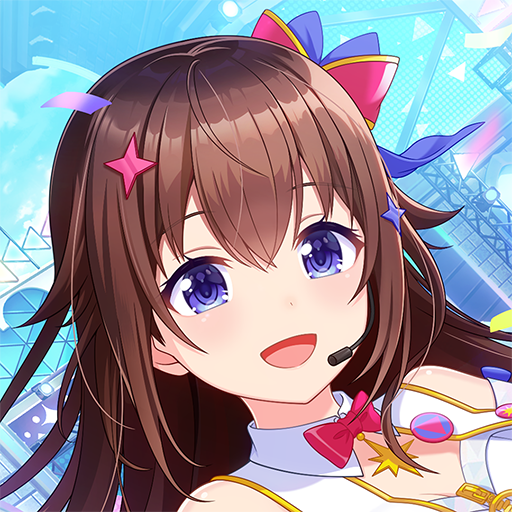
Download hololive Dreams on PC with MEmu Android Emulator. Enjoy playing on big screen. The first official hololive mobile game『hololive Dreams (holodori)』 is here, featuring a rhythm & RPG gameplay!
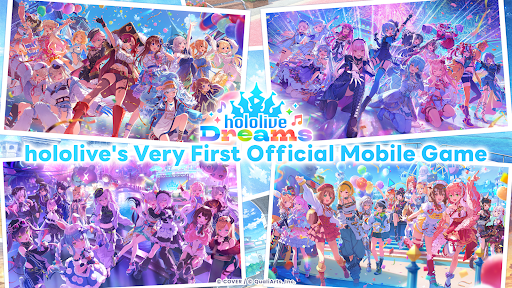
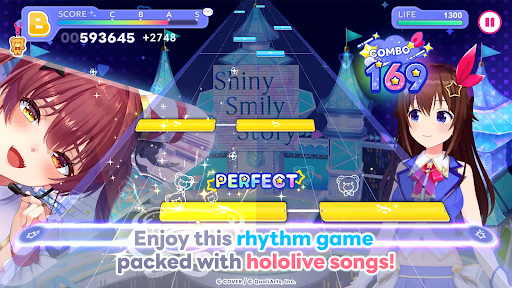

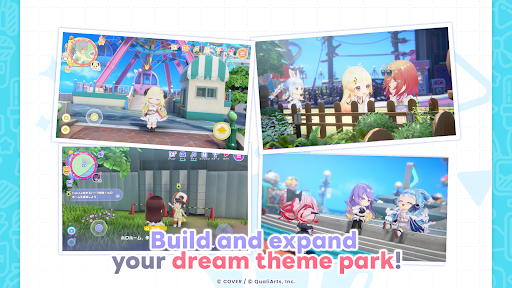
The first official hololive mobile game『hololive Dreams (holodori)』 is here, featuring a rhythm & RPG gameplay!
Centered around rhythm games, the game includes a variety of content such as theme park development and mini-games!
Over 50 hololive members make an appearance, and the initial tracklist will include 150+ songs!
A game that both hololive fans and newcomers can enjoy. The way you play is entirely up to you!
▼A full-fledged rhythm game▼
Enjoy a genuine rhythm game based on official music videos and live concert videos!
The game features an ""Original Chart"" function, allowing you to make and share your own original charts!
・Extremely challenging, hardcore charts for dedicated players!
・Charts filled with love for the talents!
・Fun and quirky charts that everyone can enjoy together!
And more! You are the limit!
Play with charts created by players from all around the world, and experience endless fun!
Even if you're not good at rhythm games, you can enjoy it worry-free with the auto-play feature!
Aim for higher scores by training and organizing your talents!
▼A wide variety of over 150 songs at launch!▼
From hololive songs to cover songs!
The lineup includes everything from the latest hits to classic tracks!
hololive songs
・BIBBIDIBA
・Shiny Smily Story
・BLUE CLAPPER
And more!
Cover songs
・The Brave
・Megitsune
・Watashi no Ichiban Kawaiitokoro
And more!
▼The game is set in a theme park▼
hololive members have arrived to an uninhabited island floating somewhere in the world.
And you will need to team up with them to develop your very own dream theme park!
Play rhythm games and mini-games to complete quests and expand your theme park!
Also, by completing holomem Quests, you can unlock and add more playable talents!
Unlock your favorite holomem and build your dream theme park!
Many facilities full of hololive’s unique charm will also take the stage!
Experience an original story unique to this game!
Aim to complete your dream theme park!
▼Mini-games. Solo or with everyone!▼
The game will include a variety of mini-games that can be enjoyed alone or with friends!
Have fun with everyone or compete against others!
Includes mini-games with simple controls, so even those who struggle with tricky actions can enjoy them!
A wide lineup ranging from casual games you can play in a short time, to challenging, hardcore games you'll want to keep replaying!
Earn rewards by playing, and use them to speed up the talent’s growth and theme park development!
▼Official website: https://www.hololive-dreams.com/en
▼Privacy Policy: https://qualiarts.jp/privacy
▼Ⓒ COVER / Ⓒ QualiArts, Inc.
++++++++++++++++++++++++++++++++++++++++++++++++++++++++++++
Powered by Live2D
Show more

1. Download MEmu installer and finish the setup

2. Start MEmu then open Google Play on the desktop

3. Search hololive Dreams in Google Play
Install
4. Download and Install hololive Dreams
5. On install completion click the icon to start

6. Enjoy playing hololive Dreams on PC with MEmu
MEmu Play is the best Android emulator and 100 million people already enjoy its superb Android gaming experience. The MEmu virtualization technology empowers you to play thousands of Android games smoothly on your PC, even the most graphic-intensive ones.
Bigger screen with better graphics; Long duration, without limitation of battery or mobile data.
Full Keymapping support for precise control of keyboard and mouse or gamepad.
Multiple game accounts or tasks on single PC at one time with Multi-Instance manager.
Play hololive Dreams on PC by following steps: