
Incredibox
Updated
Current Version
1.0.0
Offered By

With your passion for Incredibox, you shouldn’t have to limit yourself to the small screen of a phone. Play like a pro and take full control of the game using a keyboard and mouse. MEmu gives you everything you’re looking for. Download and play Incredibox on PC. Play as long as you want — no more worries about battery life, mobile data, or unexpected calls. The all-new MEmu 9 is the best way to play Incredibox on PC. With our expertly designed keymapping system, Incredibox feels just like a real PC game. The MEmu multi-instance manager lets you run two or more accounts on the same device at the same time. Most importantly, our exclusive emulation engine unlocks your PC’s full potential, delivering smooth and seamless performance.
Show more
Download Incredibox on PC with MEmu Android Emulator. Enjoy playing on big screen. Incredibox lets you create your own music with the help of a merry crew of beatboxers.
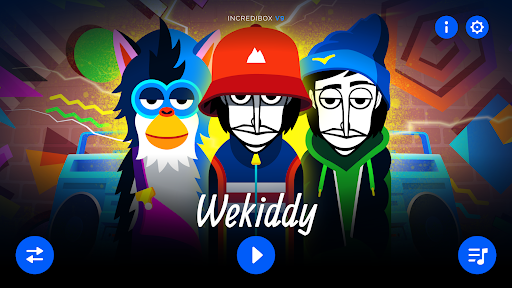
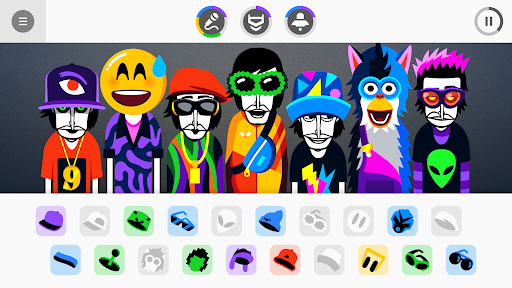
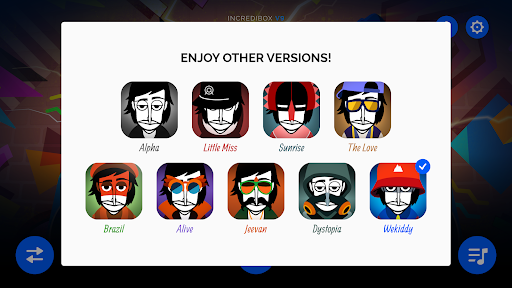
Incredibox lets you create your own music with the help of a merry crew of beatboxers. Choose your musical style to start laying down, recording and sharing your mix. Get your groove on with hip-hop beats, electro waves, pop voices, jazzy swing, Brazilian rhythms and much more. As well, discover a selection of mods created by the community. Plenty to keep you mixing for hours, with no ads or microtransactions.
Part game, part tool, Incredibox is above all an audio and visual experience that has quickly become a hit with people of all ages. The right mix of music, graphics, animation and interactivity makes Incredibox ideal for everyone. And because it makes learning fun and entertaining, Incredibox is now being used by schools all over the world.
How to play? Easy! Drag and drop icons onto the avatars to make them sing and start to compose your own music. Find the right sound combos to unlock animated choruses that will enhance your tune.
Once your composition sounds great, just save it and share it to get as many votes as possible. If you get enough votes, you may go down in Incredibox history by joining the Top 50 chart! Ready to show your stuff?
You can also download your mix as an MP3 from the app and listen to it over and over again!
Too lazy to create your own mix? No problem, just let the automatic mode play for you!
Pump it up and chill ;)
****************
Incredibox, the brainchild of Lyon, France-based studio So Far So Good, was created in 2009. Starting out as a webpage, it was then released as a mobile and tablet app and became an instant hit. It has won several awards and appeared in various international media, including: BBC, Adobe, FWA, Gizmodo, Slate, Konbini, Softonic, Kotaku, Cosmopolitan, PocketGamer, AppAdvice, AppSpy, Vice, Ultralinx and many others. The online demo has attracted more than 100 million visitors since its creation.
Show more

1. Download MEmu installer and finish the setup

2. Start MEmu then open Google Play on the desktop

3. Search Incredibox in Google Play
Install
4. Download and Install Incredibox
5. On install completion click the icon to start

6. Enjoy playing Incredibox on PC with MEmu
MEmu Play is the best Android emulator and 100 million people already enjoy its superb Android gaming experience. The MEmu virtualization technology empowers you to play thousands of Android games smoothly on your PC, even the most graphic-intensive ones.
Bigger screen with better graphics; Long duration, without limitation of battery or mobile data.
Full Keymapping support for precise control of keyboard and mouse or gamepad.
Multiple game accounts or tasks on single PC at one time with Multi-Instance manager.
Play Incredibox on PC by following steps: