Infinite Magicraid
Updated
Current Version
1705732347
Offered By

With your passion for Infinite Magicraid, you shouldn’t have to limit yourself to the small screen of a phone. Play like a pro and take full control of the game using a keyboard and mouse. MEmu gives you everything you’re looking for. Download and play Infinite Magicraid on PC. Play as long as you want — no more worries about battery life, mobile data, or unexpected calls. The all-new MEmu 9 is the best way to play Infinite Magicraid on PC. With our expertly designed keymapping system, Infinite Magicraid feels just like a real PC game. The MEmu multi-instance manager lets you run two or more accounts on the same device at the same time. Most importantly, our exclusive emulation engine unlocks your PC’s full potential, delivering smooth and seamless performance.
Show more
Download Infinite Magicraid on PC with MEmu Android Emulator. Enjoy playing on big screen. ★Million downloads from adventurers around the world!
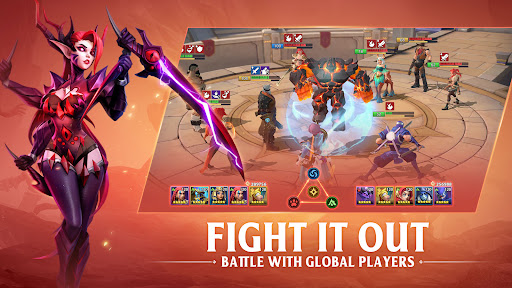
★Million downloads from adventurers around the world!★
Participate in various events at any time, claim unlimited rewards, and try out intriguing gameplays!
Step on the journey with your heroes from the Sword Harbor to defeat Lihem the evil god and save the Lowes Continent from falling apart!
Features:
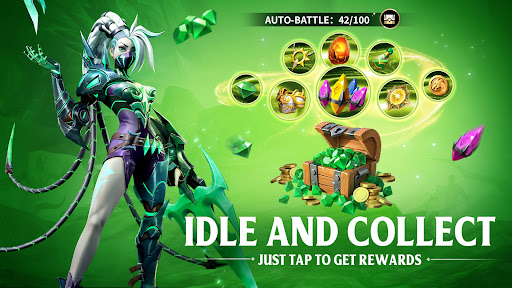
★Offline Rewards and Auto-battle★
Receive abundant upgrade materials and rare heroes through idle gameplay.
Auto-battle in the background, which can be automatically continued up to 150 times, gaining countless rewards at ease!
Free your hands and allow you to spend all your time enjoying a real strategy game!
★Individualized Hero Cultivation★
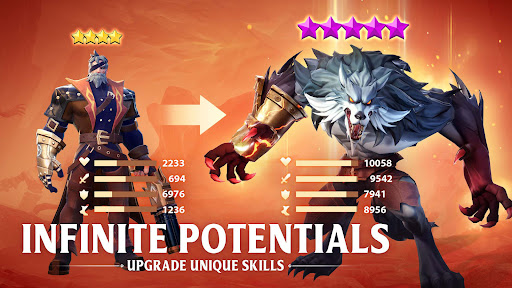
Awaken heroes to obtain Exclusive weapons with extra skill effects!
Gaining equipment and artifacts through forging and dungeon challenges to improve your overall strength!
The Emblem and Aura Systems allow you to keep good control of the cultivation and make sure all the attributes are well-balanced!
Regress heroes at no cost and get all the invested resources back!
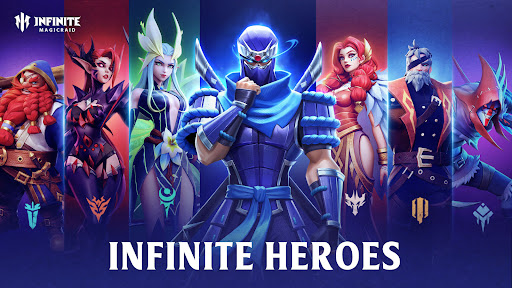
★Collection of Over 300 Heroes From 12 Factions★
Summon the souls controlled by the evil god, and call up the power of gods, elves, dwarfs, and wizards.
Each of the 12 factions has its own specialty, and there are more to come!
Every hero can always come in handy with their unique use.
Collect heroes with unique skills and lead them to victory on the battlefields of PVP and PVE!
★Interesting Strategic Battles with Various Contents★
Hero skills of more than 1,000 different kinds unleash more possibilities on the battlefield.
Over 10,000 ways of hero combination ensure you fight in different environments easily!
Flexibly switch between auto-battle and manual control, allowing you to follow your own pace during the battle!
★Non-stop Game Events with Rich Rewards★
New events are available every week and abundant rewards can be claimed through participation!
Mimi-game events are as relaxing as ever!
There are also festival events and special dungeons every month to bring you refreshing experiences!
★Grand 3D Stages and Themed Dungeons★
12 Campaign stages with hand-drawn cut scenes give you an immersive tour of the stage scenes: Sword Harbor, desert, forest, snow field...
Challenge different themed dungeons to win abundant rewards, and clear stages to claim powerful heroes!
Lead your team through the battles and dive into the vast world of the Lowes Continent!
★Thoughts Sharing With a Global Community of Adventurers★
Add friends, establish a guild, and earn extra rewards while sharing your gaming experience with adventurers all over the world!
Compete with other adventurers to win victory and glory!
Join us:
Email: infinitemagicraid@gmail.com
Facebook: https://www.facebook.com/InfiniteMagicraid/
Discord: https://discord.gg/2UMjkkbjbh
Show more

1. Download MEmu installer and finish the setup

2. Start MEmu then open Google Play on the desktop

3. Search Infinite Magicraid in Google Play
Install
4. Download and Install Infinite Magicraid
5. On install completion click the icon to start

6. Enjoy playing Infinite Magicraid on PC with MEmu
MEmu Play is the best Android emulator and 100 million people already enjoy its superb Android gaming experience. The MEmu virtualization technology empowers you to play thousands of Android games smoothly on your PC, even the most graphic-intensive ones.
Bigger screen with better graphics; Long duration, without limitation of battery or mobile data.
Full Keymapping support for precise control of keyboard and mouse or gamepad.
Multiple game accounts or tasks on single PC at one time with Multi-Instance manager.
Play Infinite Magicraid on PC by following steps: