Inkvasion
Updated
Current Version
Offered By

With your passion for Inkvasion, you shouldn’t have to limit yourself to the small screen of a phone. Play like a pro and take full control of the game using a keyboard and mouse. MEmu gives you everything you’re looking for. Download and play Inkvasion on PC. Play as long as you want — no more worries about battery life, mobile data, or unexpected calls. The all-new MEmu 9 is the best way to play Inkvasion on PC. With our expertly designed keymapping system, Inkvasion feels just like a real PC game. The MEmu multi-instance manager lets you run two or more accounts on the same device at the same time. Most importantly, our exclusive emulation engine unlocks your PC’s full potential, delivering smooth and seamless performance.
Show more
Download Inkvasion on PC with MEmu Android Emulator. Enjoy playing on big screen. Inkvasion officially launches on October 30!
Inkvasion officially launches on October 30! Pre-register now to claim exclusive launch rewards!
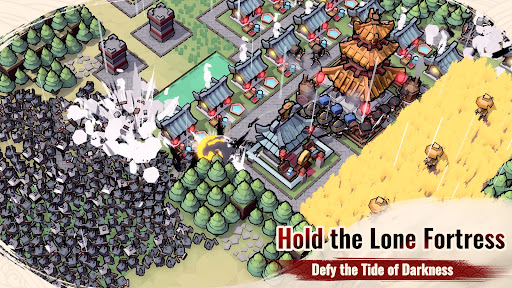
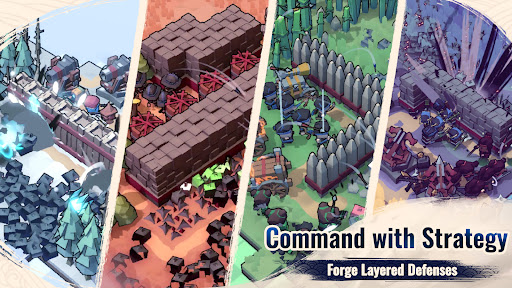
Inkvasion is a blocky 3D strategy-building game that fuses RTS, simulation, and tower defense (TD).
Take charge as your town’s leader—explore more tiles, arrange resources, rally troops, and set clever defenses. When night falls, waves of corrupted ink-born creatures rise from the darkness. Outsmart them with cunning tactics and stand firm—are you ready to protect them.?
Strategy at Its Core
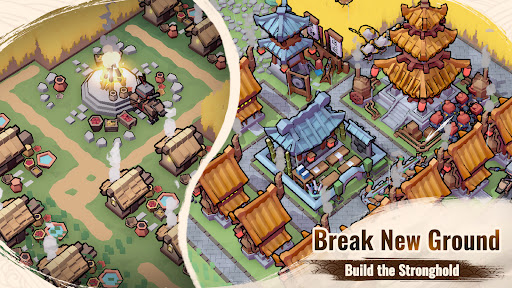
At its core, Inkvasion is both a strategy and town-building simulator—resource management, real-time strategies, and tactical planning shape every battle. Will you mine and farm to grow a stable economy, or rally your forces for war and conquest? Every clash demands sharp strategy and bold choices—hesitation means defeat.
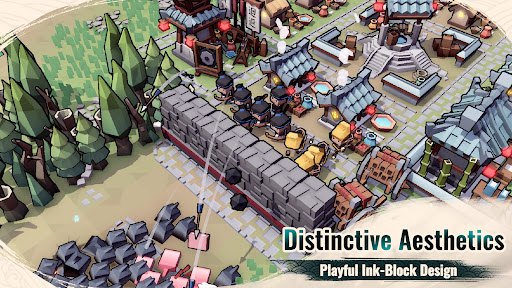
Distinctive Blocky Adventure
With its unique blocky 3D art style, every construction feels alive. Grow your town, collect resources, and command your forces in an epic adventure filled with humor, challenge, and endless possibilities.
Multiple Game Modes
Conquer campaign stages for fast-paced strategy, test your tactical skills in survival tower defense, or join multiplayer and co-op modes to clash against overwhelming foes. From casual skirmishes to epic battles, there’s always a challenge to push your strategy further.
Ever-Changing Battlefields
Dynamic terrain, shifting weather, and random events ensure no two battles are the same. Train and grow your town by day, then stand firm against relentless nighttime waves. Face powerful bosses and elite enemies in defenses that turn every clash into a new adventure.
Multiplayer Fun & Co-op Survival
Team up with friends in co-op to defend your town from massive ink waves, or compete for supremacy on the leaderboards. Farm, grow, and protect your town together—or raid each other’s resources in playful rivalry. Strategy, teamwork, and laughter collide here.
The battle begins now. Grow your town, command your forces, and defend it—only true strategy can withstand the ink tide!
Follow us:
http://www.chillyroom.com
Email: info@chillyroom.games
YouTube: @ChillyRoom
Instagram: @chillyroominc
X: @ChillyRoom
Discord: https://discord.gg/8DK5AjvRpE
Show more

1. Download MEmu installer and finish the setup

2. Start MEmu then open Google Play on the desktop

3. Search Inkvasion in Google Play
Install
4. Download and Install Inkvasion
5. On install completion click the icon to start

6. Enjoy playing Inkvasion on PC with MEmu
MEmu Play is the best Android emulator and 100 million people already enjoy its superb Android gaming experience. The MEmu virtualization technology empowers you to play thousands of Android games smoothly on your PC, even the most graphic-intensive ones.
Bigger screen with better graphics; Long duration, without limitation of battery or mobile data.
Full Keymapping support for precise control of keyboard and mouse or gamepad.
Multiple game accounts or tasks on single PC at one time with Multi-Instance manager.
Play Inkvasion on PC by following steps: