
Jump Ship
Updated
Current Version
Offered By

With your passion for Jump Ship, you shouldn’t have to limit yourself to the small screen of a phone. Play like a pro and take full control of the game using a keyboard and mouse. MEmu gives you everything you’re looking for. Download and play Jump Ship on PC. Play as long as you want — no more worries about battery life, mobile data, or unexpected calls. The all-new MEmu 9 is the best way to play Jump Ship on PC. With our expertly designed keymapping system, Jump Ship feels just like a real PC game. The MEmu multi-instance manager lets you run two or more accounts on the same device at the same time. Most importantly, our exclusive emulation engine unlocks your PC’s full potential, delivering smooth and seamless performance.
Show more
Download Jump Ship on PC with MEmu Android Emulator. Enjoy playing on big screen. Jump Ship is an exciting mission-based cooperative first-person shooter (FPS) that immerses players in the intense life of a spaceship crew.
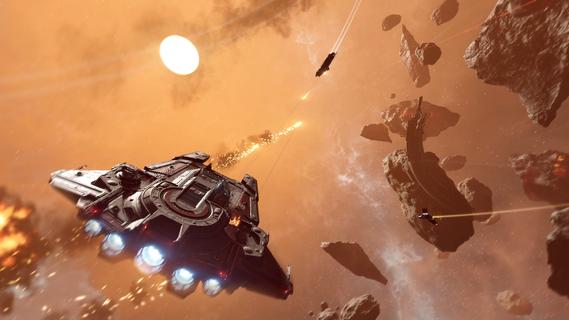
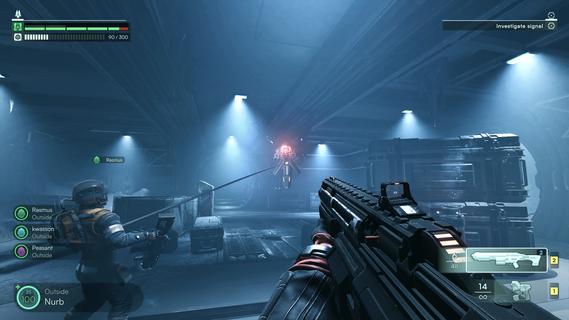
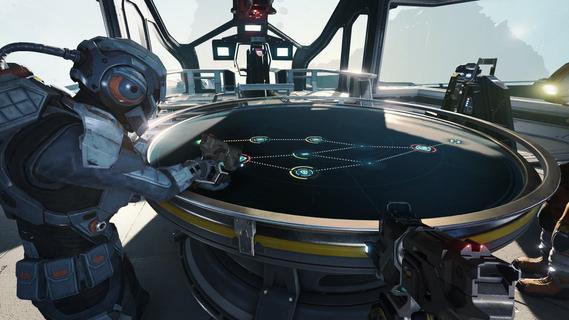
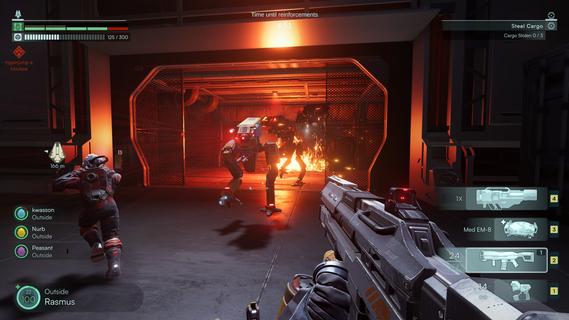
Jump Ship is an exciting mission-based cooperative first-person shooter (FPS) that immerses players in the intense life of a spaceship crew. Designed for up to four players, the game offers a unique blend of teamwork, tactical combat, and exploration, all set against the vast and dangerous backdrop of outer space. Players must work together to survive, complete missions, and keep their ship operational while facing threats both inside and outside their vessel. At its core, Jump Ship emphasizes seamless transitions between different gameplay modes. Players can switch effortlessly from manning the ship’s various stations—such as piloting, engineering, or weapons control—to venturing outside the ship on foot. This fluid movement between roles adds depth and variety to the gameplay, ensuring that every moment is engaging and dynamic. Whether you’re repairing critical systems during a crisis or engaging in a zero-gravity spacewalk, the game keeps players on their toes. The cooperative aspect is central to the experience. Each crew member has specific responsibilities, and success depends on effective communication and coordination. For example, while one player pilots the ship through an asteroid field, another might be managing shields or repairing damage caused by enemy fire. The teamwork required creates a strong sense of camaraderie and shared purpose that is rare in many FPS games. Combat in Jump Ship is intense and varied. Players face threats both on the ship and on external missions. On-foot exploration often leads to hostile encounters on alien planets or derelict space stations, where players must utilize cover, strategic positioning, and their unique abilities to survive. Space battles add another layer of excitement, with players manning turrets or piloting the ship in dogfights against enemy vessels. The combination of ground and space combat ensures that players must master different combat styles and tactics. Upgrading and maintaining the ship is a crucial part of the gameplay loop. Players gather resources and complete objectives to enhance their vessel’s capabilities, from improving weapon systems and shields to repairing structural damage. A well-maintained ship not only increases the crew’s chances of survival but also unlocks new mission opportunities and exploration zones. The ship itself becomes a character in the story, evolving alongside the crew’s journey. The mission-based structure provides clear goals and a sense of progression. Each mission presents unique challenges, whether it’s rescuing stranded allies, retrieving valuable cargo, or defending against waves of enemy attackers. The variety of mission types keeps the gameplay fresh and encourages players to adapt their strategies. Success requires balancing exploration, combat, and ship management, making every decision impactful. Visually, Jump Ship offers detailed sci-fi environments that capture the vastness and mystery of space. The interiors of the ship are intricately designed, with functional consoles and realistic zero-gravity physics enhancing immersion. External environments, such as alien worlds and space debris fields, provide atmospheric and varied backdrops for the crew’s adventures. In summary, Jump Ship is a thrilling cooperative FPS that combines tactical teamwork, versatile combat, and immersive space exploration. Its seamless gameplay transitions, mission variety, and emphasis on ship management create a rich and engaging experience for players who enjoy sci-fi action and cooperative challenges. Whether you’re coordinating repairs during a crisis, battling enemies on alien terrain, or piloting your ship through hostile space, Jump Ship delivers an unforgettable journey among the stars.
Show more

1. Download MEmu installer and finish the setup

2. Start MEmu then open Google Play on the desktop

3. Search Jump Ship in Google Play
Install
4. Download and Install Jump Ship
5. On install completion click the icon to start

6. Enjoy playing Jump Ship on PC with MEmu
MEmu Play is the best Android emulator and 100 million people already enjoy its superb Android gaming experience. The MEmu virtualization technology empowers you to play thousands of Android games smoothly on your PC, even the most graphic-intensive ones.
Bigger screen with better graphics; Long duration, without limitation of battery or mobile data.
Full Keymapping support for precise control of keyboard and mouse or gamepad.
Multiple game accounts or tasks on single PC at one time with Multi-Instance manager.
Play Jump Ship on PC by following steps:

















































