
Kardmi
Updated
Current Version
0.1.19
Offered By

With your passion for Kardmi, you shouldn’t have to limit yourself to the small screen of a phone. Play like a pro and take full control of the game using a keyboard and mouse. MEmu gives you everything you’re looking for. Download and play Kardmi on PC. Play as long as you want — no more worries about battery life, mobile data, or unexpected calls. The all-new MEmu 9 is the best way to play Kardmi on PC. With our expertly designed keymapping system, Kardmi feels just like a real PC game. The MEmu multi-instance manager lets you run two or more accounts on the same device at the same time. Most importantly, our exclusive emulation engine unlocks your PC’s full potential, delivering smooth and seamless performance.
Show more
Download Kardmi on PC with MEmu Android Emulator. Enjoy playing on big screen. Kardmis are adorable creatures that inhabit the vast continent of Gerdon.
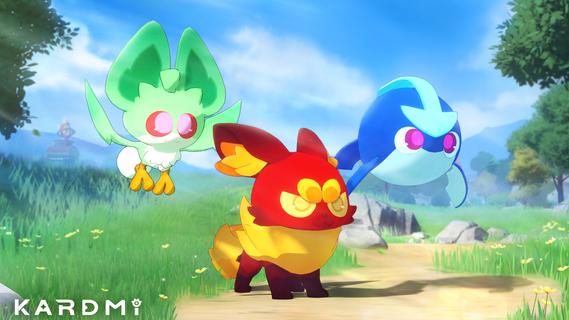
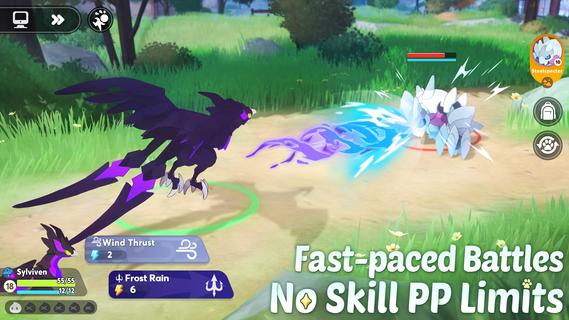
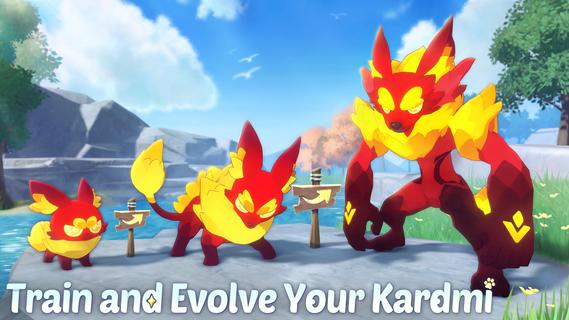
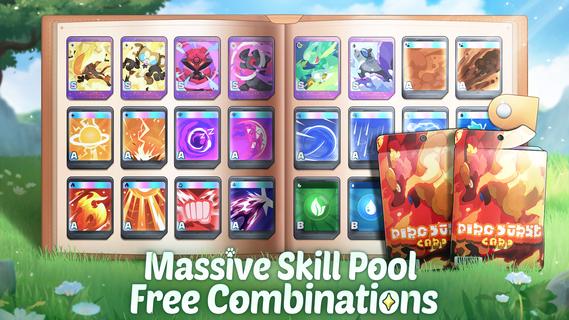
Kardmis are adorable creatures that inhabit the vast continent of Gerdon. Each Kardmi has unique and powerful abilities. As trainers, your goal is to catch, train, and battle these kardmis, helping them grow stronger through evolution!The name "Kardmi" blends "Card" and "Amigo" (Spanish for "friend"), symbolizing the strong bond between trainers and their Kardmis.Your ultimate goal? Become a Kardmi Master!Catch stronger Kardmis, challenge Gym Leaders, and rise to the top as the strongest trainer!!FREE TO CATCH, NO GACHA NEEDEDExplore the open world and catch Kardmis without the need for Gacha. Enjoy a fair and balanced experience where everyone can succeed.TRAIN & EVOLVEWith 9 Kardmi types (Water, Fire, Grass, Electric, Wind, Ground, Fighting, Dark, Psychic) and over 20 unique personalities to discover, you can train your Kardmis through battle, evolving them into more powerful forms.TYPE REACTION SYSTEMGo beyond simple type counters and resists! Each type reacts with others to create exciting effects. For example: [Water] + [Electric] causes Paralysis and slows enemies, [Fire] + [Wind] causes Burn and reduces ATK, and [Grass] + [Earth] drains HP. Can you uncover all the possible reactions?FAST-PACED BATTLE MODENo more worrying about PP limits! Focus purely on battle strategy. Each battle is quick, and enjoy your one-minute battle!MASSIVE SKILL CARD POOLWith over 100 Skill Cards to choose from, each Kardmi can learn dozens of skills. Create your ideal battle strategy with ease—there are no weak Kardmis, only lazy trainers.EXPLORE THE WORLD OF GERDONEmbark on a journey across diverse landscapes, from quaint European towns to tropical beaches and bustling cities. Along the way, discover additional gameplay options like Clothing Customization and Farming.
Show more

1. Download MEmu installer and finish the setup

2. Start MEmu then open Google Play on the desktop

3. Search Kardmi in Google Play
Install
4. Download and Install Kardmi
5. On install completion click the icon to start

6. Enjoy playing Kardmi on PC with MEmu
MEmu Play is the best Android emulator and 100 million people already enjoy its superb Android gaming experience. The MEmu virtualization technology empowers you to play thousands of Android games smoothly on your PC, even the most graphic-intensive ones.
Bigger screen with better graphics; Long duration, without limitation of battery or mobile data.
Full Keymapping support for precise control of keyboard and mouse or gamepad.
Multiple game accounts or tasks on single PC at one time with Multi-Instance manager.
Play Kardmi on PC by following steps: