Kettle Street: Cosy Life Sim
Updated
Current Version
1.3.3
Offered By

With your passion for Kettle Street: Cosy Life Sim, you shouldn’t have to limit yourself to the small screen of a phone. Play like a pro and take full control of the game using a keyboard and mouse. MEmu gives you everything you’re looking for. Download and play Kettle Street: Cosy Life Sim on PC. Play as long as you want — no more worries about battery life, mobile data, or unexpected calls. The all-new MEmu 9 is the best way to play Kettle Street: Cosy Life Sim on PC. With our expertly designed keymapping system, Kettle Street: Cosy Life Sim feels just like a real PC game. The MEmu multi-instance manager lets you run two or more accounts on the same device at the same time. Most importantly, our exclusive emulation engine unlocks your PC’s full potential, delivering smooth and seamless performance.
Show more
Download Kettle Street: Cosy Life Sim on PC with MEmu Android Emulator. Enjoy playing on big screen. Welcome to Kettleby.
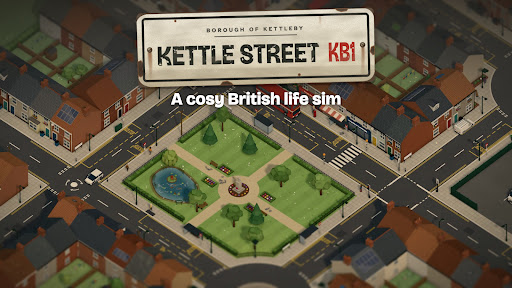
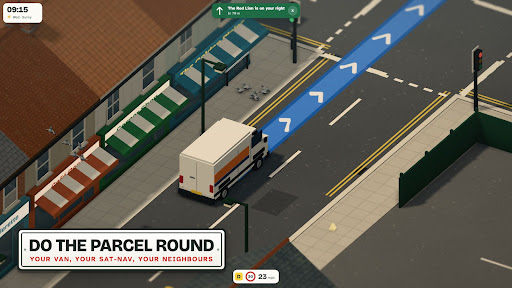
Welcome to Kettleby. You've just moved into a flat on Kettle Street with a few boxes and not much else. Maureen next door has already put the kettle on.
Kettle Street is a cosy life sim set in a small British town. Find work, pay your way, make friends with the neighbours and turn a bare flat into a proper home, one wage packet at a time.
Do the job yourself
There's no clicking "work" and waiting. Every job is something you actually do:
• Drive the parcel van round town on the sat-nav and get every parcel to the right door
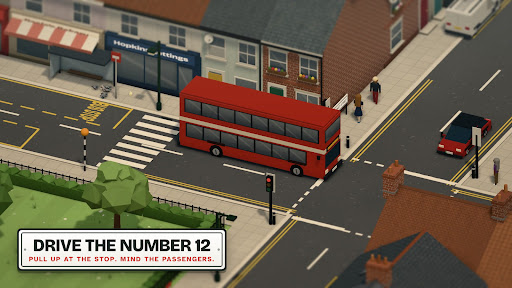
• Drive the number 12 double-decker, pull up at every stop and don't jolt the passengers
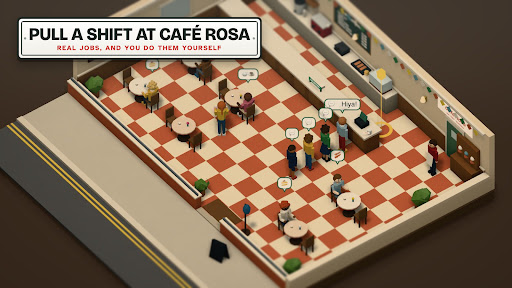
• Take orders, make butties and clear tables at Café Rosa
• Pull pints at the Red Lion: hold to pour, let go at the line
• Wait tables at the Kettleby Tandoori, poppadoms first
Work your way up from trainee for better pay, perks and a reference for the letting agent.
Make it home
Order furniture on Doorstep ("Left with a neighbour") and place every armchair, lamp and pot plant exactly where you want it. Repaint, change the floors, put things on tables, and earn new looks as you go. Top up the electric at the corner shop, get broadband put in, and bring home a hamster, a pair of guinea pigs, a rabbit or a budgie from Hutch & Hay.
Meet the neighbours
Seven neighbours, a street group chat and plenty of favours to do. Maureen at number 11 remembers everything. Help out and they'll warm to you; ignore them and they'll get a bit frosty. Mum, Dad and your brother Liam are a text away, and Mum has opinions about your bank statement. Get the coach home for Sunday dinner.
A whole town to live in
Saturday market in the park, quiz night and darts at the Red Lion, Fish Friday at the chippy, ducks to feed (peas, not bread) and pigeons to scatter. Traffic, buses, roundabouts, day and night, rain and shine. Ride your bike everywhere, or just sit on a bench and watch Kettleby go by.
Seasons that follow the real calendar
Kettleby's year runs on the real date. Blossom in April, ice creams by the pond on sunny summer afternoons, conkers and fallen leaves in autumn, then Halloween pumpkins, Bonfire Night fireworks over the park, Christmas lights on the High Street, snowmen and a white Christmas week. Come back through the year and the town has changed with it.
Play your way
• Made for phones, in portrait or landscape
• Plays offline: no account, no sign-in
• Your save stays on your device, and you can keep a copy as a file
Try it free
Your first week in Kettleby is free. Then unlock the full game with one purchase. No adverts, no subscriptions, no energy timers.
Made in Manchester by a tiny independent studio. Got an idea for the town, or found something broken? Write to the Council from your phone in the game: the letter comes straight to us.
Show more

1. Download MEmu installer and finish the setup

2. Start MEmu then open Google Play on the desktop

3. Search Kettle Street: Cosy Life Sim in Google Play
Install
4. Download and Install Kettle Street: Cosy Life Sim
5. On install completion click the icon to start

6. Enjoy playing Kettle Street: Cosy Life Sim on PC with MEmu
MEmu Play is the best Android emulator and 100 million people already enjoy its superb Android gaming experience. The MEmu virtualization technology empowers you to play thousands of Android games smoothly on your PC, even the most graphic-intensive ones.
Bigger screen with better graphics; Long duration, without limitation of battery or mobile data.
Full Keymapping support for precise control of keyboard and mouse or gamepad.
Multiple game accounts or tasks on single PC at one time with Multi-Instance manager.
Play Kettle Street: Cosy Life Sim on PC by following steps: