Kids Games: Gokko World
Updated
Current Version
3.0.1
Offered By

With your passion for Kids Games: Gokko World, you shouldn’t have to limit yourself to the small screen of a phone. Play like a pro and take full control of the game using a keyboard and mouse. MEmu gives you everything you’re looking for. Download and play Kids Games: Gokko World on PC. Play as long as you want — no more worries about battery life, mobile data, or unexpected calls. The all-new MEmu 9 is the best way to play Kids Games: Gokko World on PC. With our expertly designed keymapping system, Kids Games: Gokko World feels just like a real PC game. The MEmu multi-instance manager lets you run two or more accounts on the same device at the same time. Most importantly, our exclusive emulation engine unlocks your PC’s full potential, delivering smooth and seamless performance.
Show more
Download Kids Games: Gokko World on PC with MEmu Android Emulator. Enjoy playing on big screen. ◆Enjoy pretend play, educational games, and real-world experiences, all completely free!
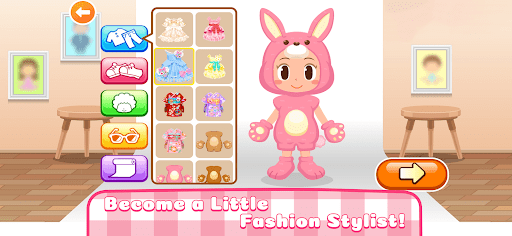
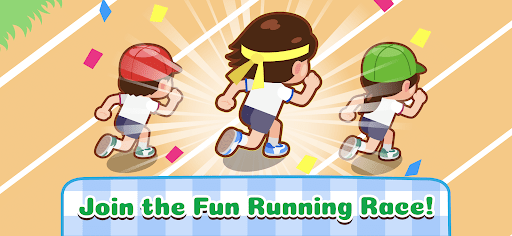
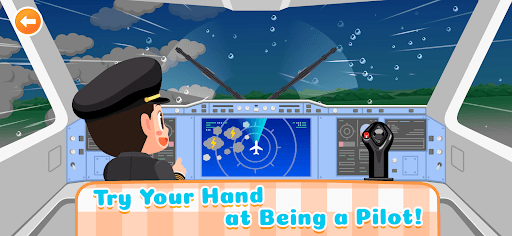
◆Enjoy pretend play, educational games, and real-world experiences, all completely free!
◆Learn and Play for Free! An Educational App for Kids
→GokkoWorld is a free, interactive app where kids can explore different careers through games and play original educational games.
[Recommended Age] 2 and up
◆GokkoWorld Features
- Designed with simple controls so even 2-year-olds can play.
- Educational elements like numbers and new vocabulary are woven throughout the gameplay.
- In addition to job roleplay, original educational games help nurture your child’s curiosity and thinking skills.
◆Tons of Pretend Play Games
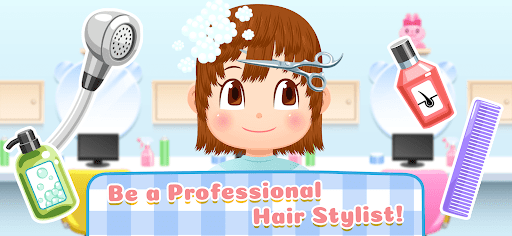
▽Play Hairdresser
Scissors, clippers, combs—so many tools to try!
Step into the role of a hairstylist and give Mom and Dad a new look!
▽Airport Adventure
Experience the jobs of pilots and airport staff!
Become a captain or flight attendant and make passengers smile!
GokkoWorld offers lots of other pretend play adventures! New pavilions are being added all the time!
◆◇GokkoWorld is perfect for kids who love:
・Games where they can cut and style hair
・Shop-themed job games
・Playing house at preschool with their friends
・Playing with makeup
・Dress-up and clothing store games
・Cooking and restaurant games
・Construction and playing with cars
・Doctor roleplay and dentist games
◆◇Recommended for parents looking for games and apps such as:
- Fun and educational games for 6 and 7-year-olds (first graders) that let kids learn through play
- Learning games designed for 5 and 6-year-olds
- A kids’ app packed with popular games like car games for boys and makeup games for girls
- Fun educational apps loved by 3 and 4-year-olds
- Apps for toddlers around age 3 that help with learning English and numbers
- Free games for kids and toddlers that kindergarteners aged 3 to 5 can understand
- Free educational apps for 2 to 3-year-olds that focus on playful learning while nurturing thinking skills and good habits
- Kids’ game apps with a wide age range—perfect for ages 3, 4, and 5
- Clothing store games and dress-up games
- Simple games that young children won't get bored of
- Educational apps featuring real-world shop games that kids can enjoy with their parents
- Free apps with flexible play options like makeup and hairstyling that are easy enough for 2-year-olds to enjoy
*The in-app experiences are designed for children and may differ from actual tasks or procedures
*For any products featured in the app, users with allergies or sensitivities should carefully check product labels and warnings before use
◆ Inquiries & Reporting Issues
support+0007-Android@kidsstar.tv
We are unable to respond to bug reports or requests submitted via the review section. Please contact us directly at the email address above.
*Be sure to allow emails from the @kidsstar.tv domain.
・Recommended Age: 2 and up
・Price: Free
Show more

1. Download MEmu installer and finish the setup

2. Start MEmu then open Google Play on the desktop

3. Search Kids Games: Gokko World in Google Play
Install
4. Download and Install Kids Games: Gokko World
5. On install completion click the icon to start

6. Enjoy playing Kids Games: Gokko World on PC with MEmu
MEmu Play is the best Android emulator and 100 million people already enjoy its superb Android gaming experience. The MEmu virtualization technology empowers you to play thousands of Android games smoothly on your PC, even the most graphic-intensive ones.
Bigger screen with better graphics; Long duration, without limitation of battery or mobile data.
Full Keymapping support for precise control of keyboard and mouse or gamepad.
Multiple game accounts or tasks on single PC at one time with Multi-Instance manager.
Play Kids Games: Gokko World on PC by following steps: