King's Raid RE:VERSE
Updated
Current Version
Offered By

With your passion for King's Raid RE:VERSE, you shouldn’t have to limit yourself to the small screen of a phone. Play like a pro and take full control of the game using a keyboard and mouse. MEmu gives you everything you’re looking for. Download and play King's Raid RE:VERSE on PC. Play as long as you want — no more worries about battery life, mobile data, or unexpected calls. The all-new MEmu 9 is the best way to play King's Raid RE:VERSE on PC. With our expertly designed keymapping system, King's Raid RE:VERSE feels just like a real PC game. The MEmu multi-instance manager lets you run two or more accounts on the same device at the same time. Most importantly, our exclusive emulation engine unlocks your PC’s full potential, delivering smooth and seamless performance.
Show more
Download King's Raid RE:VERSE on PC with MEmu Android Emulator. Enjoy playing on big screen. King's Raid RE:VERSE suits players who want to revisit a familiar fantasy setting or discover its characters and conflicts for the first time.
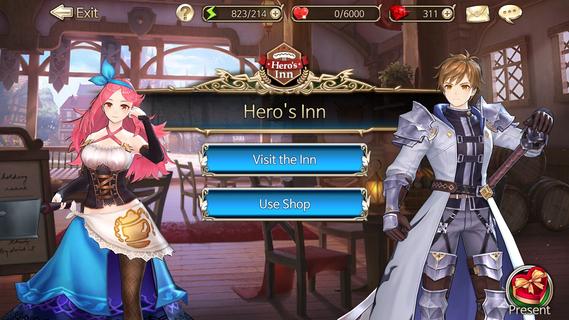
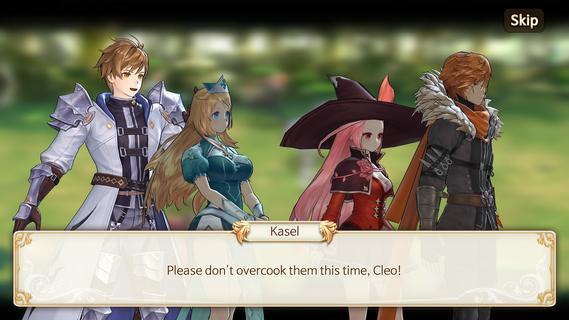
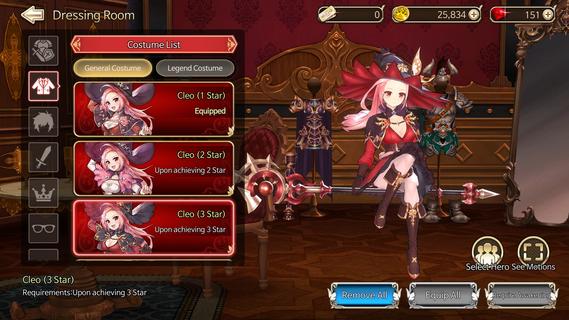
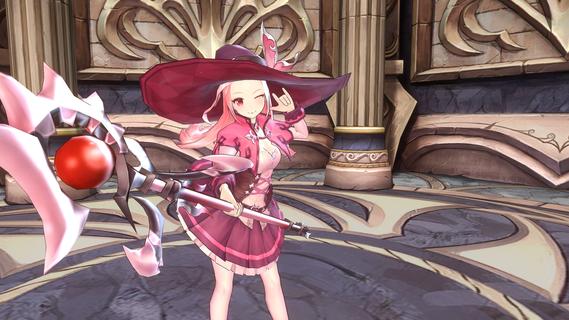
King's Raid RE:VERSE suits players who want to revisit a familiar fantasy setting or discover its characters and conflicts for the first time. The game continues the original KING's RAID experience with its established world, narrative, and cast, while also adjusting balance and play comfort. As a result, returning players can recognize key parts of the setting, while new players can follow the conflict involving goddesses, Constellations, and Constellation Slayers.FeaturesReal-time battle decisionsKing's Raid RE:VERSE uses battles where players watch the field and choose when to activate skills. Timing matters because enemy situations can change during a fight. You can combine hero skill combos to respond to combat challenges instead of relying only on automatic actions.Choose heroes directlyYou can build a party around heroes you want to use, without random gacha pulls deciding your roster. Each hero has a role, skills, and a position in battle that affect the team. Therefore, party planning involves choosing heroes whose abilities work well together.Story and returning charactersKing's Raid RE:VERSE brings back the fantasy world and story connected to the original game. The setting includes characters such as Clause, Kasel, and Frey, alongside the struggle involving the goddesses, Constellations, and Constellation Slayers. This gives battles a story context as players move through the game world.Cooperative raid battlesYou can join other players for co op raids against large raid bosses. These encounters ask players to consider their hero compositions and how their skills fit with the group. Successful raids provide gear and lead to encounters with stronger enemies.Costumes and combat adjustmentsKing's Raid RE:VERSE lets you unlock and equip costumes for selected heroes. In addition, the game includes adjustments to hero roles, battle balance, and auto battle flow. These changes are based on feedback gathered during CBT testing.What to know about King's Raid RE:VERSEKing's Raid RE:VERSE is presented as a continuation and revival of the original KING's RAID rather than a separate setting. Players familiar with the earlier game may recognize its heroes, story elements, and fantasy world. At the same time, the central conflict is introduced through the Constellations and their executioners, the Constellation Slayers, which gives new players a starting point for understanding the setting.The game focuses on forming teams from chosen heroes instead of collecting a roster through random pulls. This may suit players who prefer to plan around specific characters and their battle roles. Raid content also involves playing with others, so coordinated team choices become more important as boss encounters become stronger.How to play King's Raid RE:VERSEKing's Raid RE:VERSE centers on building a party, managing skills during battles, and developing teams for different encounters. Before you download King's Raid RE:VERSE, consider whether you prefer active battle timing and cooperative boss content. The following process outlines the main gameplay flow on an Android phone.Start by selecting heroes you want to place in your squad, then review their roles, skills, and battle positions.Arrange the team so that hero abilities can support one another when combat begins.During a real-time battle, watch the enemy situation and activate skills when their effects can be useful.After earning gear, adjust your team for later encounters and test different hero combinations when a battle becomes difficult.When raid battles are available, join other players and coordinate a group composition for the boss challenge.Get started with King's Raid RE:VERSEKing's Raid RE:VERSE combines real-time tactical combat, direct hero selection, story content, and cooperative raids in the returning KING's RAID world. Visit this page to pre-register for King's Raid RE:VERSE. When the package is available, you'll get an alert through email.
Show more

1. Download MEmu installer and finish the setup

2. Start MEmu then open Google Play on the desktop

3. Search King's Raid RE:VERSE in Google Play
Install
4. Download and Install King's Raid RE:VERSE
5. On install completion click the icon to start

6. Enjoy playing King's Raid RE:VERSE on PC with MEmu
MEmu Play is the best Android emulator and 100 million people already enjoy its superb Android gaming experience. The MEmu virtualization technology empowers you to play thousands of Android games smoothly on your PC, even the most graphic-intensive ones.
Bigger screen with better graphics; Long duration, without limitation of battery or mobile data.
Full Keymapping support for precise control of keyboard and mouse or gamepad.
Multiple game accounts or tasks on single PC at one time with Multi-Instance manager.
Play King's Raid RE:VERSE on PC by following steps: