
LaTale M: Side - Scrolling RPG
Updated
Current Version
1.0.5
Offered By

With your passion for LaTale M: Side - Scrolling RPG, you shouldn’t have to limit yourself to the small screen of a phone. Play like a pro and take full control of the game using a keyboard and mouse. MEmu gives you everything you’re looking for. Download and play LaTale M: Side - Scrolling RPG on PC. Play as long as you want — no more worries about battery life, mobile data, or unexpected calls. The all-new MEmu 9 is the best way to play LaTale M: Side - Scrolling RPG on PC. With our expertly designed keymapping system, LaTale M: Side - Scrolling RPG feels just like a real PC game. The MEmu multi-instance manager lets you run two or more accounts on the same device at the same time. Most importantly, our exclusive emulation engine unlocks your PC’s full potential, delivering smooth and seamless performance.
Show more
Download LaTale M: Side - Scrolling RPG on PC with MEmu Android Emulator. Enjoy playing on big screen. The best MMORPG in history~ Claim an Exclusive Pet 「Button Bunny」and deluxe gifts that make dungeons easier and clearance faster!

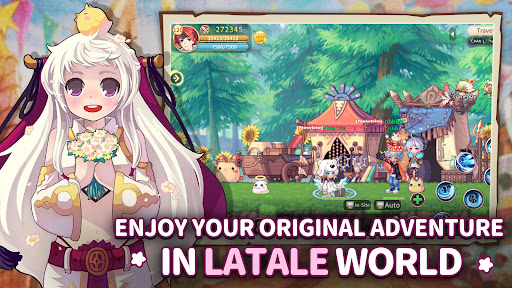
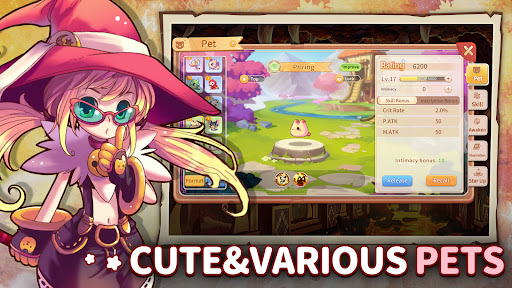
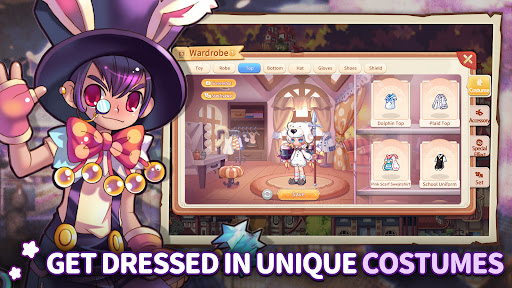
The best MMORPG in history~ Claim an Exclusive Pet 「Button Bunny」and deluxe gifts that make dungeons easier and clearance faster!
The popular 2D Side-Scrolling MMORPG LaTale Online comes to mobile as LaTale M! Immerse yourself in the absorbingly written storyline and embark on a nostalgic journey with classic classes. Grow stronger, raise your pets, join a guild, and fight alongside friends in Dual Raids. Create your own legendary hero and start your tale now!
【LaTale World】
Embark on an epic quest with other Heroes to battle against the forces of the Demon Realm and search for the renowned champion Iris Livier. Will you have what it takes to find her and save the world?
【Return of the Classic】
Remember the good old days? We've brought back the four iconic classes you know and love – Warrior, Explorer, Knight, and Wizard, each with 2~3 different kind of weapons to match. Now team up to challenge the classic Bosses!
【Show off your fashion style】
Fashionistas, unite! Unleash your inner style with a plethora of fashionable outfits and accessories to customize your character to the max. Mix and match to create your unique look!
【Community social system】
No more loneliness! Join forces with friends in lively guilds, form new bonds, and enjoy loot-filled Dungeons and unique Raids together! Express yourself with various emojis and poses for more convenient and vivid communication with others.
【Gathering, Mining, and Fishing!】
Take a break from battle and indulge in a variety of leisure activities – soak in hot springs, go fishing, mine, or gather herbs for precious resources! Explore diverse cities in LaTale's world, each with its own unique BGM to immerse yourself in.
【Adorable Pets and Mounts】
Time to make some adorable friends! Collect and evolve lovable pets and mounts as you roam the land. These little companions are sure to warm your heart!
Show more

1. Download MEmu installer and finish the setup

2. Start MEmu then open Google Play on the desktop

3. Search LaTale M: Side - Scrolling RPG in Google Play
Install
4. Download and Install LaTale M: Side - Scrolling RPG
5. On install completion click the icon to start

6. Enjoy playing LaTale M: Side - Scrolling RPG on PC with MEmu
MEmu Play is the best Android emulator and 100 million people already enjoy its superb Android gaming experience. The MEmu virtualization technology empowers you to play thousands of Android games smoothly on your PC, even the most graphic-intensive ones.
Bigger screen with better graphics; Long duration, without limitation of battery or mobile data.
Full Keymapping support for precise control of keyboard and mouse or gamepad.
Multiple game accounts or tasks on single PC at one time with Multi-Instance manager.
Play LaTale M: Side - Scrolling RPG on PC by following steps: